Effective Enterprise Knowledge Management and Data Quality with Confluence

Introduction to Enterprise Knowledge Management and Data Quality

Things you’ll learn

Effective Enterprise Knowledge Management and Data Quality with Confluence

Oxalis has a strong perspective after decades of experience in knowledge management. As organizations grow, autonomous teams and users develop their own approach to performing Enterprise Knowledge Management and Data Quality. In many legacy systems, the knowledge that the organization is recording becomes unmanageable, out-of-date and unusable. More so, the pileup of documentation becomes nearly impossible to sift through, forcing users to waste precious time trying to find answers to their questions. If even 10 employees spend ~1 hour a month trying to find an important piece of documentation, your organization is wasting over 100 hours a year on a single reference. Now think about 100s of users trying to find 100s of pages – that is a major loss in productivity.

Without taking a thorough, robust, and scalable approach to enterprise knowledge management, organizations get left with piles of disjointed and unusable documentation. Once leadership realizes that this is a problem that needs to be fixed, a major effort is required to review and reorganize that information. A process and tool must also be implemented to keep that information updated and discoverable, or the cycle will repeat, at increasingly larger scales. Get support.

Enterprise Knowledge Management and Data Quality & How Can it Help

Knowledge management at the enterprise level strives to make information accessible and reusable to stakeholders across the organization. To meet this goal, organizations must define and implement processes and tools that enable the classification, categorization, and grooming of information, coupled with methods to expose the right information to the right users at the right time. Data Quality can be enforced via the use of sustainable templates and tools deployed at Enterprise scale, driving standardization and quality in developed intellectual property.

Knowledge Management Methods

When discussing knowledge management related to enterprise organizations, it is important to understand the different models or methods for managing information that available knowledge management applications use.

Pull

Knowledge Management Methods

The old, legacy way of approaching knowledge management can be described as having a “pull” mentality. In this model, users must rely on very robust search capabilities to sort through a very large library of information. Generally, this method is adopted by intranets and other database focused tools.

Push

Push

The new, modern way of approaching knowledge management can be described as having a “push” mentality, where integrated knowledge base tools expose information to users based on the context of the work they are currently performing. In this model, search is still available to find specific information in the knowledge base, but tags, labels and categories are heavily used, coupled with machine learning to prompt users to reference information when they might need it.

Confluence, integrated with other tools in the Atlassian suite, embraces and is a leader in the new approach to getting information to users, and their methods will be explained below.

Approaches to Accomplish Enterprise Knowledge Management and Data Quality

Process is key

To have an effective knowledge management system, organizations should focus on accomplishing three key aspects:

  • knowledge capture
  • knowledge access
  • knowledge management

These processes should be accompanied by a straightforward process that the organization embeds into the way that their users work: capture, review, publish and groom.

1. Knowledge capture

Knowledge culture

Knowledge capture is the process of converting knowledge that an employee possesses in their mind into a format that is available to other users in the organization (this is often referred to as tacit versus explicit knowledge). Knowledge capture is arguably the most important aspect of the knowledge management process. If you don’t have a consistent and reliable way to capture your employee’s knowledge, you’ll lose it! You invest in your employees to learn and gain competencies throughout their time working for your organization, so when an employee decides to leave the company, your investment and potential resources for future employees will walk out the door with them. The information that your employees possess is invaluable intellectual property for your organization, so help make the process of capturing that information easy for your employees!

As an industry leading knowledge management tool, Confluence offers a library of industry standard and best practice templates, which make writing documentation simple, easy and less confusing. Often times, the hardest part about writing effective documentation is knowing where to start, and how to structure the documentation you need to put together. Instead of users wasting their time formatting pages and tables, creating siloed, discreet templates, Confluence templates make it easy for people to do the right thing, and capture their knowledge in a structured, readable and reproducible way. This knowledge management and data quality approach allows for strong capture at time of inception. Talk to an expert.

Now you might be thinking, “my employees don’t have time to sit and type out detailed documentation about every single thing they know or do each day”.

That should not be your organization’s goal! Trying to capture every piece of knowledge floating around in every employee’s head is a waste of time and will likely lead to cognitive overload for everyone involved in the content management process. Instead, organizations should prompt their users to capture the information that is 1) critical to performing their job role effectively and 2) key to your organization’s growth and future success, but only if that information has not already been documented by someone else in the organization.

“But how are my employees supposed to know whether what they’re working on has already been documented by someone else or not? Surely they don’t have the time to go and search through our entire knowledge base while completing a task.”

Right again! This is why users should be prompted to reference (and create, if necessary) documentation as a part of your business systems. With tools like Jira Software and Jira Service Management, articles can be suggested to users based on what they are currently working on (more on that later) and users can be prompted (via Confluence) to quickly create effective, templated documentation in cases where no relevant documentation already exists. In this way, information is being captured precisely at the time it was needed, generating new intellectual property for your organization when it is relevant.

“So, you’re talking about capturing knowledge at an individual level, how does this scale across my entire organization?”

Enterprise knowledge capture (and knowledge management in general) means that Teams and Departments across the entire business are working cohesively, in a similar way. When users across the organization are being prompted to capture their knowledge at the right time, you start to build up an effective knowledge management process and system.

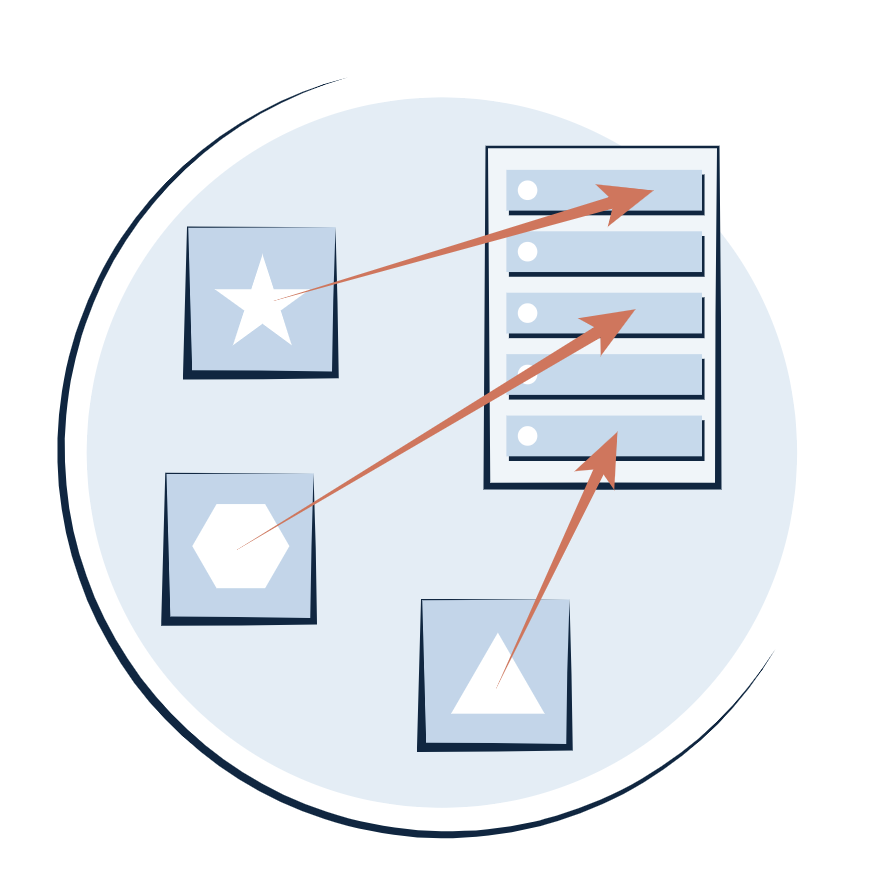
IT helpdesk

2. Knowledge access

Knowledge access

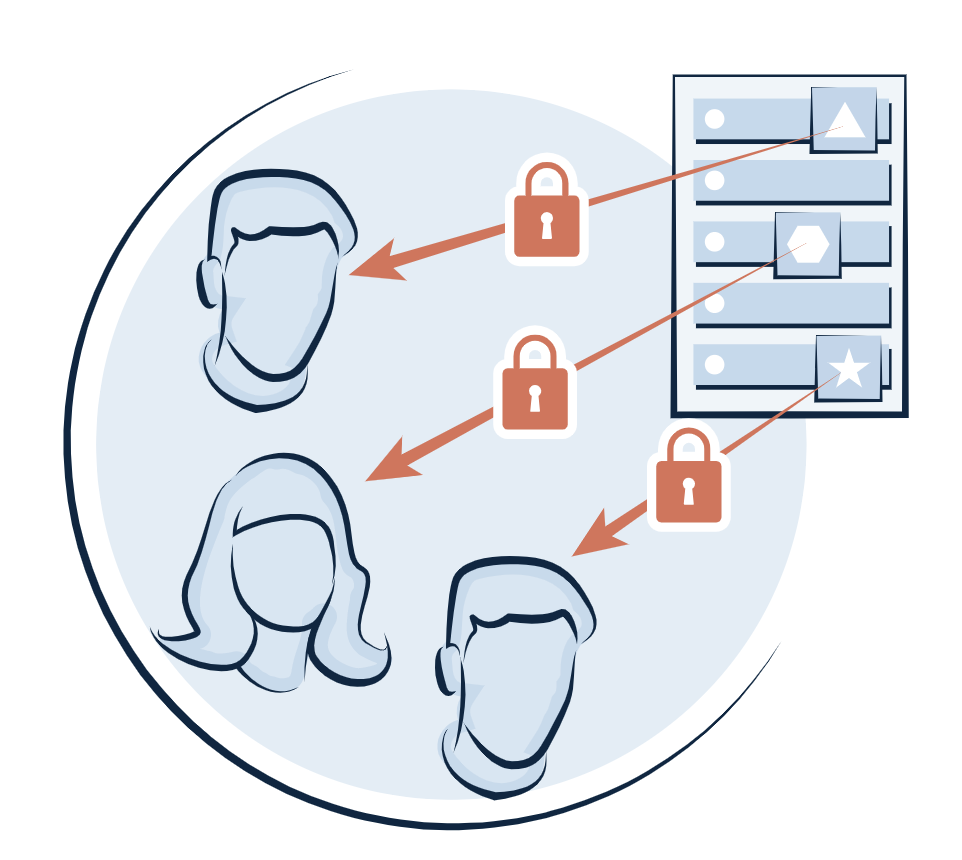
Once an organization has established sound practices for capturing its employee’s knowledge, the next step in enterprise knowledge management is to focus on making sure that the right people have access to that knowledge (and at the right time). When using a modern knowledge base like Confluence, ensuring that the right people have access to the right documentation is handled using flexible and scalable permission schemes. The ability to view, edit or administrate can be granted to groups and roles, allowing your permissions to scale and be dynamic. It is also important to enforce a review and categorization cycle on organization-wide documentation before it is published to the entire enterprise. With modern knowledge management applications, a review process can be enforced, from draft to approval to being released to the organization.

Along with access to knowledge, organizations should enable and encourage their employees to collaborate around the knowledge that is being and has been documented. According to a 2020 study by Forrester, high performing teams are 20% more likely to encourage open knowledge sharing and collaboration compared to low performing teams. With a modern knowledge base application like Confluence, users can collaborate in real-time on articles together, by adding in-line comments, liking, favoriting, sharing and mentioning other users on documentation.

“But how do my users find the documentation that they have access to?”

All leading modern knowledge base applications are equipped with a robust search capability, but searching for articles will always be a manual and tedious process. To help make the manual search for documentation and the automated promotion of articles to users more effective, intentional and thorough categorization is key.

By enabling (and often times enforcing) documentation publishers to add tags, labels and categories to documentation during the review cycle, modern knowledge management systems can use machine learning to prompt users to access relevant documentation as a part of their workflow. For example, Atlassian offers a robust integration between Jira Service Management and Confluence, which enables organizations to:

  • Expose, categorize and promote knowledge base articles to external stakeholders (customers or internal users) through a customizable portal.
  • Enable service agents to access and review the same documentation that is being prompted to external stakeholders, and access a separate, internal knowledge base.
  • Enable service agents to generate new, templated documentation directly from requests for which no useful documentation already existed.
IT helpdesk

According to a study conducted by Forrester in 2019, organizations that implemented Jira Service Management alongside Confluence saw a 20% ticket deflection rate, and one organization reported a 230% increase in traffic to their HR team’s documentation space.

3. Knowledge management
Knowledge management

So, you’re prompting your employees to capture their knowledge when it is relevant to them and you’re exposing that knowledge back to them when it is needed. Now you need to instill a consistent practice of managing that knowledge to keep it updated, relevant and manageable.

One of the more traditional ways to approach this part of the knowledge management process is by creating a hierarchical structure to store and organize documentation. While this file-folder / intranet mindset may have started with legacy knowledge base tools, it is still relevant and appropriate for modern knowledge management tools. Regardless of how powerful and tailored your knowledge management tool’s search capability is, your space / site owners should enforce a consistent hierarchy across the entire system, to help make information easier to find when manual searching is necessary. At Oxalis, we recommend creating a Confluence Space for each level and area of the organization, to ensure that every piece of information has a place to call home. Each Project, Team and Department should have a Space that they take ownership of, with a Space at the Corporate level as well. Enforcing a consistent architecture of information at every level of the organization will help your knowledge management practices and tools scale across your enterprise.

To keep your knowledge manageable and managed, Oxalis recommends assigning ownership at the space/site and individual page/article level. By spreading the responsibility for your content across the team, users can hold each other accountable, and also lessen the burden of reviewing information, making it more likely to be performed on a regular cadence. When using a tool like Confluence, reminders can automatically be sent to content owners to help keep information fresh. Contact us.

Additionally, Confluence offers Space and Page analytics to help content owners understand how often specific information is being viewed, at a micro or macro level, which can help inform decisions around what content needs to be promoted or archived. During the knowledge capture or review process, a content owner may discover or decide that a specific article is no longer relevant, and choose to archive the information. This ensures that your organization’s intellectual property is not lost, and also that outdated content is not being suggested to your users. This process of proactive content review and grooming is a crucial part in the knowledge management process for enterprises to keep their knowledge relevant and useful.

Jira chart

Finally, most enterprise organizations must adhere to specific compliance standards. For more information about how Atlassian approaches security, reliability, privacy, and compliance for their products and services, visit Atlassian Trust.

Conclusion

Enterprise knowledge management means that your employees, across all teams, departments and units are capturing, managing and accessing your organization’s information in a consistent way. When you expose the right information, to the right people, in the right place, at the right time, you ensure that your employees can work quickly and effectively, maintaining and utilizing your most important information.

Growing and enterprise organizations must work to implement a process and tool for capturing and managing the knowledge that their employees have, or risk wasting employee’s time and energy searching through stale content or worse, lacking the ability to leverage their own knowledge across the organization.

Our Approach to Enterprise Knowledge Management and Data Quality

When Oxalis approaches a discovery and implementation effort for Confluence and other tools across the Atlassian suite, we prefer to take a cohort-style approach to the roll-out of new processes and tools to get organizations to an enterprise, sustainable path. Oxalis offer a full suite of services to get you a professional implementation of a critical business process.

Knowledge management with data quality is difficult at scale and in an enterprise setting, however, it is essential that you business get this right. Your IP is your business and you need to make it available, high quality, and harness its power. Oxalis is an expert in doing this work in an enterprise setting.

Contact us to learn more
 

Recommended blog posts

Perspective on the state of CMMC – July 2021

Perspective on the state of CMMC – July 2021

Disclaimer: This is based on a general perspective amalgamated out of the past several months of news and specification revisions rather than any insider information and should not be considered at all authoritative.

CMMC threw the greater defense industrial base into a whirlwind of confusion with poor government communication, a cottage industry of un-accredited CMMC consulting, and concerns over the cost to small and medium firms. Over the past month, yet more smoke has billowed up, with the House Small Business Committee holding hearings, Katie Arrington, the DoD CISO serving as the public face, getting put on administrative leave, an early member of the CMMC Accreditation Body’s board resigning, and distribution of official notices warning of unauthorized providers.

At Oxalis, we talk to a lot of DoD contractors and find that this noise and confusion is creating either analysis paralysis or investment in anything that promises to be CMMC-ready, accurate, or not. We want to help cut through that noise and give our perspective on how all DoD contractors can make clear plans forward. Talk to our experts.

If You’re Currently Meeting DFARS Contractual Requirements, CMMC Will Be Easy

Oversimplifying, the CEO level summary of CMMC is that instead of self-certifying to meeting security requirements, now firms will need to be audited by a third party (3PAO). That’s it.

Yes, there is some change in the language of the requirements and a few non-trivial new requirements, but those are minor in contrast with the auditing requirement. Viewed through that lens, CMMC compliance and certification should be relatively inexpensive – tighten up policies, find an auditor and add some incremental tracking.

CMMC forces companies to ask if they have truly been in compliance with their current requirements and many are finding that the answer is “no”. With C-suite attention, DIB firms are recognizing that their system security plans (SSP) are superficial, plan of action & milestones (POAMs) serve as a graveyard of good ideas and missed deadlines, and bidding/contracting does not recognize what security rules they’re actually testifying to meeting.

At Oxalis, our perspective is that this is the gap between the DoD’s view that CMMC should be relatively inexpensive versus the reality of firms, some of who, are facing $250,000+ estimates for getting certified. Get help now.

Our Advice

Get your house in order and make sure you’re meeting your current requirements before diving straight into CMMC. Remember, there is personal criminal liability associated with failing to protect government information, and although rarely prosecuted, ensuring you meet the requirements of DFARS 7012/7019 will serve as a stepping stone to CMMC 3.

The DoD Will Require More Than “Just” CMMC

The current security standards landscape already causes confusion, but DoD contractors need to remember that on the majority of contracts, the cyber security requirements (DFARS 7012, etc) include meeting NIST 800-171 and then more. Similarly, many contracts have NOFORN (No foreign persons, aka ITAR) restrictions.

CMMC, even at level 5, doesn’t have any requirements that meet those ‘extras’. The DoD has not given any guidance on how (or if) they will continue adding their specific requirements. At Oxalis, we cannot see a case where those requirements will go away even with the full adoption of CMMC.

We all get imprecise with language, but when it comes to compliance and certification, no one can afford imprecision when differentiating between Controlled Unclassified Information (CUI) and Controlled Defense Information (CDI) and recognizing what your “High Water Mark” is for compliance. Similarly, just because a vendor or service is FedRAMP certified doesn’t mean they meet ITAR requirements.

As an example, many defense contractors use Microsoft’s Cloud Services – Office 365, Azure Cloud, etc. When looking at secure versions of those offerings, Microsoft 365 Government (GCC) and Azure Commercial meet the requirements of CMMC Level 3 and (very excitingly) DFARS 7012. There is a really big asterisk here – which is that those offerings do NOT meet ITAR/NOFORN requirements, requiring GCC-High for O365 and Azure Government for cloud hosting.

US Government Compliance in Microsoft Services (from Understanding Compliance Between Commercial, Government and DoD Offerings – February 2021 Update )

Our Advice

Understand your highest security requirement(s) when looking at and evaluating providers and services. Take a fine-tooth comb to your government contracts and look for key clauses that would force you to look at more restrictive services.

Despite the Noise, CMMC Will Happen

Improving the security of our nationally sensitive information and the digital safety of defense firms remains a critical initiative, only gaining importance from recent attacks such as the Solar Winds hack. At Oxalis, we believe the changes in CMMC are critical to improving the cyber defense of the nation, and moving away from unverified self-certification is a necessary change. The entire Defense Industrial Base, already committed to the defense of the nation and the safety of our warfighters, should view the goals of CMMC as furthering their missions and vital to all of our security.

The awkward rollout, poor communication, and lack of financial support may mean the program gets revised with a new name or the timeline gets delayed. The core idea though – independent verification of the cyber security of the firms working with sensitive information will stay and be part of contracts in the near future.

While the rollout may be phased in and slow, being ready for the first contracts requiring CMMC or its equivalent is business-critical. For prime contractors, it will only take one RFQ you can’t bid on to cause reputation damage with your customer leading to major organizational changes. For sub primes, because of the requirements to certify the entire supply chain, the inability to participate on contracts will lead to primes building their businesses around subs that they can work with from day 1.

Our Advice

You cannot wait and hope that the chaos around CMMC will give you either the time to worry about this later or that it will go away altogether. It is critical that firms working with the DoD start planning and getting ready now.

While CMMC (or equivalent) will happen (and is a good idea), the largest gap we see is the financial support to aid small and medium businesses in adopting these best practices. CMMC related costs are supposed to be reimbursable in contracts, but that doesn’t help when the work needs to be done now, years in advance of potential bids, and in a low margin, cost-sensitive industry. Continue to advocate to your customers and government representatives that national cybersecurity infrastructure is something that requires federal support now.

What Oxalis Is Doing

We’re committed to helping our customers, the industry, and the nation meet the challenges of the modern cyber security landscape, with increased threats, changes to the work environment, and an increase in volumes of data. In our work to help transform industries we’ve always put compliance and security first and continue to push the ball downfield to meet the evolving landscape. Get support.

We continue to make security-first offerings:

  • All our offerings are built to meet compliance needs – whether robust logging, identity management, MFA/2FA, we’ve already thought through the implications.
  • Flexible deployment models to meet your security needs and risk tolerance – whether on prem, in a hybrid environment or on a sovereign cloud provider (Azure Government or AWS GovCloud), we meet you where you are.
  • We’ve recently become a Microsoft Government Solutions provider which, in addition to our existing AWS and Atlassian partnerships, helps us offer comprehensive security solutions.
  • Looking over the horizon to future needs. While CMMC and 800-171 will drive the next several years, the threats and defenses continue to evolve. We’re already meeting many of the requirements of NIST 800-172 and are actively working to make sure we and our customers are ready to meet the security needs of not just the next few years but the next decade.

Contact us

Schedule time to discuss how we can help you meet and exceed your current and future security requirements.

Oxalis Ship Repair System (OSRS) Featured on MarineLink

Marine Link: Oxalis Ship Repair System (OSRS) featured on. “Oxalis isn’t just a technology company, we are a service,” Jon says during the interview. “That service is helping you set up and integrate to your government or your commercial entities and make sure you’re successful for the life of your project.”

The conversation covered OSRS as a technology platform for the maritime industry designed to streamline the vast ship repair process, as well as the benefit of approaching current manual processes with a technology and data driven mindset (and more importantly, utilizing that data for streamlined efficiency). Greg, Jon, and Micah discussed the merits of OSRS—not only that it creates a more fluid and reactive system for ship repair, but also reduces potential errors caused by manual input to the Navy Maintenance Database (NMD), as required by FY21 009-04 requirements. Get more information.

“Our customers are reporting that it’s saving them in resource time but countless hours in efficiency,” Jon said. “…and they are far more productive to the tune of tens of thousands of hours.”

Watch the Marine Reporter TV interview in its entirety below:

Contact us

Taking The Complication out of Jira Cloud Migration

Migrating systems to the cloud is an increasingly pertinent subject. In the past 5 years, Google Searches for keywords related to “Cloud Migration Services” have jumped nearly 500% (and rising fast). Of course, this isn’t a new topic—not only have we written about cloud migration and its benefits on our Oxalis Blog, but a quick search will also pull hundreds of thousands of articles saying the same thing: given you don’t have any compliance or regulatory barriers, it’s time to migrate your system to Atlassian’s cloud

With the rise of the COVID crisis since March 2020, we’ve seen spiked demand as employees are required to work from home, manage systems remotely, and collaborate from afar. The flexibility surrounding cloud migration has never been more relevant than it is now. The COVID crisis forced many companies to make the leap out of necessity—only to discover they should have made it long ago.  

Atlassian Discontinuing Server Edition, Encouraging Cloud Migration

This post has never been more applicable, as Atlassian announced the future discontinuation of its Server edition products. The announcement, which was released in October, details a timeline of dwindling sales and support of Server edition products starting February 2, 2021, and officially ending support for Server edition products by February 2, 2024. Read our full breakdown of Atlassian’s announcement and what it means for your Server products.

If you’re teetering on the decision to migrate to Atlassian’s Cloud, either out of necessity or curiosity, we’re here to tip you in the right direction. Get support.

As Atlassian cloud migration advisors, Oxalis’s unique expertise ensures Cloud Migration success.

The Cloud Migration Playbook, written for any company that needs to migrate from Atlassian Server or Data Center to the Cloud, covers the entire migration process from pre-planning to testing to executing the migration.

The Top Oxalis-Endorsed Reasons to Migrate to the Cloud Today:

The Benefits from the Ecosystem:

Atlassian has created a bevy of integrations that work seamlessly with Atlassian’s cloud, and they will continue to do so. Here’s some proof: back in May 2020, Atlassian purchased HALP, a communication integration that turns popular workplace communication tools (like Slack) into a virtual help desk. They want the cloud to work for everyone, and they’ll continue making strategic moves to improve.

The Reassurances of Stability:

The cloud allows for seamless, effortless updates. You and your team will have the most up to date systems, creating less maintenance and operation costs, saving valuable time, and providing the highest security standards—all done automatically.   

The Atlassian Commitment to Product:

Take it from the Atlassian Gold Partners and the 2019 Rising Stars from the Americas—right now, the cloud is Atlassian’s baby. They care more about growing that part of their business than any other. Atlassian’s team will continue investing in this system, and you will be one of the beneficiaries. Talk to our experts.

After all of that, let’s say you’re now convinced. No more teetering. The question remains: how can I make this as easy as possible, with as little downtime as possible, and as few setbacks as possible? That’s where Oxalis comes in—we have the experts on staff to make sure that your migration is not only seamless, but also tailored to your business needs. 

Think about your last move…did you hire movers? 

  • If you didn’t, do you remember what a hassle that was? Loading up all of the boxes, try and play box tetris to get them to fit, driving that oversized truck around town? Asking friends to help, paying them in stacks of pizza and beverages for several hours of work? What about when someone dropped that box marked fragile and boom, now you need a new set of dinner plates?
  • If you did, do you remember how quick and easy it was? Do you remember pointing them in the right direction to load and unload the boxes, and do you remember how organized and beautiful the truck was when it was all loaded up? Do you remember the assurance that things would get there safely and securely, and all in considerably less time than loading and moving the truck yourself?

Now imagine the movers not only carry your precious house items from place to place, but then they offer advice on how to best use your new space for light and usability. They help you find things that were lost over the years, and made them a useful part of your home again. To top it all off, they offer some award winning interior design advice and help you hang just the right color of curtains to tie the room together. Learn more.

Oxalis does not simply move your data over to the cloud. We advise on optimal integrations that work best with the cloud, pinpoint the plugins and configurations that will help your system run smoothly. Additionally, Oxalis helps standardize your company’s flow and look for any points of improvement to make sure we’re leaving the job better than when we started. 

Think of us as your movers who take any and all extra steps. Oxalis makes this process safe, simple, and speedy while your business hums along. 

Recommended blog posts

Using Jira for Non-Software Projects: Yes, Your Non-Software Team Should Use It!

As organizations across various industries transition to agile development, you may be wondering—should you follow suit? While created for software development, the agile approach’s focus on self-organizing, cross-functional teams who use adaptive planning, early delivery, and continual improvement can be applied in other areas too. In fact, agile has even been applied to family life.

Once you decide to go agile, you need a good tool to implement it with. Jira’s success with agile development teams (and service desk organizations) obscures the fact that it’s well-suited for a wide variety of business processes. Teams have used it for purposes as different as handling document review with approvals, tracking the inspection of power lines—even managing the repair of US Navy ships.

Wait, what is Jira?

Jira Software is an Atlassian software platform for work tracking and project management. For agile work, it offers both Kanban projects for ongoing work management, as well as Scrum projects for iterative, delivery cycle-based work management. The two fundamental elements Jira offers to organize work are: the project, which can be a classic project with a defined endpoint or a bucket for a team’s ongoing work; and the issue, which is a unique document that holds almost any data you want, comes with a workflow that can be adapted to fit whatever business process you need, and stores all user communication about the document via comments.

Notable Jira features include: highly-customizable workflows for issue tracking, a flexible and granular user permissions model, notification schemes and in-issue communication with @mentions, robust reporting and dashboards—and for agile teams, epics, sprints, stories, releases, versions, boards, and roadmaps. Jira allows users throughout the entire organization the visibility and control needed to track projects in real-time with complete transparency.

Realistically reflect your unique processes.

Each team is unique, and you need a work management tool that adapts to your team rather than forcing you to adapt to it. In addition to Jira’s built-in flexibility, a marketplace full of thousands of add-ons helps you make Jira work for you. You can even create your own add-ons using the extensive API. If you need a custom field that pulls from a custom database, Jira can do that. If you need to push data to another application when a process completes, Jira can do that. If your workflow spans five different teams and requires custom notifications at multiple points, Jira can do that. Whatever the nature of your team’s work, Jira can help you do it more collaboratively and more efficiently.

Embrace change and prepare for the future.

The reality is, however, that while you can define your workflows and business processes to reflect how you work at a a given point in time, most organizations make frequent changes to those flows and processes in order to achieve objectives and adapt to changing markets. Well, change is central to agile thinking. The same flexibility and customization Jira provides you to meet today’s needs will help you meet next month’s, next year’s, and next decade’s needs. Say you take on a large new customer who requires some special handling in your workflow. Rather than changing the workflow for all your customers, or creating a separate workflow for the new customer that’s mostly the same as your regular workflow, you can add a hidden field that tells the workflow “only show this part to our new customer.” Or say there’s a reorganization of your teams, and now half your users are in different teams who report to different managers than before. Jira lets you manage users using both groups and roles, which enables you to move people around without having to touch your workflows.

Real-time reporting, tailored to your audience.

Reports can be rendered at any point within the workflow process to reflect the progress of specific projects. This can be tailored to any level or your organizational hierarchy, allowing varying degrees of visibility depending on the audience viewing the report. This allows real-time progress updates which can be rapidly produced, in order to increase communication regarding project progress.

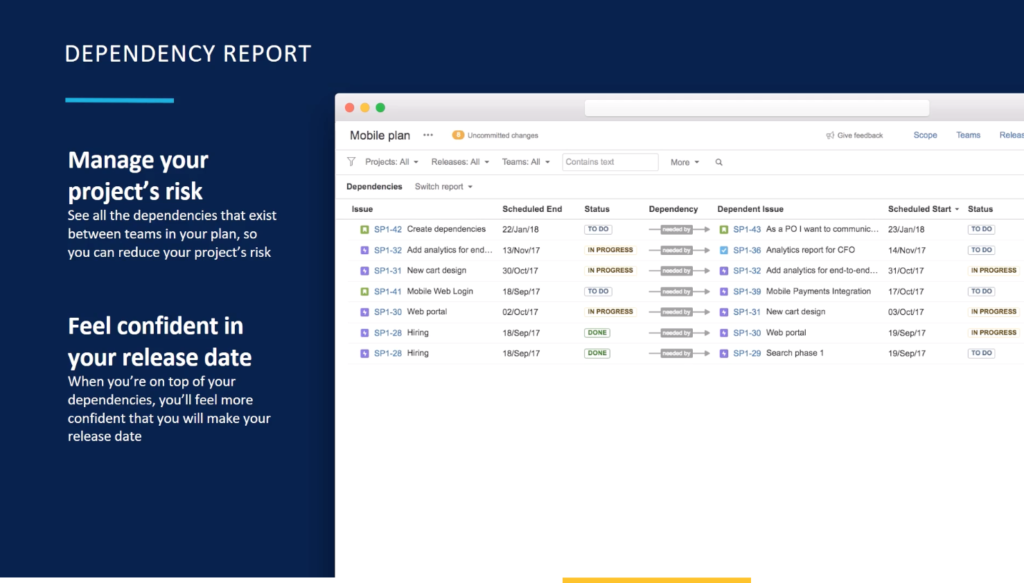
Jira: Dependency Report

Cross-department collaboration

In reality, projects are often shared between multiple departments across an organization. This can cause discontinuity within workflows when communication is not abundantly apparent between teams. Jira allows projects to be broken down into smaller boards, based on issue types. This allows users to focus on only pertinent issues to them while also protecting data irrelevant to their work within a project from being accidentally changed or lost. Users will have only relevant information to their section of the project but can still share issues across multiple boards without changing the specific issue’s progress in another. This allows multiple users to more clearly visualize and communicate the work they are doing, across different departments within an organization.


Agile development has become the new normal, not just for IT departments.

Now is the time to transition agile to elevate and progress your processes. Reflect your workflows within Jira, realistically, to help institute positive change and increase cross-team collaboration. Scale agile and Jira across your non-software team to help institute agile development at scale! Our team can help, with our Jira consulting services.


Ready to take the next step? Schedule your demo, today

Why Small Agile Scrum Teams Work Better

If you rely on big systems, you’re missing the point

Agile development is consistently at the forefront of workflows across various industries. Change is centralized at the core of agile development. Possessing the ability to move quickly in response to change is imperative. This rapid response can often get lost in translation across various teams across an organization. That’s why, when considering the size of your agile teams, scrums work better for smaller-sized agile teams. In this post, we will review the advantages of scrum for small teams.

scrums for small teams

Large, establish system integrators can appear to be an efficient solution. It may feel easier to institute a technology solution instead of allowing time and effort to transition to new methods of development. Agile development is the new normal, regardless of industry or the size of the team. Don’t prolong your inevitable switch, transition to agile development today as your teams begin to grow. 

Why put a band-aid on a broken system?

Today, smaller-sized scrum teams are utilizing agile development to work faster, smarter. It can cumbersome and frustrating to work with multiple users across various departments on the same projects. Regardless of team role, breaking projects down within an agile software platform, like Jira, allows heightened visibility and increased accuracy among scrum team members.

Jira Scrum

With Portfolio for Jira, users can segregate the same issue across multiple boards. The specific issue will remain the same across all boards, allowing readers consistency when advancing projects. Separating issues based on the task of the team looking at them across various boards prevents errors from perpetuating problems across various boards. This will help to advance the most accurate solutions when developing projects within Portfolio for Jira. 

Portfolio for Jira
Jira provides clarity throughout all stages of the workflow process, optimizing efficiency for you and your users.

Understanding your teams’ perspective is essential when scaling agile development. Multiple moving parts across the various stages of projects can prevent progress in reality. Creating smaller sub-divisions of agile teams across projects can transform your workflows. The same data points are leveraged against various activities while promoting consistency and accuracy, without the added frustration of various users continually manipulating data. 

Learn how you can benefit from agile development, across your enterprise to work smarter and faster. Oxalis has a wealth of expertise leveling agile across various industries within organizations of varying team sizes. We understand what it takes to find the right framework for your agile teams. We are ready to help when you need it, so why wait? We offer Jira consulting services and a full range of technology consulting services to help you scale.

Recommended blog posts

Connect with Us!