DevSecOps Security Best Practices – Webinar [ON-DEMAND]
On March 30th 2022, we held a webinar on DevSecOps security best practices. Participants had the opportunity to hear from Oxalis on how to improve the security of their software development processes and reduce risk exposure. Topics included:
[4:07] Software security background
[4:48] DevSecOps builds upon DevOps
[12:20] DevSecOps introduction
[14:13] Full lifecycle security
[20:42] Stepping into DevSecOps
[23:38] Software Supply Chain Management
[28:22] Static Code Analysis
[31:01] Build Artifact Analysis
[34:15] Integrating into the CI/CD Pipeline
[39:25] Sample DevSecOps Toolchain
[44:41] How to get started
Did you miss our DevSecOps Webinar? Access the On Demand version now
On February 24th, 2021, we held a webinar on Atlassian Cloud Migrations. Participants heard, how to successfully implement a migration strategy and avoid the common pitfalls of an Atlassian Cloud migration. Topics included:
Did you miss the live version of our Atlassian Cloud Migration Webinar? Watch it On Demand now
Watch our Atlassian cloud migration webinar to learn more:
Should I migrate to Atlassian Cloud?
You should know that Atlassian will end the sale, installation, and support for server apps on Feb 15, 2024. By knowing this, it is important to be precocious about starting your product migration.
Atlassian and its Marketplace Partners won’t offer technical support for any issues, security updates, or bug fixes for critical issues.
Regular security updates are essential for safeguarding your business against threats and issues. By upgrading to the Atlassian cloud, you can benefit from ongoing support, regular security updates, and the latest features and functionality.
This will help you stay current and secure while ensuring that your Atlassian tools continue to meet your evolving needs
If you’re using Atlassian products, you may be wondering about migrating to the Atlassian Cloud. Atlassian Cloud offers a number of benefits, including increased flexibility, ascendable, and security. However, you may also have questions about Atlassian Cloud licensing and Atlassian license cost.
When considering a migration to the Atlassian Cloud, it’s important to understand the licensing model. Atlassian Cloud licensing is based on the number of users that need to access the Cloud platform. You need to figure out how many users you currently have and will need for your Cloud deployment.
Oxalis team can help make the process easier, and ensure a successful migration of your products and apps to the cloud. As an Atlassian Platinum partner our experience is valuable for all of our customers. With Oxalis, migrating to the cloud is a simple process.
There are several reasons why an Atlassian migration is a powerful idea for your teams:
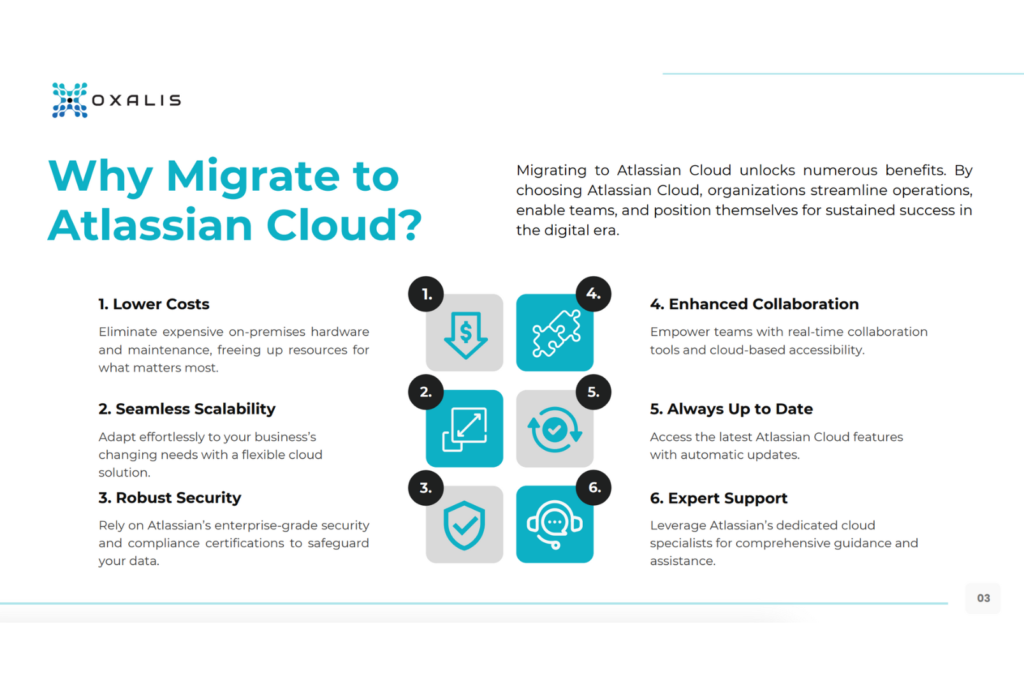
Availability: Atlassian Cloud allows you to access your tools and data from anywhere
Flexibility: Scale up or down as needed according to your team’s size
Automatic updates: Don’t need to worry about updating your tools or servers, Atlassian takes care of it for you.
Reduced maintenance: Moving to Atlassian Cloud can free up your IT team’s time and resources.
Cost savings: Atlassian Cloud can often be more cost effective than maintaining your own servers.
Atlassian plans
If you’re looking an Atlassian migration to cloud you should consider the Atlassian plans:
Free plan: There are limitations such as a limited number of users and storage capacity. You can use this as an initial trial period before make the move.
Standard plan: This is a paid subscription that offers additional features and functionality beyond the free plan
Premium plan: It is designed for larger organizations and teams that require more personalization and unlimited storage.
Note: Standard plan and Premium plan are month subscriptions.
A solution partner such as Oxalis can guide you across every step of the process in your cloud Atlassian migration.
Cloud: Marketplace apps
Atlassian Marketplace apps are add-ons that can be installed into your Atlassian tools, such as Jira, Confluence, or Bitbucket. These apps can provide additional functionality and personalization to your Atlassian tools, allowing you to tailor them to your specific needs.
The Marketplace has available multiple apps. These apps cover a broad range of categories, including project management, reporting, automation, security, and integrations with other tools.
How can Oxalis help me with my Atlassian products?
Oxalis offers Atlassian Professional Services. We can run your migration from server or data center to cloud. For example, in just 30 days, we migrated Lucid Software.
We’re a team of experts dedicated to helping organizations get the most out of Atlassian products. These services help businesses improve their workflows, optimize their Atlassian tools, and enhance collaboration and productivity.
They include cloud transformation, consulting, training, Atlassian license management, and Atlassian managed services.
The main benefit of Oxalis’ Atlassian Professional Services is the ability to customize your Atlassian tools to meet your specific needs. Our Atlassian consultants can work with you to understand your workflows and processes. Atlassian consultants can help with tool migrations, data migrations, and integrations with other systems. Additionally, our team offers Atlassian migration support at every stage of the process.
Our Atlassian Professional Services also provides ongoing support for your Atlassian products. This includes access to Atlassian support engineers, as well as proactive services like health checks, performance tuning, and system monitoring. With Atlassian support, you can ensure your Atlassian tools are running smoothly and efficiently. Also, We’re experts in Enterprise Work Management, ITSM, DevSecOps, and Agile at Scale.
Atlassian training covers a wide range of topics, including Jira Software, Confluence, Bitbucket, and more. With Oxalis training, your team can improve their skills and productivity.
Do you need some help with Atlassian cloud costs for your team? Contact us
Oxalis is an Atlassian Platinum Partner, recently executed a successful cloud migration for Lucid in just 30 days. In this blog post, Robin Maxwell interviews project lead Jake Sullivan to learn how Oxalis approached this challenge and to get his take on the state of Cloud Migration in 2022.
Robin Maxwell:
Q. What did you feel was different about the Lucid migration that allowed them to get to the cloud in just 30 days versus an enterprise organization that may take a longer more sustained approach?
Jake Sullivan:
Three things come to mind. The first was an extreme dedication to alignment across their core project team and the rest of the enterprise in regards to their ultimate goal, and MVP needs for the migration. The second critical driver was Atlassian’s end-of-life announcement regarding their server product. Third, they felt it was really important for their developers to experience and interact with their products on the cloud in the same manner as their customers do.
Robin Maxwell:
I’ll add that one of the primary reasons for Lucid to strive towards the cloud was they are an Atlassian Marketplace vendor, in addition to a world renowned software company, so they were able to throw the might of their product teams, internal organization at that goal to essentially get to the place that they are going to build their product of the future.
In an enterprise setting, it is about landing your users not only into a robust cloud ecosystem, but it is about unlocking the capabilities with your data that you have so carefully crafted over multiple years.
So an enterprise has different risks associated with their migration, that is not product development. And their user base is potentially different. So some organizations and enterprises are going to require a more robust methodology co-horted based migration approach, for example, that brings over the first movers and first adopters, and brings over the riskier projects later, that cannot be impacted by a migration.
So you might find this in a 10,000 person plus organization that needs to move at a little bit of a slower pace, but wants to adopt cloud and get cloud benefits immediately. They can do that, but just along a different timeline.
Robin Maxwell:
Q. What is the experience of having Oxalis in your corner on an effort like this? What was the day to day like during those 30 days?
Jake Sullivan:
One of the main benefits is to manage the stress, so the customer doesn’t have to. Many software teams can handle these kinds of projects on their own if they were given the time and resources – but, it’s a really dynamic environment. The benefit of bringing Oxalis on board is that we are the experts in Atlassian migrations and usage. So your team doesn’t have to dedicate a huge amount of time and resources towards doing it themselves.
As the capabilities of Atlassian’s cloud software has evolved there’s a whole lot of nuance and gotchas to be aware of. Having an experienced team that’s seen it all and been through it before, is a huge benefit. As Oxalis goes through these migration cycles over and over again, we know more than a team that has to go in fresh and tackle this as a one time activity.
Robin Maxwell:
Those are really good points. I’d also like to add that a migration gets you to your destination. If you’re gonna make the investment in moving to Atlassian cloud, you need to ask yourself, why not get the most value possible out of this tool and utility?
Why not baseline it to our best practice? Why not apply our best processes possible, overlaid against this tool. It’s a huge opportunity that could be missed.
If you think of it simply as a data migration and not as an opportunity to implement and reinvigorate your workforce, you may be missing a huge opportunity. A Solutions Partner like Oxalis will be able to identify those opportunities for you that will unlock true value for your organisation and really help you excel and be successful in the cloud environment.
Robin Maxwell:
Q. Regarding tools, how has Atlassian migration tooling evolved over the last few months ? Can it really help companies migrate?
Jake Sullivan:
We’ve seen some pretty dramatic shifts recently. In its infancy, the Cloud Migration Assistant could only really move basic spaces from Server to cloud. In the past few months, we’ve seen big improvements in capability so we’re now able to migrate Confluence Spaces and JIRA Software projects much more completely.
There’s a whole bunch of new functionality that helps migrate plugins, vendor data and configuration to the cloud that wasn’t really present before. That had been a big barrier for folks making the transition. Atlassian has recently introduced new utilities to help migrate Bitbucket server to the cloud. So as part of this push they’re investing very heavily in tools that make this a lot simpler and a lot more streamlined.
Moving from server to cloud is a totally different paradigm. We see it as migrating the organization and their mindset. With cloud there are new capabilities for you to explore.
So we recommend having a trusted advisor with you every step of the way to help understand and navigate those changes, and to make sure that you’re positioning yourself for success on day one. You’ll want to minimize risk to the business during the migration, but also want to make sure that you’re getting the most value out of your investment.
Robin Maxwell:
Oxalis has been recognized by Atlassian as a rising star and now with this case study as an expert in cloud migration. What are the benefits of having an Atlassian partner drive this effort?
Jake Sullivan:
It really feels like we’ve seen it all because everything’s changing so quickly. There’s always going to be new challenges for us to uncover, but as a Solution Partner, we’re really tied in closely with our Atlassian counterparts and constantly staying up to date with the latest and greatest tooling methodology. We’re constantly looking to refine our process and we have a seat at the table with the Atlassian product team.
These kinds of transformations and changes are hard, that’s why they’ve developed and cultivated the Solution Partner ecosystem. I think it’s really beneficial to have someone who can give you that gut check of “this is something we’ve seen before – it’s pretty typical”, or, “this is more complex, we’re going to need to work together to solve it”. As Solution Partners we have levers to pull at Atlassian to make sure that you’re getting the attention that you need.
Robin Maxwell:
Conducting a cloud migration and being successful with it the first time around is very important for most organizations, because they cannot dedicate this kind of time again. But even more important than the migration itself, is the organization’s arrival at the destination and the capabilities that are unlocked as a result of the migration.
The benefit of having a Solutions Partner alone, is the understanding that is built by the solutions partner with the enterprise to understand their current state, to be able to tailor the future state, the benefits and the value of the cloud, to the organization so that not only is it migrated successfully, all those promises of the cloud, all of the investment Atlassian has laid out for the enterprise is revealed.
And the organization is transitioned and expects to see and knows how to use those really important features for the cloud. That is the importance of having Oxalis along, you know, for this journey, is to make sure that you’re successful once you get there, and that you get there.
Robin Maxwell:
Q. Why the cloud? Why is it so much better than Server? Is this worth it?
Jake Sullivan:
Absolutely. So I think a lot of folks who have been digging into the Atlassian cloud offering, there’s definitely the incentive that Atlassian is deprecating their server products. Cloud is where most software vendors and products are shifting and certainly where Atlassian really sees the future of their product line. They’ve been investing heavily in improving, first to make sure that there is feature parity between the Server and Cloud products.
Even in the last 6 to 12 months, we’re seeing in the cloud platforms far exceeding the capability performance and uptime reliability. Most of the clients that we work with, after landing in the cloud, are really choosing to use JIRA as their enterprise standard for work management and choosing to mature their usage of the process and tools. They’re expanding the capabilities and usage across the organization to other teams now that they’re seeing the value of these kinds of collaboration platforms.
Robin Maxwell:
The cloud is an ecosystem of products. It’s no longer just the server capability “but on the cloud”.
When you move to Atlassian cloud, you’re not only moving to their product roadmap and the capabilities they’ve developed, but you’re also moving to the capabilities developed by their partner ecosystem, which is vast and expansive and important to the operation of the company. Furthermore, it is now very accessible. It’s no longer in the fortress walls of your organization.
It is an accessible but secure foundation for work management collaboration, not only across your entity and enterprise, but all of those partners that you work with. So it is a far more powerful capability to be in the cloud. And as an IT organization, the administrative cost of maintaining this is no longer your burden.
Your burden is to support your organization in an agile IT setting that allows them to collaborate effectively, seamlessly and take advantage of the tools that you have now procured for your teams. Atlassian is bearing the burden of complex server administration, collaboration and integrations.
Jake Sullivan:
I’d also add that something that made Lucid’s migration unique compared to others is that they’d already had dedicated teams working on this for months and months before engaging Oxalis. They burnt time doing a lot of the exploration and testing and running into a lot of the gotchas by trying to navigate the change by themselves.
They brought us in at a point where we’d already agreed that we’re going to be shutting down a lot of the tech debt, we’re able to identify some of those areas that were critical for their migration. And we quickly assessed and re validated those with the team, and we’re able to move forward pretty quickly. As you read, Oxalis has a strong experience with migrating server or data center to Cloud.
Feel free to reach out us to learn more about Atlassian cloud licensing and Atlassian license cost. Read the full story from Atlassian here.
Oxalis can help you with Atlassian license management and Atlassian migration support to unlock efficiency for all of your teams. If you want to learn more about our Atlassian professional services contact us.
Jake Sullivan
Managing Consultant at Oxalis
Jake Sullivan is a Managing Consultant with Oxalis, possessing deep experience implementing and sustaining collaboration tools at enterprise scale. An avid proponent of systems thinking and user-centered design, he’s passionate about using technology to improve and redefine the way we interact with our work.
Oxalis’ Proven Methodology: Your Atlassian Cloud Migration, Simplified
As your trusted Atlassian Cloud Migration advisors, we’ve distilled our extensive experience into a step-by-step eBook. Whether you’re transitioning from Server or Data Center, this guide covers every aspect of your journey.
On December 9th, 2021, we held a webinar on Agile at Scale. Participants had the opportunity to hear from Oxalis on how to implement agile methodologies and boost collaboration across their enterprises. Topics included:
[3:29] Agile Overview & Characteristics
[10:48] Agile & DevSecOps
[12:29] Planning your Agile at Scale Journey using Metrics to Measure and Improve your Agile Practices
[17:07] Why is Scaling Agile Successfully so Difficult?
[25:01] Organizational Requirements to Scale Agile
On November 17th, 2021, we held a Jira Advanced Roadmaps webinar. Participants had the opportunity to hear from Oxalis on how to make better planning decisions within their organizations with this versatile software. Topics included:
[3:19] The challenges of Enterprise Portfolio Management
[6:52] Comparison of Basic vs Advanced Roadmaps
[8:02] Issue hierarchies
[9:23] Demo Session start
[13:59] Creating a plan
[15:04] Plan overview
[25:57] Creation of filters
[41:12] Best practices recommendations
[48:32] Q&A Session
Did you miss the live Jira Advanced Roadmaps Webinar? Get the On Demand
version
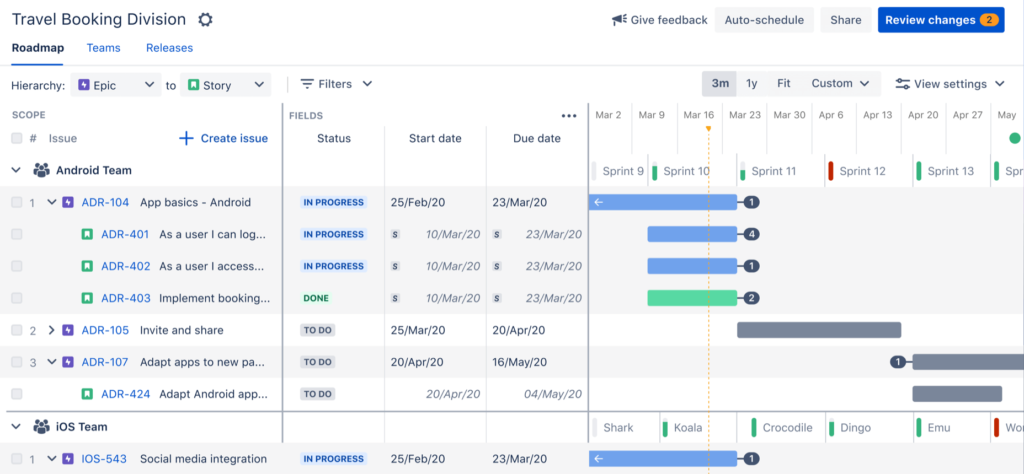
How can I get the most out of Jira software Advanced Roadmaps?
To get the most out of Jira Software Advanced Roadmaps, teams should define their project hierarchy, plan for dependencies, use “what-if” scenarios, customize their view, review and adjust their roadmap regularly, and collaborate with their team.
Define your project hierarchy: Before creating a roadmap, define your project hierarchy. Use Jira to create epics, stories, and tasks that align with your team’s goals and objectives. This hierarchy should be consistent across all projects and should be used to create a roadmap that shows the relationship between projects.
Plan for dependencies: Use JAR to identify dependencies between projects and plan accordingly. Ensure that you schedule projects in the right order and that you have enough resources to complete each project.
Use “what-if” scenarios: JAR allows teams to create “what-if” scenarios to test different project schedules and resource allocations. This can help teams make informed decisions about their work and ensure that they are maximizing their resources.
Customize your view: JAR provides several views, including Gantt, capacity, and team views. Customize your view to get a better understanding of your project, and to find the best view for your team.
Review and adjust your roadmap regularly: Review your roadmap regularly to make sure that it aligns with your team’s goals and objectives. Adjust your schedule and resource allocation as needed to ensure that your team is on track to meet its goals.
Collaborate with your team: Use JAR to collaborate with your team. Share the roadmap with your team and stakeholders, and keep everyone informed of any changes to the project.
By following these tips, teams can use Jira Advanced Roadmaps to manage complex projects and visualize their work, ultimately improving project outcomes.
What are the differences between Jira Advanced Roadmaps vs Jira Align?
Jira Align and Jira Advanced Roadmaps are both tools from Atlassian that help teams manage complex projects and align their work with organizational goals. However, they differ in their approach and functionality.
Jira Align is a scaled agile solution designed for enterprise organizations that are looking to align their strategic objectives with their agile practices. It provides a holistic view of the organization’s portfolio of work, allowing teams to collaborate and plan across multiple levels of the organization. Jira Align focuses on portfolio management, providing a centralized hub for planning and tracking work across multiple teams and projects. It includes features like program increment planning, portfolio and capability management, and value stream mapping.
On the other hand, Jira Advanced Roadmaps is a tool that helps teams plan and track their work using agile methodologies. It allows teams to create detailed roadmaps that visualize their work, providing a clear understanding of what needs to be done and when. Jira Advanced Roadmaps provides teams with features like dependency management, what-if scenario planning, and multiple-level roadmaps. It enables teams to track progress and make informed decisions about their work.
In summary, Jira Align is designed for larger organizations that need to align their strategic objectives with their agile practices, while Jira Advanced Roadmaps is ideal for teams that need to plan and track their work using agile methodologies. Both tools provide essential features for managing complex projects and can be used together to create a comprehensive solution for managing work across the organization.
How can Oxalis help you?
Jira license management services are available to help you manage your Jira license effectively. Oxalis can help teams to manage their Jira licenses effectively. Start saving time and effort by managing your licenses for you. These services can help you save time and effort, optimize your license usage, and ensure compliance with your licensing agreement.
Confluence is leading collaboration and documentation system developed and provided by Atlassian.
Confluence vs Jira
While Jira is a leading issue tracking tool, Confluence is a leading collaboration and documentation system, that is tightly integrated with other tools in the Atlassian ecosystem, such as Jira. For teams that are using Jira for project management, software development or issue tracking, Confluence is a value driving addition, enabling users to capture and review information in real time.
How does Jira work with Confluence?
Jira Software integrates with Confluence by providing a place for teams to document and review all of their project information. This way all of the requirements, meetings notes and plans for a project can be captured in one place, linked to the Project and Issues in Jira.
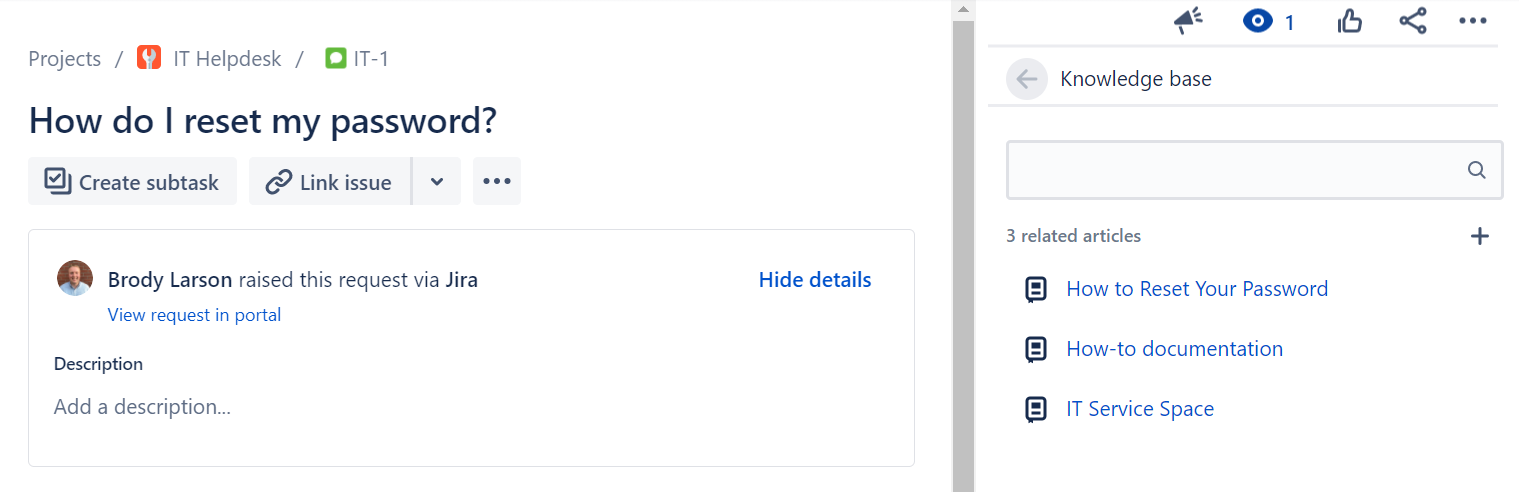
Jira Service Management integrates with Confluence by providing a knowledge base for Agents and Customers, where information is made available based on the request. JSM also allows Agents to create new documents in the Confluence knowledge base directly from their issue in Jira if relevant documentation is missing.
Confluence Features List
We already explained how Jira and Confluence work together to help any and all teams collaborate, but what are some of the other features that we love about Confluence? Keep reading this Confluence guide to learn more about Confluence pricing.
Confluence Templates
Confluence comes shipped with almost 100 best practice templates out of the box to serve as a starting point for new and existing teams to leverage. Don’t start from scratch, take advantage of these templates to make writing and collaborating on documentation faster and more cohesive across the organization.
Collaboration
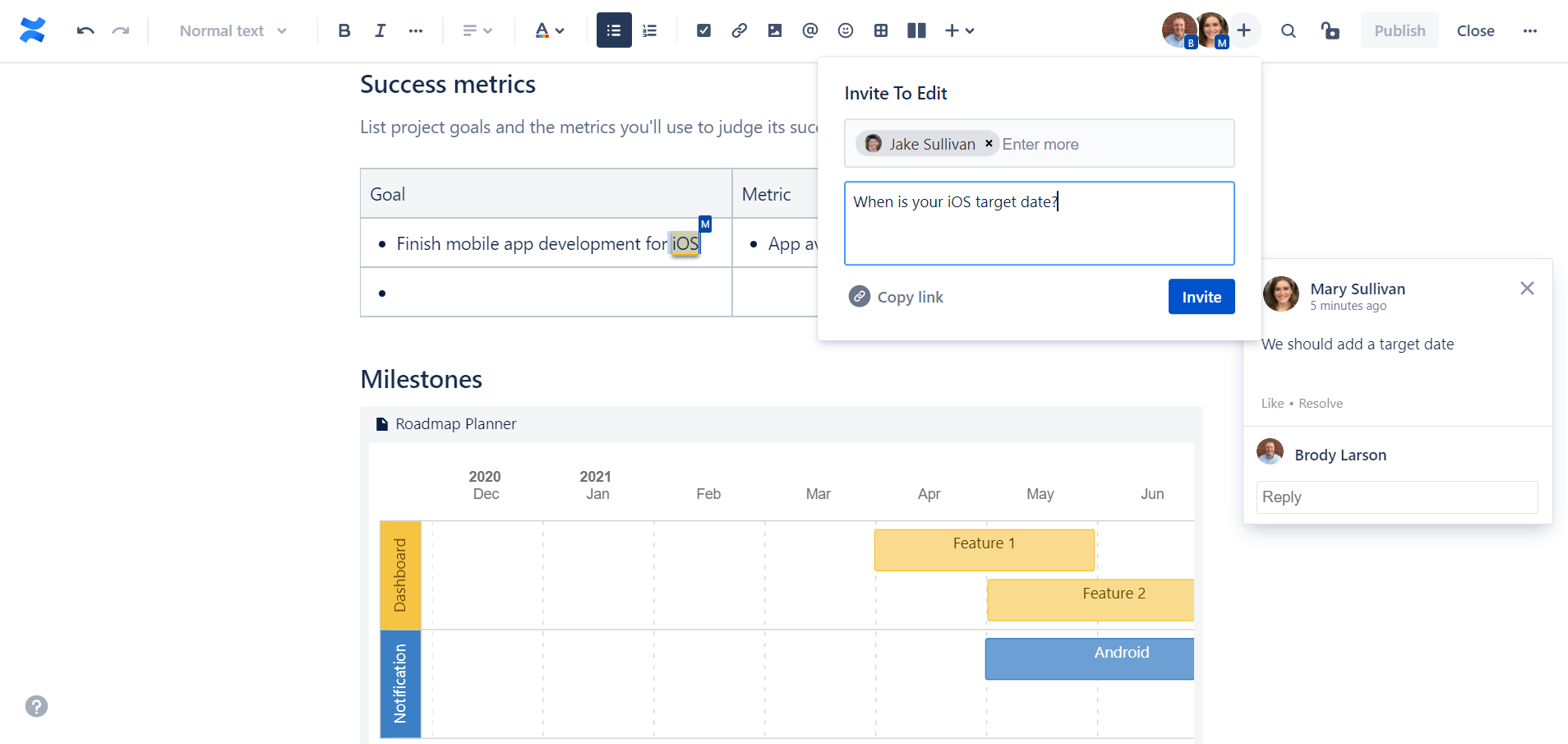
Confluence offers various features that help teams collaborate such as real-time editing, comments on pages or in-line, dynamic notifications and more.
Permissions
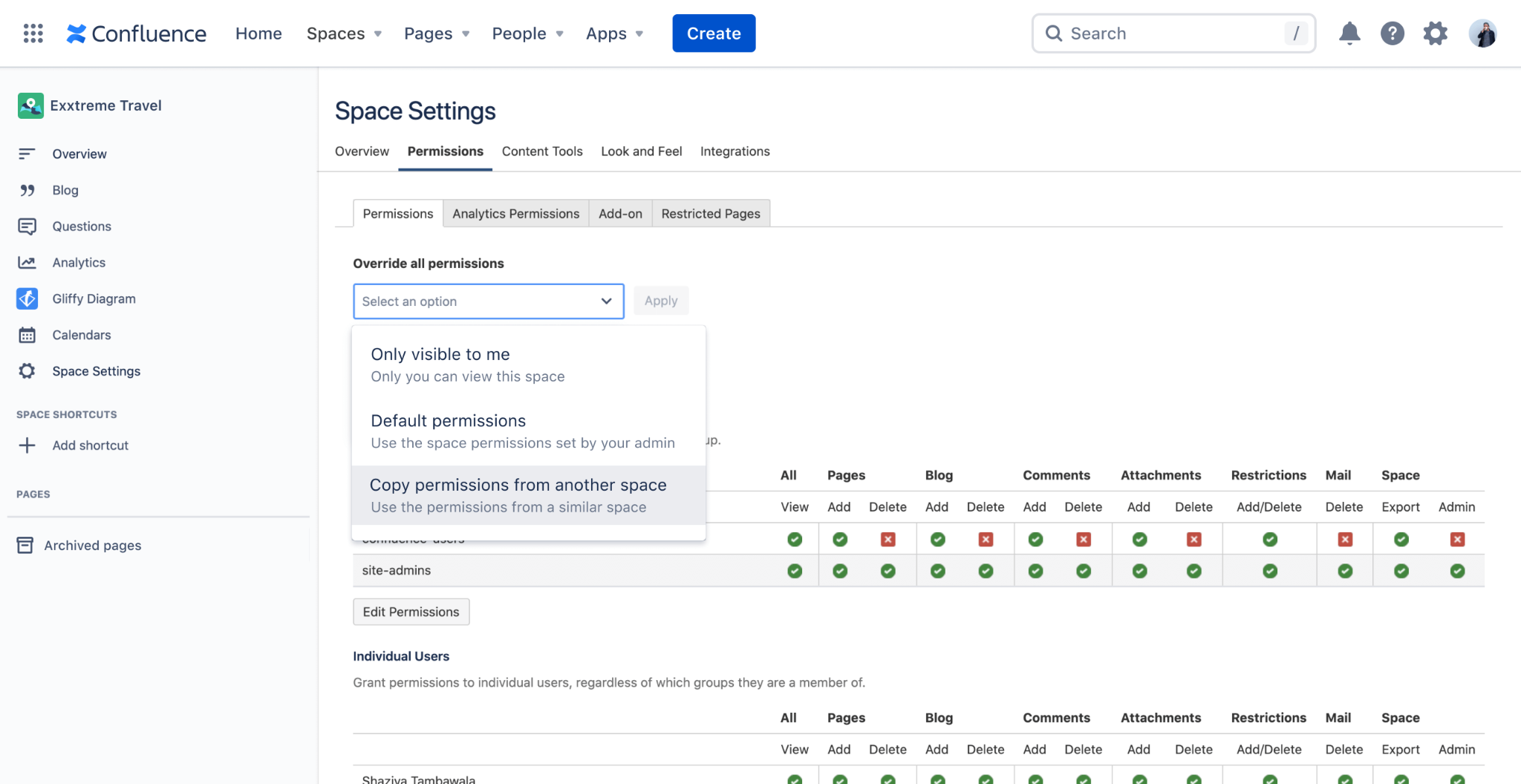
Whether you’re a growing team or a large enterprise, Confluence has a robust and layered permission scheme that enable administrators to ensure that the right users have access to the right information across your site.
Analytics
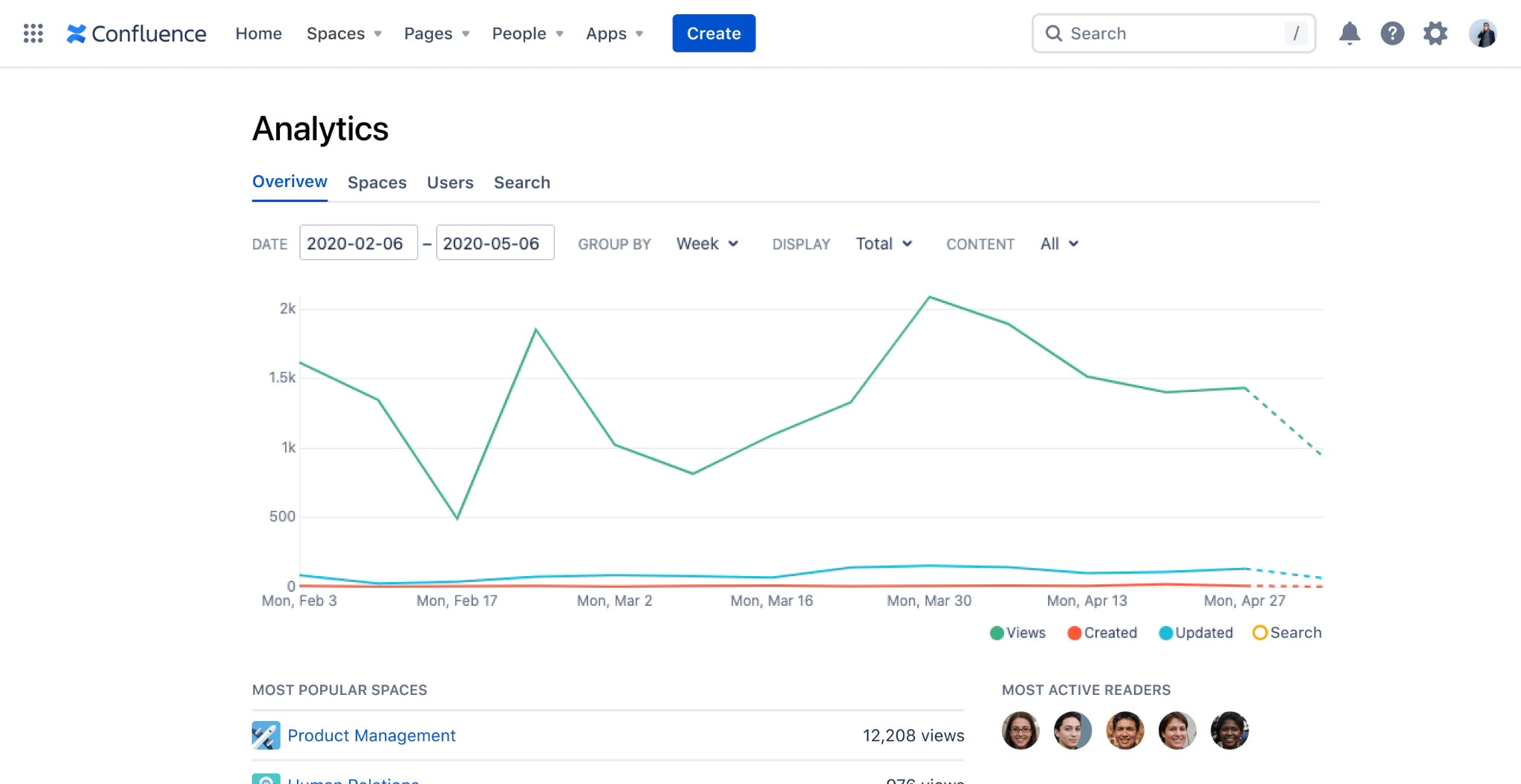
Confluence Data Center and Cloud Premium offer analytics and insights and the page, space and site level, to help administrators and content owners evaluate usage and help make decisions.
Integrations
Beyond the native integrations between Confluence and other Atlassian tools, there are hundreds of Marketplace Apps that make it seamless to integrate Confluence with other documentation tools such a Google Drive, SharePoint or OneDrive and business tools such as Lucid Charts.
How do I know which version of Confluence I need?
There are 3 main factors to consideration when trying to determine which version of Confluence will meet your needs:
Deployment: There are now two different deployment options available for Atlassian’s Confluence product, Cloud and Data Center. As you may already be aware, in October of 2020, Atlassian announced they were discounting their Server products, in favor of Cloud and Data Center. You can read more about their announcement here.
Feature Set: For Confluence Cloud, there are four different versions available, all with a different set of available features. We will outline them below.
User Tier: All Atlassian product licenses are based on # of Users, and most used a tiered system. We will highlight the price for many of the available User Tiers below.
Confluence Cloud vs Data Center
Confluence Cloud
Atlassian has taken a ‘Cloud first’ approach to their products, and encourages all new and existing customers to choose their Cloud offerings. Confluence Cloud is a highly available software-as-a-service that Atlassian hosts and is scalable, secure, reliable, and highly performant. Atlassian is continuously developing new features for the Cloud offerings, and they will soon be available for all sizes of teams.
Confluence Data Center
Unlike Confluence Cloud (which is a SaaS), Confluence Data Center is a self-managed offering, where you host Confluence on your own infrastructure. Other benefits of Confluence Data Center include: environment control, active clustering for high availability, SAML 2.0 and OpenID Connect support, Atlassian-supported disaster recovery and advanced permissions capabilities for added security.
Reasons to choose Confluence Data Center
Compliance Requirements
If your organization must adhere to HIPAA, NIST 800 or FedRAMP Moderate, Confluence Cloud is not currently a viable option for you. These are all on Atlassian’s Cloud Roadmap but for organization’s that are looking to implement Confluence now and must comply with these regulatory requirements, Data Center is the appropriate deployment option.
User Tier
Confluence Cloud currently only supports up to 20,000 Users per site. Atlassian is working on supporting up to 35,000 Users per site, but may not be available until Q4 2022.
Confluence Pricing
Once you have decided on which deployment option (Cloud or Data Center) is appropriate for you, review the various pricing options below to determine which Confluence license is right for your organization.
Confluence Cloud Pricing
Confluence Free, Standard, Premium or Enterprise?
Before explaining the differences between the different versions of Confluence Cloud, note that Confluence Standard, Premium and Enterprise are all currently available for up to 20,000 users per site.
Confluence Free
For up to 10 Users, Atlassian offers a free version of Confluence Cloud, that comes with their basic set of features. Features not included in the free version of Confluence Cloud are things like: permissions, archiving, insights and audit logs.
Confluence Standard
The Standard version of Confluence comes with a robust set of features that meet the needs of most organizations. Remember all of the key features that we highlighted above? You’ll get all of those (besides analytics) and more with Confluence Standard.
Confluence Premium
Confluence Premium adds a specific set of features onto the Standard version of Confluence Cloud, such as: analytics, bulk archiving, permissions copying, a sandbox environment and unlimited storage.
Also worth noting, Atlassian will soon be releasing two new and very exciting features exclusively for Confluence Cloud Premium: external collaboration and automation.
Confluence Enterprise
Meant for large, enterprise organizations, Confluence Cloud Enterprise is available starting at the 1,000 User tier, and only offers Annual licenses, Monthly not available. With Confluence Cloud Enterprise, you are getting all of the features for the lower versions, plus some enterprise-enabling features such as: unlimited sites, Atlassian Access, and enhanced support and uptime. Need some more help with this Confluence guide? Contact us now.
Confluence Monthly Cloud Pricing
# of Users
Standard Price per User
Premium Price per User
1 – 100
$5.00
$10.00
101 – 250
$4.00
$7.00
251 – 1,000
$3.00
$5.50
1,001 – 2,500
$2.75
$5.00
2,501 – 5,000
$2.50
$4.75
5,001 – 7,500
$2.50
$4.50
7,501 – 10,000
$2.25
$4.25
10,001 – 15,000
$2.10
$3.75
15,001 – 20,000
$1.90
$3.50
Confluence Annual Cloud Pricing
# of Users
Standard Price
Premium Price
Enterprise Price
10
$500
$1,000
–
50
$2,500
$5,000
–
100
$5,000
$10,000
–
500
$18,500
$34,250
–
1,000
$33,500
$61,750
$92,625
2,000
$61,000
$112,000
$167,500
5,000
$137,000
$256,000
$383,000
10,000
$256,000
$474,000
$711,000
20,000
$465,000
$837,000
$1,255,000
Note, there are more user tiers available for Annual Confluence Cloud Pricing, we have highlighted these tiers to make the pricing scale more readable.
Confluence Data Center Pricing
There is only 1 pricing and feature level available for Confluence Data Center. All deployments of Confluence Data Center come with the entire feature bundle, and only annual licenses are available. This means that if you have determined that Confluence Data Center is right for your organization, the User Tier the only variable to consider that will impact your license cost.
# of Users
Annual Price
500
$27,000
1,000
$48,000
2,000
$84,000
5,000
$210,000
10,000
$230,000
20,000
$270,000
40,000
$350,000
40,001+
$370,000
Note, there are more user tiers available for Confluence Data Center Pricing, we have highlighted these tiers to make the pricing scale more readable.
Still not sure if Confluence is right for your organization or you just have some doubts about this Confluence guide, or not sure which deployment option and version you should choose? Our dedicated and award-winning team can help you evaluate your next steps.
Knowledge Management at Enterprise Scale with Confluence Cloud – Webinar [ON-DEMAND]
On September 1st, we held our webinar Knowledge Management (KM) at Enterprise Scale with Confluence Cloud. Participants had the opportunity to hear from Oxalis Confluence experts how to advance their team’s knowledge and experience at the Enterprise scale. Topics included:
What is Enterprise Knowledge management?
Why should I care about KM?
How can Confluence help my organization collaborate and share knowledge better?
Where is my company on Oxalis’ KM Maturity Model?
How company’s can optimize Confluence at various stages of maturity
Live Q&A Session
Did you miss the live Webinar? Get the On Demandversion
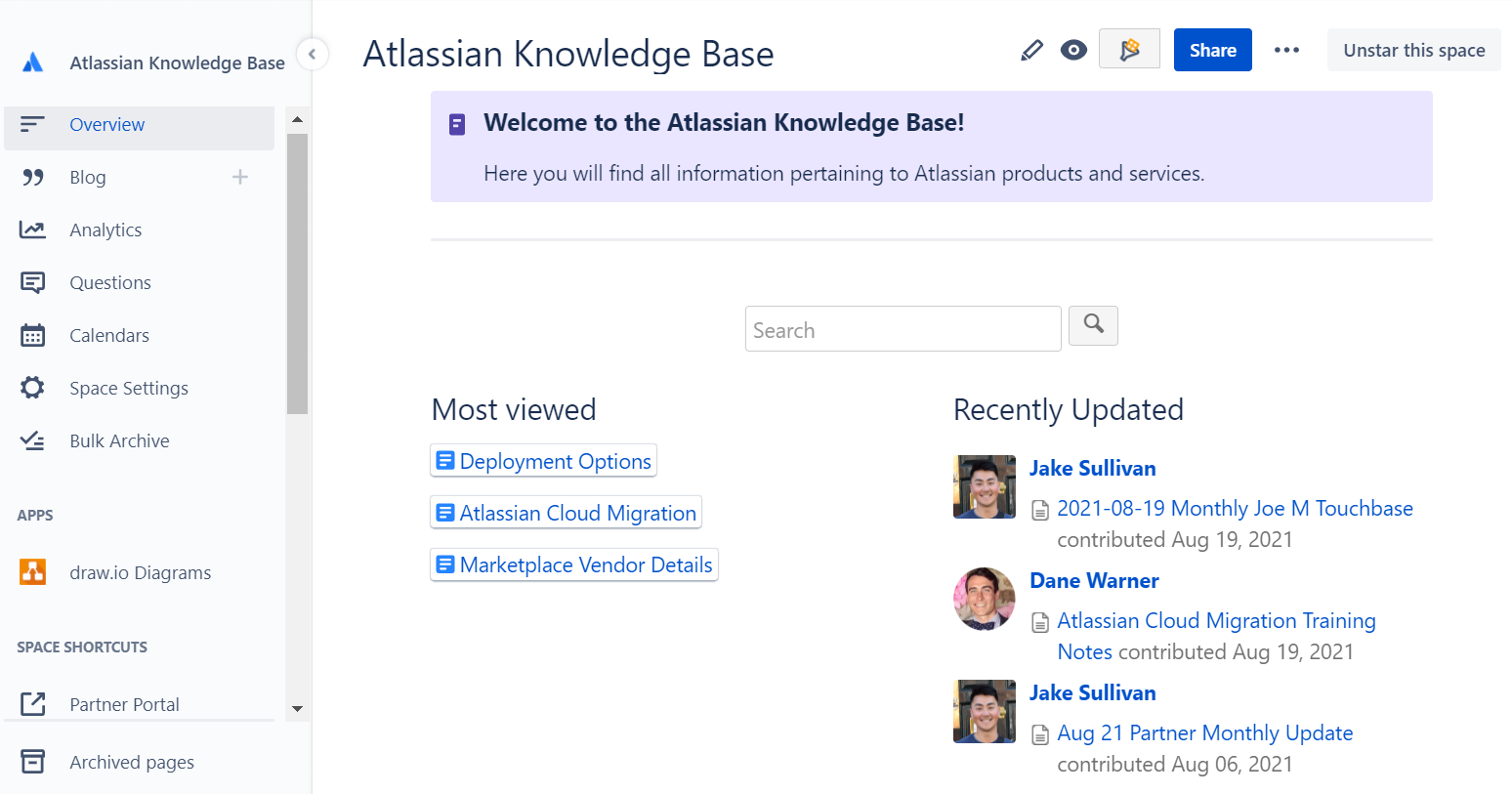
What are the principal Confluence features and benefits for knowledge management?
Confluence is a powerful knowledge management tool that offers a wide range of features and benefits for organizations looking to manage their information and knowledge more effectively. Here are some of the key benefits of using Confluence for knowledge management:
Centralized repository: Confluence provides a centralized repository for all of an organization’s information and knowledge, making it easy to find and access the information that you need.
Improved collaboration: With Confluence, teams can work together more effectively, sharing information, discussing issues, and making changes in real-time.
Better organization: Confluence offers a range of features for organizing and categorizing information, making it easier to find and access the information that you need.
Enhanced search capabilities: The platform’s powerful search capabilities allow users to quickly find the information they need, even within large volumes of data.
Customization options: Confluence provides a range of customization options, allowing organizations to tailor the platform to meet their specific needs and requirements.
Accessibility: With Confluence, organizations can make their information and knowledge accessible to all members of the team, regardless of their location or device.
Overall, Confluence offers a comprehensive solution for organizations looking to manage their knowledge and information more effectively and improve their overall productivity.
Why using Confluence as a knowledge base can give you multiple benefits?
As organizations grow and become more complex, it can be difficult to keep track of all the information and knowledge that is generated. From project plans and reports to policies and procedures, this information is critical to the success of the business. But if it is not properly organized and managed, it can be lost or become difficult to find, leading to delays, mistakes, and increased costs.
This is where Confluence can help. Confluence is a powerful knowledge management platform that provides organizations with a centralized repository for all of their information and knowledge. With Confluence, organizations can improve their collaboration, streamline their information management processes, and increase their overall productivity.
Here are some of the key benefits of using Confluence as a knowledge base:
Improved collaboration: Confluence provides a range of collaboration tools and features, making it easy for teams to work together, share information, and make changes in real-time.
Better organization: With Confluence, organizations can categorize and organize their information in a way that makes sense for their business, making it easier to find and access the information that they need.
Enhanced search capabilities: The platform’s powerful search capabilities allow users to quickly find the information they need, even within large volumes of data.
Customization options: Confluence provides a range of customization options, allowing organizations to tailor the platform to meet their specific needs and requirements.
Accessibility: With Confluence, organizations can make their information and knowledge accessible to all members of the team, regardless of their location or device.
In conclusion, Confluence offers a comprehensive solution for organizations looking to manage their knowledge and information more effectively. By using Confluence as a knowledge base, organizations can improve their collaboration, streamline their information management processes, and increase their overall productivity.
Here’s an example of how an organization might use Confluence as its knowledge base
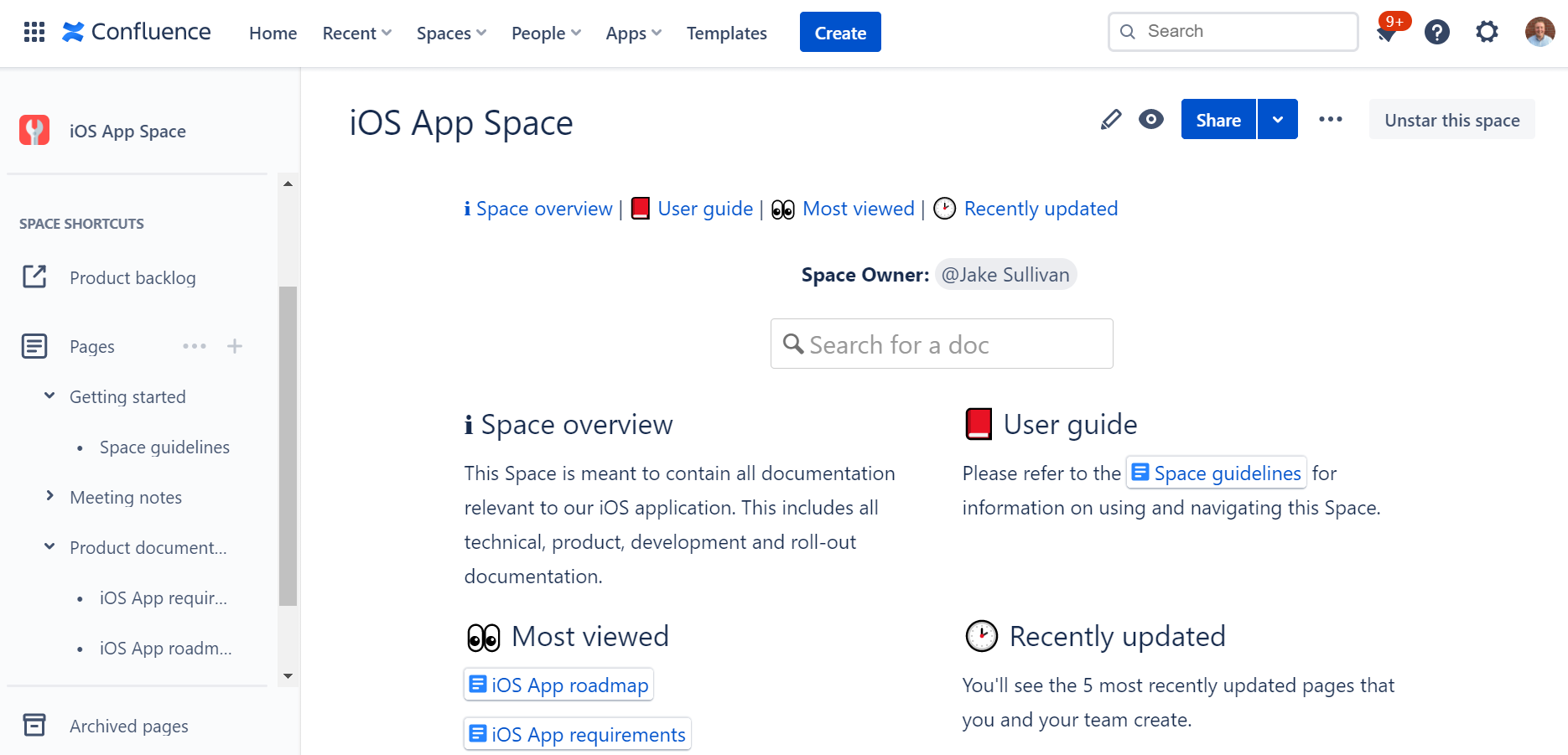
Create a Space: The first step is to create a Confluence Space specifically for the knowledge base. This Space can be customized with a unique look and feel, and organized in a way that makes sense for the organization.
Categorize Information: Next, the organization can begin categorizing their information into pages within the Space. For example, they might create pages for policies, procedures, project information, and team guidelines.
Add Content: With the pages created, the organization can start adding content to their knowledge base. This might include text, images, videos, and other types of media. The organization can also use Confluence’s collaboration features to work together on the content and make changes in real-time.
Make it Searchable: With the content added, the organization can make their knowledge base searchable by adding labels and other metadata to their pages. This makes it easier for users to find the information they need, even within large volumes of data.
Share the Knowledge: With their knowledge base set up, the organization can share it with their team, making the information and knowledge accessible to all members, regardless of their location or device.
This is just one example of how an organization might use Confluence as their knowledge base. With its powerful features and customization options, Confluence can be tailored to meet the specific needs of any organization, making it a flexible and effective solution for managing information and knowledge.
Agile Collaboration at Scale: Unlocking Enterprise Agility with Jira
Agile methodologies have taken the world by storm. Teams love the flexibility, faster delivery, and increased collaboration that Agile offers. But scaling Agile to the enterprise level? That’s where things get tricky. Many companies struggle to break free from traditional hierarchies and mindsets, leading to Agile initiatives getting lost in a sea of bureaucracy.
The Agile Essentials
Before we dive into scaling, let’s recap the Agile basics. The Agile Manifesto, published in 2001, introduced a new way of working. Instead of rigid, sequential plans (waterfall), Agile emphasizes iterative progress, frequent feedback, and adapting to change. This means:
Autonomy: Empowering teams to make decisions and innovate.
Customer-centricity: Building what customers truly need.
Collaboration: Working closely together to overcome obstacles.
Why Agile Scaling is Hard
Scaling Agile across an entire organization requires a significant shift in culture and mindset. Here’s why many companies stumble:
Lack of leadership buy-in: Agile transformations need strong leadership support and investment to succeed.
Unclear organizational structure: Teams need to be organized in a way that supports Agile principles and clear responsibilities.
Loss of autonomy: Scaling Agile shouldn’t mean stifling the very autonomy and innovation that makes it work.
To truly reap the benefits of Agile at scale, companies need to address these challenges head-on:
Invest in Agile: Go beyond training and tools. Foster an Agile mindset across all levels of the organization. Encourage leaders to become problem-solvers and remove roadblocks for teams.
Define clear team structures: Organize teams around value streams, product lines, or customer journeys. Ensure everyone understands their roles and responsibilities.
Maintain autonomy and trust: Empower teams to make decisions and innovate within clearly defined strategic priorities. Foster a culture of trust and transparency.
Organizing for Scale: Why Clarity Matters
While Agile thrives on close collaboration, scaling it across a large organization requires a more structured approach. Simply put, you can’t rely solely on personal relationships when you have hundreds or thousands of employees.
Many Agile frameworks use Dunbar’s number (150) as a guide for team size, recognizing the cognitive limits of maintaining close relationships. However, most enterprises far exceed this number. Therefore, it’s crucial to establish a clear organizational taxonomy – a well-defined structure that outlines team responsibilities and capabilities.
Think of it this way: everyone should know who’s doing what. As USAA COO Carl Liebert puts it, you should be able to ask, “Who owns X?” and get a clear, confident answer from the responsible team. This eliminates confusion, streamlines decision-making, and ensures accountability.
There are various ways to structure teams at scale, such as by feature area (like in the Spotify model), by product, or by customer journey. The key is to find an organizational design that aligns with your company’s values and priorities, enabling efficient collaboration and value delivery.
Empowering Teams: The Foundation of Agile at Scale
Agile thrives on trust and autonomy. As the Agile Manifesto states, “motivated teams are more likely to deliver their best work.” This principle becomes even more critical when scaling Agile.
However, traditional top-down management practices often undermine autonomy. Instead of empowering teams, organizations may inadvertently create rigid structures and processes that stifle innovation and erode trust.
To avoid this pitfall, leaders should focus on setting clear strategic priorities and goals. Then, trust your teams to determine the best way to achieve those goals. Empower product owners to collaborate closely with customers and make informed decisions. This approach fosters a sense of ownership and allows teams to leverage their expertise and creativity.
Remember, Agile is about adapting to change. Be prepared to adjust priorities and goals as needed, maintaining a flexible and responsive approach to meet evolving customer needs.
Scaling Agile: A Journey of Transformation
Successfully scaling Agile requires a fundamental shift in mindset and culture. It’s not just about adopting new processes; it’s about embracing the core values of Agile throughout the organization.
Teams, leaders, and organizational structures must evolve in unison, always aligning with the company’s overall purpose. This means fostering a culture of collaboration, trust, and continuous improvement.
Crucially, no team should be left behind in this transformation. Every part of the organization needs to embrace Agile principles to ensure everyone is moving in the same direction. Otherwise, you risk creating internal friction and hindering the progress of your Agile journey.
Agile Frameworks: Your Roadmap to Success
Scaling Agile doesn’t have to be a journey into the unknown. Several frameworks can guide your transformation:
Scaled Agile Framework (SAFe): A Structured Approach to Enterprise Agility
The Scaled Agile Framework (SAFe) provides a comprehensive blueprint for implementing Lean and Agile practices at the enterprise level. It offers a set of organizational and workflow patterns that help align strategy with execution, enabling large organizations to deliver value more effectively.
SAFe is built on seven core competencies of the Lean enterprise and introduces concepts like Program Increments (PIs) and Agile Release Trains (ARTs) to coordinate work across multiple teams. While SAFe emphasizes alignment and planning, it’s sometimes considered less “purely Agile” than other frameworks due to its more structured, top-down approach.
Large-Scale Scrum (LeSS): Scaling Simplicity
LeSS takes the principles of Scrum and applies them to the enterprise level, with a focus on minimalism. Instead of adding complexity, LeSS aims to reduce it. Teams continue to use Scrum boards, sprints, and ceremonies, but they might share a single product backlog and sprint cadence to improve coordination.
A key role in LeSS is the Area Product Owner, who provides guidance and oversight across multiple Scrum teams. By keeping rules and guidelines to a minimum, LeSS empowers teams to self-manage and deliver value efficiently, while minimizing waste and unnecessary overhead.
The Spotify Model: Agile-at-Scale in Action
More than a rigid framework, the Spotify Model is a compelling example of how a company successfully scaled Agile. Introduced in a 2012 whitepaper by Henrik Kniberg and Anders Ivarsson, it highlights Spotify’s unique approach to Agile at scale, emphasizing autonomy, culture, and network-based collaboration.
At its core, the Spotify Model empowers individuals and teams. Teams have the freedom to choose their preferred Agile framework and organize themselves into “Squads” focused on specific features or missions. To foster knowledge sharing and cross-team collaboration, individuals with similar skills can join “Chapters” and “Guilds” based on their interests and expertise. These squads are then grouped into “Tribes” to tackle larger initiatives.
While the Spotify Model offers valuable insights, it’s important to remember that it was tailored to Spotify’s specific needs and culture. It’s not a one-size-fits-all solution, but rather an inspiring example of how to adapt Agile principles at scale.
Don’t Just Copy, Adapt!
Every organization is unique. Find a framework (or combination of frameworks) that aligns with your specific needs and culture. Be prepared to adapt and evolve your approach over time.
When it comes to scaling Agile, Atlassian’s Jira suite stands out as a leading solution. With a proven track record and a wide range of tools, Jira supports organizations of all sizes in their Agile journey.
Jira Software, used by thousands of teams worldwide, provides a robust foundation for Agile work management. Its flexibility allows teams to adopt various Agile methodologies, while features like Advanced Roadmaps offer portfolio-level visibility and planning.
For larger enterprises with complex needs, Jira Align offers a dedicated platform for scaling Agile frameworks like SAFe, LeSS, and more. Jira Align provides out-of-the-box support for popular frameworks, incorporating their terminology and reporting structures, and integrates seamlessly with existing Jira deployments.
However, even without Jira Align, the Atlassian ecosystem provides a powerful solution for scaling Agile. Jira Software, Confluence, Bitbucket, and Jira Service Management can be combined to create a customized platform that empowers teams, enhances collaboration, and provides leadership with the insights they need to manage at scale.
Key benefits of Atlassian for scaling Agile:
Flexibility: Supports various Agile methodologies and team structures.
Customization: Adapts to your unique organizational needs and workflows.
Scalability: Grows with your organization, from individual teams to large enterprises.
Integration: Connects different tools and teams for seamless collaboration.
Whether you’re just starting your Agile journey or looking to optimize your existing practices, Atlassian’s Jira provides the tools and flexibility to scale Agile effectively.
Jira: Empowering Teams While Maintaining Alignment
Jira Software provides the flexibility to support various Agile styles, from Kanban and Scrum to hybrid approaches like Scrumban. This allows teams to choose the method that best suits their needs and preferences.
Jira’s issue hierarchies enable effective management of work at different levels. Leaders can track long-term initiatives and programs, while teams focus on features and epics. Advanced Roadmaps provides a clear overview of planned work, with the ability to drill down for more detailed information. Effort estimation is streamlined across the organization, making it easier to allocate resources and plan strategically.
Beyond software development, Jira’s capabilities extend to other business functions. Jira Work Management supports marketing, HR, finance, and more, while Jira Service Management integrates service desk operations with the rest of the organization. This cross-functional approach ensures alignment and collaboration across all teams.
If you’re unsure whether Jira meets your specific needs, Oxalis can help. We’ll assess your Agile maturity and create a tailored transformation roadmap to guide your implementation.
Atlassian is heavily invested in cloud technology, recognizing its ability to deliver value quickly and enable rapid adoption of best practices. Their streamlined cloud offerings — Cloud Standard, Cloud Premium, and Data Center (for on-premises needs) — provide flexible options for organizations of all sizes and compliance requirements.
This focus on cloud demonstrates Atlassian’s commitment to providing cutting-edge Agile tools with enhanced accessibility and scalability. To learn more about the different cloud options and choose the best fit for your organization, check out our white paper: “Atlassian Compliant Cloud vs Data Center.”
Oxalis: Your Partner in Scaling Agile with Atlassian
Scaling Agile successfully requires a deep understanding of your organization’s unique structure, culture, and existing tools. It’s a journey of continuous improvement, involving testing, measuring, learning, and adapting.
Whether you’re new to Atlassian or already using their products, Oxalis can help you navigate this journey. We’ll work closely with your team to design a tailored solution that meets your specific needs. Our services include:
Comprehensive discovery: We’ll analyze your current state and identify areas for improvement.
Best-practice implementation: We’ll guide you in adopting Agile best practices and configuring Atlassian tools effectively.
Expert support: Our dedicated team provides ongoing support and expertise to ensure your success.
If you’re looking to migrate to Atlassian or consolidate existing tools, our cohort-based migration approach has a proven track record of success. We’ll help you seamlessly transition to a unified platform, enabling better collaboration and efficiency across your organization.
Scaling Agile is a journey, not a destination. Here are some key starting points:
Cultivate an Agile mindset: Encourage a proactive, problem-solving approach at all levels of the organization. Empower individuals to identify and remove roadblocks, fostering a culture of agility.
Establish clear team structures: Define a clear organizational taxonomy that outlines roles, responsibilities, and team structures. This promotes effective communication and collaboration.
Foster trust and transparency: Implement feedback mechanisms and prioritize transparency to build a culture of trust and autonomy. This empowers teams to make decisions and drive innovation.
While the full benefits of Agile-at-scale may take time to realize, you’ll likely see positive changes early on. By investing in Agile best practices now, you’re building a foundation for adaptability and responsiveness, enabling your organization to thrive in the face of changing market dynamics and seize new opportunities.
In this article, you will learn about Jira portfolio management, including how to set up and use Atlassian for effective portfolio management at an enterprise scale.
Introduction to Enterprise Portfolio Management
Oxalis has decades of experience successfully implementing portfolio management processes and tools at scale. Faced with increasing global competition and a rapidly evolving technology landscape, it’s critical that organizations are capable of adapting to change and rapidly executing an appropriate strategic response. According to research done by the PMI, however, nearly 50% of all strategic initiatives fail. Strategy and tactics end up misaligned, growth stalls, and opportunities are missed. In the best-case scenario, you’ve experienced a sunk cost in the form of hundreds or thousands of person hours generating Excel spreadsheets and reports for an Annual Strategic Planning retreat that appears to have had minimal impact. At worst, you’ve been outpaced and outmaneuvered by your competition, and are beginning to lose market share.
Fortunately, we know that a scalable approach to enterprise portfolio management is in fact possible. The key to success is defining robust feedback cycles between your executive decision makers and delivery team-level contributors. A process and supporting systems must be implemented in order to enforce the reliability, accuracy, and timeliness of the data, while freeing the delivery teams to operate effectively. Atlassian’s Advanced Roadmaps and Jira Align are two tools that are commonly used to facilitate this process. In this article we cover common failure modes of enterprise portfolio management and methods to address capability gaps.
Common failure modes of Enterprise Portfolio Management
Strategy without tactics is the slowest route to victory. Tactics without strategy is the noise before the defeat. – Sun Tzu
Based on our experience working with clients across the Maritime, Government, and Healthcare industries, misalignment between business strategy and tactical execution is, unfortunately, all too common. The problem frequently stems from poor velocity and accuracy of information used for strategic prioritization and investment. Once a decision has been made, there’s little traceability between strategic priorities and tactical execution, so it becomes difficult or impossible to ensure the validity of your plans. If you’re one of the lucky organizations that have gotten past these two hurdles, it’s likely that your regimented top-down approach to maintain compliance is stifling the agility and ability of your teams to truly innovate. Let’s explore these ideas a bit further.
Decision making suffers from poor quality, low velocity data.
If you’re like most organizations, by the time you’ve reviewed a report during Annual Strategic Planning it’s too late. Those human-powered, Excel-based spreadsheets, slide decks, and infographics have been painstakingly developed by your teams over the last two or three months. This process of manually extracting and massaging the data leads to insights and decisions based on inaccurate, missing, or untimely information. You’re not confident in the veracity of the data you’re consuming, and you’re beginning to do the mental math to calculate the opportunity cost of generating the report. Even worse, you may have pointed your organization confidently in the wrong direction based on the wrong map.
There’s often limited traceability from strategic priorities to tactical execution.
Now that you’ve decided your strategic priorities, how do you ensure your teams are delivering on them? Spreadsheets, presentations, and announcements get stale, fast. Not to mention your organization has recently adopted a new Agile framework – and isn’t the point for teams to move fast and break things? Without clear traceability and visibility back to strategy, tactical execution quickly becomes unmoored. Many organizations patch over this gap by expending hundreds or thousands of PM hours developing roll-up status reports to enforce alignment.
Top-down enforcement of compliance defeats team autonomy.
Heavy-handed mandates and strict policies can do wonders to ensure team compliance. Excessive standardization and micromanagement, however, can severely limit teams’ abilities to work effectively. You find that your leadership team is no longer dictating just the “Why” behind its vision, but also “How” and “What” the teams will do to satisfy it. The result is that your teams are all pointed in the right direction, but are delivering at 50% of their capability.
Approaches to modern Enterprise Portfolio Management
We understand that Portfolio Management at scale is challenging. Now, what are some of the approaches leading organizations are taking today to address this problem? Although every organization differs based on company culture and what it’s planning for, it’s important to establish a feedback loop between your executive decision-makers and tactical delivery teams. The ultimate goal is to provide direction and clarity while enabling the teams to work and collaborate in a way that maximizes their productivity. Through our experience, we have found there are common success factors for modern Enterprise Portfolio Management.
Establish a strong planning cadence, with future plans informed by actual past results.
Your company’s success depends on the accuracy of your strategic priorities, and the quality of the data used to inform those priorities. Understand the source of your data and demand transparency into any changes which may have altered the story told. By establishing a strong feedback loop between your key objectives and what’s actually being worked by the delivery teams, you will have a much greater understanding of which projects are “winners” and deserve further investment and which projects should be stopped early to limit downside risk.
Value Engineering in Jira Align
Focus on the “Why.”
Tie all tactical deliverables back to Strategic Objectives, but resist the urge to dictate “How” the teams must manage their work to get there. Strong executive sponsorship is a key ingredient to ensure that teams understand how their work relates to the bigger picture. Give your teams a target and let them chart the path that works best based on their unique experiences, skills, and preferences. Trust your organization to do things right, while verifying status with real-time data.
Jira Align’s Strategy Room
Leverage modern technologies and tools to accelerate collaboration at scale and unlock data driven decision making.
With the right tools and the right process, you can plan and track work across your entire portfolio with minimal overhead and effort. Modern tools such as Jira Align and Advanced Roadmaps help break down silos by providing a common data model or “language of work.” High-level strategy is tied directly to tactical execution across product, portfolio, and engineering levels. Executives are provided with real-time visibility into investment vs actuals, strategic and financial alignment, and resource allocation across the organization at large. Teams are empowered with modern, flexible tools that accelerate and fit the way they want to work, whether through Jira Software, Jira Service Management, or Jira Work Management.
While technology paves the way for efficiency gains and process improvements, it is important to consider both the People leveraging the tool and the Processes by which usage is enforced. Tools such as Jira Align are powerful and flexible but should be purposefully designed and intentionally deployed to ensure adoption is sustainable and addresses the root problems. Expert Solution Partners such as Oxalis can help by helping you chart a path from where your organization is currently at, to where you’d like to be.
Program Tracking in Jira Align
How tools like Advanced Roadmaps and Jira Align can help
Both Advanced Roadmaps for Jira and Jira Align help you visualize, plan, and track work across the business. By planning and executing work in the same place, you can benefit from improved visibility, greater strategic alignment, and enhanced business agility.
Advanced Roadmaps (formerly known as Portfolio for Jira) enables you to create realistic roadmaps and conduct long-term agile planning, while keeping stakeholders up to date on the work taking place at the Jira project level. We typically recommend creating a separate “Portfolio Planning” or “Initiative Planning” space in order to track the definition, prioritization, and execution of strategic initiatives. As Initiatives are given the green light to progress, delivery teams are notified and at that point the only difference in workflow is that the delivery team then “tags” their Epics or Features with the appropriate parent. This structure empowers delivery teams to work in a way that suits them best, minimizing administrative overhead while providing real-time data for cross-team roll-up reporting.
Portfolio View in Advanced Roadmaps
Jira Align
With Jira Align, you have the ability to connect real-time data at all levels of the organization beginning with your Mission, Vision, and Values, all the way down to individual Epics, Features, and Stories. As your executive team sets strategy and communicates down to the agile teams delivering the work, intent and strategy flow across the teams. As work is completed against Program Increments, the status, results, and outcomes are visible across the enterprise.
Jira Align’s Program Room
Some of the key features enabled by tools such as Jira Align include:
Dependency visualization across teams, programs, and portfolios,
Scenario planning to balance what needs to be done with how much can be done,
and support for numerous hybrid, custom, and traditional agile frameworks such as Scrum, Kanban, SAFe, Lean Startup, Spotify, and LeSS.
Conclusion
Effective Portfolio Management at scale is critical for organizations of all sizes to compete in today’s market. Powerful tools such as Jira Align can significantly improve your chance of success by providing the right information at the right time, empowering both delivery teams and company leadership.
Tools, however, are only as effective as the people using them and the processes that define their use. Oxalis’ team of Atlassian consultants and business leaders can help, offering years of deep experience in both Enterprise Portfolio Management and Atlassian’s suite of tools. Oxalis is an expert in doing this work in an enterprise setting. To learn more about how to deploy Enterprise Jira Portfolio Management at scale, please contact us to learn more. Do you need help with Jira Portfolio setup or Portfolio Management for Jira? Feel free to send us a message.
Used by Google Analytics 4 to persist session state and track usage across visits. The XXXXXXXXXX portion corresponds to the Oxalis Google Analytics property ID.
1 year
_gac_
Contains information related to marketing campaigns of the user. These are shared with Google AdWords / Google Ads when the Google Ads and Google Analytics accounts are linked together.
90 days
__utma
ID used to identify users and sessions
2 years after last activity
__utmt
Used to monitor number of Google Analytics server requests
10 minutes
__utmb
Used to distinguish new sessions and visits. This cookie is set when the GA.js javascript library is loaded and there is no existing __utmb cookie. The cookie is updated every time data is sent to the Google Analytics server.
30 minutes after last activity
__utmc
Used only with old Urchin versions of Google Analytics and not with GA.js. Was used to distinguish between new sessions and visits at the end of a session.
End of session (browser)
__utmz
Contains information about the traffic source or campaign that directed user to the website. The cookie is set when the GA.js javascript is loaded and updated when data is sent to the Google Anaytics server
6 months after last activity
__utmv
Contains custom information set by the web developer via the _setCustomVar method in Google Analytics. This cookie is updated every time new data is sent to the Google Analytics server.
2 years after last activity
__utmx
Used to determine whether a user is included in an A / B or Multivariate test.
18 months
_ga
ID used to identify users
2 years
_gali
Used by Google Analytics to determine which links on a page are being clicked
30 seconds
_ga_
ID used to identify users
2 years
_gid
ID used to identify users for 24 hours after last activity
24 hours
_gat
Used to monitor number of Google Analytics server requests when using Google Tag Manager
1 minute
Marketing cookies are used to follow visitors to websites. The intention is to show ads that are relevant and engaging to the individual user.




![Knowledge Management at Enterprise Scale with Confluence Cloud – Webinar [ON-DEMAND]](https://oxalis.io/wp-content/uploads/2021/09/medium-shot-smiley-woman-taking-notes-1024x683.jpg)