How to Work Remotely in High Compliance Organizations
Going into the office may have stopped, but work itself has not. Companies in every industry quickly needed to discover their new normal. However, companies in high-compliance were required to jump through and over multiple extra hurdles to continue working in a digital environment.
Organziations around the world have enabled remote work and work management for all during the pandemic thanks to products like Jira Core, Jira Service Management and Jira Software.
A prime example: the Department of Defense’s Public Web Service removed outdated systems and increased collaboration with productivity by adding Jira Service Management, Jira Software, and Confluence in compliant environments.
However, those in high-compliance industries are stuck feeling like modern tools do not have the capabilities they need to meet regulatory requirements. Many continue to stay on outdated systems, watching the rest of the industry pass them by out of fear of breaking their compliance.
Fear no longer: Atlassian’s powerful tools—such as Jira Software, Jira Service Management, and Confluence—work for high-compliance organizations as well. With the right partner who understands DFARS, HIPAA, FedRamp, and other compliance standards—regulated industries can adopt modern technology to improve their management in an increasingly remote work environment.
By providing work management for all, these solutions are finding use in helping software teams collaborate, legal teams track compliance, and industrial firms digitize physical paper processes.
High-compliance companies have access to the same industry-leading solutions through Atlassian’s Data Center editions, unlocking team collaboration and remote work in a way users will love.
Oxalis Specializes in Helping Firms Meet These Challenges. Send us a message.
What is Atlassian Data Center?
Data Center, the highly configurable and high-security edition of Atlassian products, is the answer for any companies with these regulatory environments. Simply put, Data Center offers high performance with scalability, seamless user management with configurable security. Not to mention, it offers the highest level of customization that Atlassian has to offer, allowing Oxalis to create the instance that users need.
Here is how public-sector organizations and high-compliance enterprises can migrate or set up to Data Center instances:
Start at the beginning—which Atlassian products will you need in order to accomplish your goals? Between Jira Core, Jira Software, Jira Service Management, Confluence, BitBucket and other, there are any single or unique combinations of these tools that can solve very specific problems.
Review our Jira Buyers Guide to determine which Jira product will work best for your needs.
After that, you’ll want to explore migrating from your existing instance or setting up a new instance. This will depend on the usage volume of your existing instance as well as the data.
It’s also important to figure out the best way to host the products. There are a variety of options, from hosting on-premise to AWS GovCloud to Azure, on and on. Where you host is really a matter of business preference and needs to be combined.
The next step is figuring out how best to configure your instances to meet your needs with both security and usability. It’s important to not only have a full understanding of security and regulatory requirements but also how your users work within the system to ensure your software works for your team and not the other way around.
The last implementation step is often overlooked but incredibly important: training, change management, and wide adoption. Without a system in place, many improvements will go unnoticed and unused, creating more confusion down the road. At Oxalis, we make sure that training is a cornerstone part of the migration or implementation process so that the money spent is spent for significant, adopted improvements.
The final step is sustaining and maintaining your Data Center instance. The simplest way to do this is to bring on a Government-Verified partner like Oxalis who can manage and maintain your instance for you. This is especially beneficial if Oxalis helped you migrate/set up, as they will know the ins-and-outs of your instance and infrastructure without a discovery effort.
With these considerations in mind, public-sector and highly-regulated organizations can feel confident with working remotely, knowing they’re taken care of, not only by their trusted Atlassian partner but by Atlassian themselves. Atlassian knows their customers have these compliance requirements, and therefore have created effective, configurable products to meet and exceed those needs.
Want to learn how to implement or optimize a Data Center instance? Contact our experts to start solving your problem from the first call.
Contact us
How Jira Cloud Migration Assistant Helps In-House Migration
In October, Atlassian announced the plan to phase out sales and support for their Server licensed products.
While customers with Server licenses are able to continue using their Server licensed products indefinitely, Atlassian’s announcement causes many Jira users to start exploring other options.
If your business has the server space, the resources, and the knowledge to maintain Atlassian Server-licensed products, you could support the license on your own.
However, as of February 2021, Atlassian announced they would no longer sell Server licenses and price changes will go into effect for Cloud and Data Center licensed products. As of February 2024, Atlassian will no longer support Server-licensed products, meaning they would no longer fix any bugs or push any updates.
Atlassian ending support of their Server-licenses has security- and compliance-related implications. Without security patches and bug fixes, the Server licenses could be exposed to looming cybersecurity threats.
Users in this predicament should start a plan now to ensure they’ve created a clear roadmap for safely and securely migrating. Atlassian knows this announcement caught some of their users by surprise, and they are providing partners like Oxalis with all the tools needed for a safe and secure migration to Data Center license or Cloud license. Learn more.
Atlassian is also helping those who would like to migrate to the Cloud in-house with several resources and tools, the best of which is their Jira Cloud Migration Assistant.
What is Jira Cloud Migration Assistant?
Jira Cloud Migration Assistant is a do-it-yourself app in the Atlassian Marketplace that helps Server-licensed users to migrate from Jira Server to Jira Cloud. It offers broadstroke views, actions, and guidelines to migrate projects, users, and groups.
Jira Cloud Migration also covers an important part of any migration: deciding what to migration over and what to leave behind. Cleaning house during a migration speeds up the migration, but also removes unused projects and clutter. After a migration, you should only see the projects, users, and groups that you use and need. Otherwise, you’re potentially wasting time, money, and effort. Talk to an expert.
In order to use Jira Cloud Migration Assistant, you will need to do the following:
You’ll need a Jira Cloud site set up before migrating.
For teams ready to license, contact Oxalis for the best deal.
This app requires that your Jira Server or Data Center instance runs on version 7.6 or above (Jira Service Management support coming soon).
Read the documentation or visit the server to cloud migration guide for a step-by-step overview of the migration process.
Can You Migrate Any and All Atlassian/Jira Products?
The short answer to this question is no.
Currently, the Jira Cloud Migration Assistant is only for the following users:
Users migrating Jira Software or Jira Core Server sites to new Jira Software or Jira Core Cloud sites.
Users migrating Jira Server or Data Center projects or users and groups to a Jira Cloud site.
Do you need to migrate your Jira Service Management or other Atlassian products that don’t fall into this perview? Oxalis’s award-winning team of Jira high-compliance experts is ready to help you migrate quickly and efficiently, while organizing and optimizing each step of the way.
How Much Does it Cost?
Jira Cloud Migration Assistant is free for any Jira Server instance or Jira Data Center instance.
Is Jira Cloud Migration Assistant Right for Me?
If you’re feeling like this is the greatest thing Atlassian could offer its Jira Server instance customers, you’re not wrong. They have provided an amazing tool that helps users start their journey to the cloud.
However, Jira Cloud Migration Assistant is not flawless in its execution, but rather an overall view for how simple cloud migrations are executed. Get help.
Jira Cloud Migration Assistant is best used on smaller instances. Larger instances or enterprises will see more complications and slower performance. For those sized businesses there will be other, authentication/authorization design, technical debt, process consolidation, and user change management challenges. Also, Jira Cloud Migration Assistant does not have Jira Service Management support.
Most importantly, Jira Cloud Migration Assistant is a wonderful tool to help scrape the surface of Cloud migration and is best used if your system is smaller and uncomplicated.
But, as most Jira software is used within companies and teams, more complication comes out of necessity to work around teams’ needs. While the app is working on the surface to move things over, more nuanced parts of Cloud migration are left untouched by the app, tossing the burden to your IT department. For example:
There are no integrity checkers to ensure broken features like missing priorities or dangling resolutions don’t exist.
Jira Cloud Migration Assistant also does not clean up or remove superfluous metadata before migration.
Users reported other smaller issues when using Jira Cloud Migraiton Assistant, such as duplicate user roles
Through and through, Jira Cloud Migration Assistant can help significantly when migrating from Server instance or Data Center instance to Atlassian Cloud. However, as a standalone app, it does not get into the intricacies that many companies and teams require after building and customizing their Atlassian software.
Oxalis’ Proven Methodology: Your Atlassian Cloud Migration, Simplified
As your trusted Atlassian Cloud Migration advisors, we’ve distilled our extensive experience into a step-by-step eBook. Whether you’re transitioning from Server or Data Center, this guide covers every aspect of your journey.
This is Where Oxalis Comes In
Oxalis has not only executed Cloud migrations in extremely difficult environments (high compliance, large scale enterprise), but we’ve also customized and cleaned them along the way. Teams investing in a cloud migration will want to take advantage of the opportunity to transition their users to the new Cloud capability and collaboration paradigm. The shift from server to cloud is not one for one, or like for like. New capability will be unlocked. Our focus is not just to move your systems, but to improve them. This takes each step into account and ensures that every step we take is deliberate to help your systems perform considerably better than when it was brought to us.
The shortcomings mentioned above are exponentially more time and labor intensive with the scale of use and business. Therefore, if you have a larger presence and more use on Jira Software or Jira Core, you will likely need more customization and optimization. Get support.
Rather than stumble through and learn about migrating to the Cloud as you go, pushing your timeline farther out than intended, hire a dedicated team that will complete the job in less time with pure efficiency and dedication to creating the smoothest process possible.
We’re prepared to simplify your migration and optimze your systems along the way.
On November 9th, Atlassian announced Jira Service Desk (JSD) is changing to Jira Service Management (JSM) while adding functionality. As of that date, Jira Service Desk no longer exists.
The change, announced on the heels of Atlassian earlier announcement about phasing out Server Edition products, adds to the existing powerful functionality and user value of the Jira Service Management as a powerful ITSM ticketing software.
This name change is not simply a rebranding of the existing software.
JSM represents the full force of Atlassian pushing into the ITSM market. JSM is a fully-featured service management product that out-competes the capabilities of Service Now, Microsoft SCCM, and other similar products. Look for this product to become even more capable and with the following acquisitions:
Mindville—Asset Management for enterprise organizations. Now your Jira Service Management instance will connect with robust Asset Management capabilities.
Halp—Halp is a robust conversational ticketing software that allows for seamless integration between tools like Slack and Teams to Jira Service Management, making your agents and tools even more powerful and capable to serve your organization.
Opsgenie—Opsgenie was acquired some time ago and integrated into the Atlassian ecosystem. With JSM, rebranding and focusing on comprehensive ITSM, look for stronger DevOps integration and capabilities to come online with meaningful insights into your organizational performance. Do you have some doubts about Jira Service Desk Opsgenie, feel free to send us a message.
Couple this change with the already beloved Jira Software Cloud, and your organization is on a path to strong data visibility, work productivity, efficiency services, and comprehensive organizational insights. Organizations adopting Agile service management principles and tools such as these are positioned to win and keep pace with evolving business needs. Contact our experts.
What is Atlassian adding to Jira Service Management?
Incident Management with Opsgenie: Previously a stand alone product, Atlassian is including the on-call scheduling, alerting, and incident swarming software in all Cloud Editions of JSM.
Note: Jira Service Management for Server/Data Center Edition will be released by the end of 2020 and will not include Opsgenie. However, Opsgenie will still be available as an add on. Cloud customers currently using Opsgenie are able to migrate to Jira Service Management. All Opsgenie billing will fold into Jira Service Management cost.
They’ve also added deeper integrations with Jira Software, Bitbucket, and Confluence to ensure seamless integration across the popular Atlassian suite. Get help.
Change Management: Atlassian added functionality to support changes to services for software development and infrastructure. This functionality includes tools for change risk assessments, advanced approval workflows, and deeper integrations with tools like Bitbucket Pipelines, Jenkins, and CircleCI.
Overall Agent UX Improvements: Atlassian also announced updates to their agent experience, making it easier to categorize service requests, incidents, problems, and changes. Other features support this, with easy, fast, and intelligent categorization of similar tickets and action responses.
While all of these updates are included, they are packaged as one product—not as a bundle. Get started.
What is the price difference between Jira Service Management and Jira Service Desk?
[table id=9 /]
Later this year, Atlassian will release Data Center pricing.
I’m currently a Jira Service Desk Member, what happens now?
For Cloud
If you currently have Jira Service Desk on Cloud, you will automatically receive access to Opsgenie within a few weeks of the announcement on November 9, 2020. It will access your current user tier at time of update.
For Server/Data Center
If you currently have Jira Service Desk on Server or Data Center edition, Jira Service Management will be available by the end of 2020 in the 4.14 release.
The new release includes new JSM features and available integration with Opsgenie (separate purchase required).
Atlassian Discontinuing Server Edition—Here is How to Prepare
Atlassian announced they are officially discontinuing service for Server edition licensed Atlassian products by 2024. Here is how you can prepare to migrate your systems to a Data Center or the Cloud quickly and effectively.
On Friday, Atlassian announced they would be discontinuing the sale and service of their Server products by February 2021, and end support by February 2024. For customers wondering what this means for them, we’ve created an informational guide to assist with the transition from Server to Cloud or Data Center, and which option best suits their needs.
While the news of Atlassian ending sale and service for their Server licenses was a surprise to many Atlassian customers, we at Oxalis see this as a great opportunity for our customers to make a calculated transition to dynamic solutions that work for their data management and collaboration strategy. Whether it’s moving to the Atlassian Cloud or Data Center, there are options for many compliance needs or regulations.
In a release about Atlassian discontinuing server licenses by 2024, the Jira Software creator announced as of February 2021 they would no longer be selling new Server edition licenses to the public and they will be updating pricing for existing server licenses. According to the release, this is part of a larger strategy to become a cloud-first company.
An important note: this change does not include any Data Center Licenses.
Here’s the Current Timeline
On February 2, 2021, the following changes will go into effect:
End of new server license sales: You can no longer purchase or request a quote for a new Server product.
Updates to Server license prices: Atlassian will implement new prices for Server license renewals and upgrades.
While the step in February 2021 starts a long chain of events that will eventually lead to Atlassian’s discontinuation of services and maintenance for their Server license, they are allowing a 3-year window to get your hosting affairs in order. And we’re here to help you through that process.
After February 2, 2024, Atlassian will no longer be supporting Server licenses. Effectively, Atlassian support and bug fixes will no longer be available for your Jira Software, Confluence, Jira Core, Bitbucket, or other Server-licensed Atlassian products. At this point, your Atlassian products need to be migrated away from self-hosted Server products to either the self-hosted Data Center edition or Atlassian’s Cloud SaaS offering.
To help with the transition, Atlassian is offering three years of support and maintenance for Server edition products, as well as loyalty discounts for eligible customers who can migrate their license to the Cloud or a Data Center. They are also offering a cloud migration trial for the length of your remaining Server license maintenance (up to 12-months) if you have purchased the additional Server license maintenance from Atlassian. Contact us to figure out if you’re eligible for these discounts or options.
While the cloud is Atlassian’s main focus, they recognize industry needs for higher security and compliance. Therefore they are strengthening their Data Center offerings for companies in regulated industries.
Atlassian is adding some of their most powerful apps, like Advance Roadmaps for Jira, available with a Data Center license. They’re also offering priority support with data center subscriptions in most user tiers. The Data Center is a strong viable offering for regulated industry or government with features such as Advanced Logging and Authorization / Authentication options that support enterprises.
The Cloud Migration Playbook, written for any company that needs to migrate from Atlassian Server or Data Center to the Cloud, covers the entire migration process from pre-planning to testing to executing the migration.
What Hasn’t Been Announced
There is a lot that is up in the air at the moment, but we at Oxalis are always looking between the lines to help our customers make the best decisions for the future of their business. Here is what our team of experts are keeping an eye on:
This release is only about Atlassian products, not Atlassian Marketplace apps and plugins. While Atlassian apps and plugins are available through Atlassian Marketplace, they are not created or managed by Atlassian. Vendors have not announced their specific support plans yet based on the announcement. Therefore, until we hear from them, we recommend preparing for vendors to restrict their support of what is now an antiquated product.
The release did not mention what this means for their security-driven, highly-regulated industry clients. The heavily regulated industries could be hit hardest because moving to the Cloud—while highly secure—does not meet most high-compliance standards (government and government sub-contractors are a few industry examples). However, there are options to use the Data Center edition self-hosted or with AWS or Azure Cloud infrastructure that can support high-compliance standards. In any case, it’s would behoove high-compliance companies to make a migration plan now to help save money and resources down the road.
As of right now, there is no end of life roadmap for Data Center. This is great news, as it gives high-compliance industries a clear and direct path to migrate away from their Server licensed products. If you need to meet high-regulatory requirements, this is very promising—especially considering the additional support they are offering for future Data Center licensed products.
What You Should Do
IF YOU HAVE A CLOUD LICENSE
If your Jira products is hosted on Atlassian’s cloud, then there is no action required. Atlassian commits to consistently delivering high quality and value for their cloud services, and this move only solidifies that commitment.
IF YOU HAVE A DATA CENTER LICENSE?
If you host your Atlassian products in a Data Center environment, there is no action required. In fact, Atlassian is improving their level of support with their Data Center hosted products (see above). On a Data Center license, you stand to benefit from some of those changes, specifically around the addition of powerful apps that will now be included with this edition.
IF YOU HAVE A SERVER LICENSE?
Since Atlassian is discontinuing their Server licenses by 2024, if you’re currently hosted on a self-managed Server edition this announcement directly applies to you. The good news is Oxalis can help your company plan a migration strategy with struct security and regulatory requirements in mind hosted within the Atlassian’s Cloud SaaS or Data Center edition hosting options.
We recommend you start with reassessing your migration plan. If one of Atlassian’s server licensed product was a part of your future strategy, you need to reevaluate. Creating a new or altered, future-proof data strategy will be paramount to your future success. If you are looking to create an actionable roadmap for migration with experts who will not only migrate but optimize your systems, schedule a meeting and we will get the process started.
WHAT YOU NEED TO KNOW BETWEEN NOW AND FEBRUARY 2, 2021
Atlassian will continue normal Server license management until February 2 2021, at which time they will stop selling new Server licenses and Server license pricing will increase.
This does not mean that your Atlassian and Jira software will no longer work. Rather, it means that Atlassian will begin the three-year transition away from Server licensed products. Between now and then, you will not notice a difference in how your Atlassian software performs or operates because there will be no difference.
This 4-month period is a perfect window to start thinking about a plan forward for your Atlassian and Jira Software Licenses once Atlassian starts moving.
It’s also a great time to schedule a meeting with the team at Oxalis to ensure you have a proper roadmap for your migration efforts.
Lastly, this is a prime opportunity to clean up your systems and streamline processes to ensure you’re receiving the best price possible for your Atlassian usage. Oxalis can help you along this process.
HERE ARE YOUR SERVER MIGRATION OPTIONS:
Self-Hosted Server to Cloud Migration
Qualification: Companies using Jira Core, Jira Software, Jira Service Desk, Confluence, BitBucket, or other Atlassian software hosted on self-managed Server who have limited or no security or regulatory requirements requiring highly-regulated data storage.
Note: Atlassian’s Cloud does have high levels of security that are continually improving. Read more about it here. Are you curious if Atlassian’s security compliance standards are high enough for your needs? Message us and we’ll get back to you quickly with a clear and concise answer.
Future-Proof—Atlassian has been putting most of their eggs into the cloud basket, and this move affirms that effort. With each passing month, Atlassian is dedicating more time, money, and effort to becoming the greatest cloud platform on the market, and you as the customer stand to benefit.
Product Roadmap—Atlassian has shown that they will increase the pace of cloud feature development, including the launch of some exciting Machine Learning capabilities. Features of this magnitude are largely only possible with Cloud technologies. Customers will want to consider this option as their first priority, due to the Atlassian investment in this route.
Integration—Some cloud product integrations are only possible with cloud API and capability. Atlassian has shown a commitment to allowing teams to have access to a ton of options including third party integrations. It is part of the Atlassian strategy—freeing teams constrained by the software and allowing integration to competitor tools.
No more upgrades —You are essentially offloading the feature release, product development, and hosting burden to Atlassian for a fraction of the price it would be to do all this yourself. As a business, you need to decide whether your core business competency should be impacted with the IT burden of a productivity tool. We recommend unburdening your organization.
Safe and secure—Atlassian’s cloud is VPAT, FedRamp, GDPR compliant, along with several other compliance standards. See the full list here.
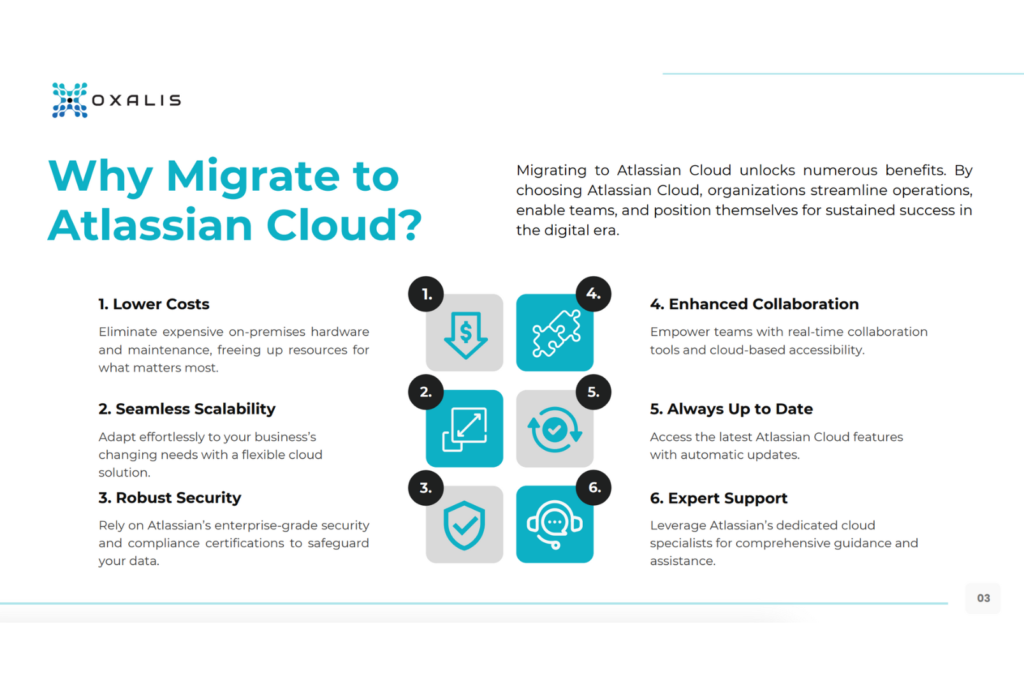
What are the principal advantages of migrating Atlassian Server to Cloud?
Migrating from the Atlassian server to the Atlassian cloud can provide many advantages to your organization. In this blog post, we will discuss some main advantages of migrating to the cloud, as well as the benefits of the migration process itself.
Advantages of migrating to Atlassian cloud
Improved scalability and flexibility
Atlassian cloud offers greater scalability and flexibility than Atlassian server. You can easily add or remove users and adjust your subscription as needed, making it an ideal solution for growing organizations or those with fluctuating needs.
Automatic updates and maintenance
Atlassian cloud provides automatic updates and maintenance, which can save you time and resources. This means that you don’t need to worry about manually installing updates or maintaining the infrastructure, which can be a significant burden for server administrators.
Enhanced security
Atlassian cloud provides enhanced security features, such as advanced encryption, security controls, and continuous monitoring. This can help protect your data and applications from security threats, giving you greater peace of mind.
Access to the latest features and functionality
Atlassian cloud provides access to the latest features and functionality, which are not available in the server version. This can help your team stay up-to-date with the latest tools and best practices, improving productivity and collaboration.
Lower total cost of ownership
While the upfront cost of migrating to Atlassian cloud may be higher than the server version, over time, it can be more cost-effective. This is because the cloud version eliminates the need for infrastructure, hardware, and maintenance, resulting in a lower total cost of ownership.
Benefits your team can get with the Atlassian migration process
Improved data management
The migration process provides an opportunity to review and optimize your data management strategy. You can assess your data quality, identify any gaps or redundancies, and implement best practices to improve data governance.
Standardization and consistency
Migrating to Atlassian cloud allows you to standardize your infrastructure and processes, resulting in greater consistency and efficiency. This can lead to improved collaboration and productivity among team members.
Customization opportunities
The migration process provides an opportunity to review and optimize your customizations. You can assess the effectiveness of your current customizations, identify any redundancies or inefficiencies, and implement new customizations that better align with your business needs.
Streamlined processes
The migration process provides an opportunity to review and optimize your processes, resulting in greater efficiency and productivity. You can identify any bottlenecks or inefficiencies, and implement new processes that better align with your business needs.
Migrating from Atlassian server to Atlassian cloud can provide many advantages to your organization. The benefits include improved scalability and flexibility, automatic updates and maintenance, enhanced security, access to the latest features and functionality, and a lower total cost of ownership. The migration process itself also provides many benefits, including improved data management, standardization and consistency, customization opportunities, and streamlined processes. By considering these advantages and benefits, you can make an informed decision about whether to migrate to the Atlassian cloud and how to approach the migration process.
Qualification: Companies using Jira Core, Jira Service Management, Jira Software, Confluence, Bitbucket, etc. in highly compliant industries with regulations.
Why Migrate to Data Center?
Transition Benefits—Atlassian committed to making the transition from server licensing to their other products as easy as possible, offering loyalty discounts and adding a powerful suite of apps to their Data Center products.
Higher Security—In Data Center, you’ll find stronger capabilities around Authentication & Authorization with advanced SSO and SAML 2.0 support
Security Configuration—Data Center ships with the ability to be clustered for High Availability, but also in a simple not clustered configuration if you do not have this requirement.
Reporting—Audit and logging is more advanced in Data Center allowing you to more easily achieve compliance.
Included Apps—Atlassian is bundling some of its top add-ons such as Advanced Roadmaps, to create a more comprehensive environment for your teams.
How We Can Help
Oxalis is widely regarded as the expert in Cloud Migration and Compliance Jira needs, having earned the prestigious Rising Star Partner of the Year status. As a government-verified Atlassian partner, we’ve implemented systems in regulated environments while protecting user data and improving processes. We have been working as an Atlassian partner for 4+ years, and we’ve got it down to a science.
We are committed to planning the best plan forward for your company, making this process seamless and successful. When you migrate with Oxalis, you’re not just migrating systems as they are, but improving them during the process. We are dedicated to streamlining your processes while we are under the hood, saving time and money in the long term. You’ll find that this migration will be more than a step needed to modernize—it’ll be a top-to-bottom house cleaning that not only moves your system but cleans and organizes to function with pure efficiency.
Starting now, with the release that Atlassian is discontinuing server licenses, we’re embarking on a 3-year journey together. Our team of experts will carry the weight as your Atlassian sherpa while we guide you to the promised land of secure, effortless, compliant, and effective Atlassian software.
Start with a free consultation. It will add immediate value.
Taking The Complication out of Jira Cloud Migration
Migrating systems to the cloud is an increasingly pertinent subject. In the past 5 years, Google Searches for keywords related to “Cloud Migration Services” have jumped nearly 500% (and rising fast). Of course, this isn’t a new topic—not only have we written about cloud migration and its benefits on our Oxalis Blog, but a quick search will also pull hundreds of thousands of articles saying the same thing: given you don’t have any compliance or regulatory barriers, it’s time to migrate your system to Atlassian’s cloud.
With the rise of the COVID crisis since March 2020, we’ve seen spiked demand as employees are required to work from home, manage systems remotely, and collaborate from afar. The flexibility surrounding cloud migration has never been more relevant than it is now. The COVID crisis forced many companies to make the leap out of necessity—only to discover they should have made it long ago.
Atlassian Discontinuing Server Edition, Encouraging Cloud Migration
This post has never been more applicable, as Atlassian announced the future discontinuation of its Server edition products. The announcement, which was released in October, details a timeline of dwindling sales and support of Server edition products starting February 2, 2021, and officially ending support for Server edition products by February 2, 2024. Read our full breakdown of Atlassian’s announcement and what it means for your Server products.
If you’re teetering on the decision to migrate to Atlassian’s Cloud, either out of necessity or curiosity, we’re here to tip you in the right direction. Get support.
The Cloud Migration Playbook, written for any company that needs to migrate from Atlassian Server or Data Center to the Cloud, covers the entire migration process from pre-planning to testing to executing the migration.
The Top Oxalis-Endorsed Reasons to Migrate to the Cloud Today:
The Benefits from the Ecosystem:
Atlassian has created a bevy of integrations that work seamlessly with Atlassian’s cloud, and they will continue to do so. Here’s some proof: back in May 2020, Atlassian purchased HALP, a communication integration that turns popular workplace communication tools (like Slack) into a virtual help desk. They want the cloud to work for everyone, and they’ll continue making strategic moves to improve.
The Reassurances of Stability:
The cloud allows for seamless, effortless updates. You and your team will have the most up to date systems, creating less maintenance and operation costs, saving valuable time, and providing the highest security standards—all done automatically.
The Atlassian Commitment to Product:
Take it from the Atlassian Gold Partners and the 2019 Rising Stars from the Americas—right now, the cloud is Atlassian’s baby. They care more about growing that part of their business than any other. Atlassian’s team will continue investing in this system, and you will be one of the beneficiaries. Talk to our experts.
After all of that, let’s say you’re now convinced. No more teetering. The question remains: how can I make this as easy as possible, with as little downtime as possible, and as few setbacks as possible? That’s where Oxalis comes in—we have the experts on staff to make sure that your migration is not only seamless, but also tailored to your business needs.
Think about your last move…did you hire movers?
If you didn’t, do you remember what a hassle that was? Loading up all of the boxes, try and play box tetris to get them to fit, driving that oversized truck around town? Asking friends to help, paying them in stacks of pizza and beverages for several hours of work? What about when someone dropped that box marked fragile and boom, now you need a new set of dinner plates?
If you did, do you remember how quick and easy it was? Do you remember pointing them in the right direction to load and unload the boxes, and do you remember how organized and beautiful the truck was when it was all loaded up? Do you remember the assurance that things would get there safely and securely, and all in considerably less time than loading and moving the truck yourself?
Now imagine the movers not only carry your precious house items from place to place, but then they offer advice on how to best use your new space for light and usability. They help you find things that were lost over the years, and made them a useful part of your home again. To top it all off, they offer some award winning interior design advice and help you hang just the right color of curtains to tie the room together. Learn more.
Oxalis does not simply move your data over to the cloud. We advise on optimal integrations that work best with the cloud, pinpoint the plugins and configurations that will help your system run smoothly. Additionally, Oxalis helps standardize your company’s flow and look for any points of improvement to make sure we’re leaving the job better than when we started.
Think of us as your movers who take any and all extra steps. Oxalis makes this process safe, simple, and speedy while your business hums along.
Oxalis Solutions Named Atlassian Rising Star in the Americas
Oxalis Solutions, a leading provider of Atlassian collaboration solutions, is proud to announce it has been awarded the prestigious Atlassian Rising Star AMER award at Atlassian’s 2019 Partner of the Year Awards. This exciting achievement recognizes Oxalis’s outstanding performance in driving new business, demonstrating thought leadership, and delivering exceptional Atlassian products and services.
“We are thrilled to recognize and honor our 2019 Partner Award recipients,” said Martin Musierowicz, Atlassian’s Head of Global Channels. “Solution Partners like Oxalis are instrumental in helping our customers succeed, and we’re proud to highlight their dedication to providing top-notch support and innovative solutions.”
“Being named a Rising Star is a tremendous honor,” said Oxalis CEO Jon Malanche. “This award validates the value our solutions bring to clients, especially when combined with our unique product methodology. We deeply value our partnership with Atlassian and look forward to continued growth and collaboration.”
Oxalis Solutions specializes in delivering secure, compliant, and user-friendly Atlassian solutions tailored to the needs of government, defense, and highly regulated industries. With offices across the United States, Oxalis’ deep understanding of both Atlassian products and the unique challenges faced by their clients enables them to provide comprehensive support and drive successful implementations.
To explore how Oxalis can help your organization leverage the power of Atlassian tools, learn more about our Atlassian Services.
Using Jira for Non-Software Projects: Yes, Your Non-Software Team Should Use It!
As organizations across various industries transition to agile development, you may be wondering—should you follow suit? While created for software development, the agile approach’s focus on self-organizing, cross-functional teams who use adaptive planning, early delivery, and continual improvement can be applied in other areas too. In fact, agile has even been applied to family life.
Once you decide to go agile, you need a good tool to implement it with. Jira’s success with agile development teams (and service desk organizations) obscures the fact that it’s well-suited for a wide variety of business processes. Teams have used it for purposes as different as handling document review with approvals, tracking the inspection of power lines—even managing the repair of US Navy ships.
Wait, what is Jira?
Jira Software is an Atlassian software platform for work tracking and project management. For agile work, it offers both Kanban projects for ongoing work management, as well as Scrum projects for iterative, delivery cycle-based work management. The two fundamental elements Jira offers to organize work are: the project, which can be a classic project with a defined endpoint or a bucket for a team’s ongoing work; and the issue, which is a unique document that holds almost any data you want, comes with a workflow that can be adapted to fit whatever business process you need, and stores all user communication about the document via comments.
Notable Jira features include: highly-customizable workflows for issue tracking, a flexible and granular user permissions model, notification schemes and in-issue communication with @mentions, robust reporting and dashboards—and for agile teams, epics, sprints, stories, releases, versions, boards, and roadmaps. Jira allows users throughout the entire organization the visibility and control needed to track projects in real-time with complete transparency.
Realistically reflect your unique processes.
Each team is unique, and you need a work management tool that adapts to your team rather than forcing you to adapt to it. In addition to Jira’s built-in flexibility, a marketplace full of thousands of add-ons helps you make Jira work for you. You can even create your own add-ons using the extensive API. If you need a custom field that pulls from a custom database, Jira can do that. If you need to push data to another application when a process completes, Jira can do that. If your workflow spans five different teams and requires custom notifications at multiple points, Jira can do that. Whatever the nature of your team’s work, Jira can help you do it more collaboratively and more efficiently.
Embrace change and prepare for the future.
The reality is, however, that while you can define your workflows and business processes to reflect how you work at a a given point in time, most organizations make frequent changes to those flows and processes in order to achieve objectives and adapt to changing markets. Well, change is central to agile thinking. The same flexibility and customization Jira provides you to meet today’s needs will help you meet next month’s, next year’s, and next decade’s needs. Say you take on a large new customer who requires some special handling in your workflow. Rather than changing the workflow for all your customers, or creating a separate workflow for the new customer that’s mostly the same as your regular workflow, you can add a hidden field that tells the workflow “only show this part to our new customer.” Or say there’s a reorganization of your teams, and now half your users are in different teams who report to different managers than before. Jira lets you manage users using both groups and roles, which enables you to move people around without having to touch your workflows.
Real-time reporting, tailored to your audience.
Reports can be rendered at any point within the workflow process to reflect the progress of specific projects. This can be tailored to any level or your organizational hierarchy, allowing varying degrees of visibility depending on the audience viewing the report. This allows real-time progress updates which can be rapidly produced, in order to increase communication regarding project progress.
Cross-department collaboration
In reality, projects are often shared between multiple departments across an organization. This can cause discontinuity within workflows when communication is not abundantly apparent between teams. Jira allows projects to be broken down into smaller boards, based on issue types. This allows users to focus on only pertinent issues to them while also protecting data irrelevant to their work within a project from being accidentally changed or lost. Users will have only relevant information to their section of the project but can still share issues across multiple boards without changing the specific issue’s progress in another. This allows multiple users to more clearly visualize and communicate the work they are doing, across different departments within an organization.
Agile development has become the new normal, not just for IT departments.
Now is the time to transition agile to elevate and progress your processes. Reflect your workflows within Jira, realistically, to help institute positive change and increase cross-team collaboration. Scale agile and Jira across your non-software team to help institute agile development at scale! Our team can help, with our Jira consulting services.
Ready to take the next step? Schedule your demo, today
Jira Keyboard Shortcuts that Improve Daily Productivity
Atlassian Jira Software allows agile development to be at the forefront of all of your progress. As an integral pillar of agile development, change can be created or responded to incredibly quickly within real-time. Learn how you can optimize your Jira experience and expedite response time with some of our favorite shortcuts for Jira platforms. Jira keyboard shortcuts work outside of the text field within both Jira Software and Confluence. Below, we will detail some of the most lucrative shortcuts to help increase efficiency when creating, editing or developing workflows within Jira.
Implement global board shortcuts to help navigate with efficiency and ease.
At Oxalis, we utilize Jira software within our own workflows and processes. We understand the best ways to implement Jira in order to harness the utmost benefits. Utilizing Jira keyboard shortcuts can help you introduce small changes that have profound impacts on the way your users work. Learn more.
These key, global shortcuts help you to navigate through boards within Jira with ease and fluidity. You can easily access your personal dashboard at any point within Jira by simply pressing the keys “G” and “D” simultaneously. Returning to the dashboard is just one navigational short cut offered out of many within Jira. Below are some of our personal favorite shortcuts to efficiently navigate at a universal level within Jira.
Simply click the specified keys allocated to each shortcut and you will be moving smoothly throughout your various boards! – Jira Board Shortcuts
One of the most useful Jira keyboard shortcuts from a global perspective is the “Administrative Quick Search” shortcut. This shortcut helped us to personally transform the way we utilize this function within a board. Simply pressing your “/” allows the Administrative Quick Search to be promoted to your screen without having to exit a board. You do not have to stop the work you are doing in order to access this Quick Search from the dashboard window. Utilizing the Administrative Quick Search allows you access to various Jira shortcuts so you can optimize the work you are creating, within losing momentum.
Transform your interaction with issues using agile specific board shortcuts.
Jira Board Shortcuts
Bonus
Jira is a powerful tool for managing projects, tracking issues, and collaborating with team members. However, navigating Jira’s menus and options can be time-consuming, and can slow down your workflow. That’s why using Jira keyboard shortcuts can help you save time and increase your productivity. In this blog post, we’ll explore some of the most useful Jira keyboard shortcuts that can improve your daily productivity.
Create new issue: To quickly create a new issue in Jira, use the “c” shortcut. This will bring up the “Create Issue” dialog box, where you can fill in the details of the new issue.
Comment on an issue: To add a comment to an issue, use the “m” shortcut. This will bring up the “Add Comment” dialog box, where you can type in your comment and hit Enter to save it.
Edit an issue: To edit an issue, use the “e” shortcut. This will bring up the “Edit Issue” dialog box, where you can make changes to the issue’s details.
Move an issue: To move an issue to a different project or issue type, use the “m” shortcut. This will bring up the “Move Issue” dialog box, where you can select the target project and issue type.
Copy an issue: To copy an issue, use the “y” shortcut. This will create a copy of the current issue, which you can then edit or move as needed.
Open issue details: To open the details of an issue, use the “o” shortcut. This will bring up the issue details view, where you can see the issue’s status, assignee, priority, and other details.
Change issue status: To change the status of an issue, use the “s” shortcut. This will bring up a list of available statuses, and you can select the one you need using the arrow keys.
Open Jira help: To open Jira’s help system, use the “?” shortcut. This will bring up the help menu, where you can search for information or browse the help topics.
Advanced search: To perform a more advanced search in Jira, use the “g” shortcut. This will bring up the “Issue Navigator” view, where you can use Jira’s advanced search syntax to filter and search for issues.
Filter issues: To filter issues in Jira, use the “f” shortcut. This will bring up the “Issue Navigator” view, where you can create custom filters to display only the issues you’re interested in.
Navigate between issues: To navigate between issues in Jira, use the “j” and “k” shortcuts. Press “j” to move to the next issue, and “k” to move to the previous issue.
Add a link to an issue: To add a link to an issue, use the “l” shortcut. This will bring up the “Link Issue” dialog box, where you can select the type of link and the target issue.
Assign an issue: To assign an issue to a user, use the “a” shortcut. This will bring up the “Assign Issue” dialog box, where you can select the user to assign the issue to
What are the principal advantages of using Jira shortcuts?
There are several advantages to using Jira keyboard shortcuts to navigate and perform actions within the platform:
Time savings: Using Jira keyboard shortcuts can save you significant amounts of time over using the mouse to navigate menus and click on options. This can be especially beneficial for users who spend a lot of time in Jira every day.
Improved productivity: By using shortcuts to quickly perform common tasks, users can work more efficiently and effectively. This can help improve productivity and reduce the time spent on manual tasks.
Streamlined workflow: Jira keyboard shortcuts can help create a more streamlined workflow, allowing users to move quickly between different areas of the platform and perform actions with ease.
Reduced strain: Using the mouse and clicking on menus and options can cause strain on the wrist and fingers, which can lead to repetitive stress injuries over time. Using keyboard shortcuts can help reduce this strain and prevent injuries.
Consistency: Keyboard shortcuts provide a consistent way to perform actions within Jira, making it easier for users to learn and remember the various commands.
Accessibility: Keyboard shortcuts can be particularly beneficial for users who have mobility or visual impairments that make using a mouse or navigating menus difficult.
In summary, Jira keyboard shortcuts can help save time, improve productivity, create a streamlined workflow, reduce strain, provide consistency, and enhance accessibility. By using these shortcuts, users can work more efficiently and effectively within Jira, ultimately improving their overall experience with the platform.
Agile development is the new normal for software development across various industries—from tech to healthcare to manufacturing.
We’ve served as lead consultants for Agile development across many industries, serving as experts who can configure Jira software to fit any workflow. Over the course of those projects, we’ve learned and improved our processes—allowing for our experts to gain a wealth of knowledge along the way.
Don’t use your valuable time stumbling through trial and error processes. Our team of Jira consultants has worked with Jira Software, Jira Core, Jira Service Desk, Confluence, and other Atlassian suite programs to optimize Jira use. We’ve compiled our ideas after trial and error so you don’t have to learn Jira hacks the hard way.
Software teams initially created Agile Development to quickly react and adapt to unpredictable changes. It is a fast response system, encouraging quick communication to catch potential roadblocks before they stop work altogether. As a set of frameworks set aside in the 12 Principals of Agile, companies that adopt Agile Development are more nimble, react to issues quickly, and reduce delivery times from huge deliverables to more digestible releases. Get more information.
As mentioned above, the system was developed for software teams. However, we’ve implemented Agile Development successfully in many industries and we can help your company do the same.
Watch our Agile at Scale Webinar On-Demand
Top 5 Jira Software Hacks for Scaling
Jira Hack #1: Design Boards to Meet your Goals
Configuring boards in Jira can be an incredibly useful process; however, it can easily become overly complicated. Jira recognizes issues shared across multiple projects, and data is frequently excluded from certain boards. Information is then watered down based on the issues you are viewing.
Tailoring boards to meet their ultimate end goal gives more consistency and clarity when rendering data. The fewer issues a board has, the faster Jira can render reports. Selecting issues that are relevant to the goals of the board allows for faster, more consistently clear rendering of your important data. Have some doubts about jira scrum board swimlanes? Send us a message below.
Many Jira users often place Quick Filters on larger boards to monitor their complex workflows. Jira’s Quick Filter function chunks larger boards into smaller subsets of issues to deliver closer inspection of only relevant issues.
It is important to look across various Quick Filters that have been set in Jira in order to simplify large workflow boards. If the same or similar issues appear across multiple Quick Filters, it might be time to create a separate board.
Creating a separate board in Jira breaks down large workflows into smaller, more manageable boards. This helps to increase the relevancy of issues within a workflow and evokes a more in-depth focus on pertinent issues. A simple way to clean up inactive issues is to utilize the Jira Query Language, known as JQL, to search issues under “time since last update” to understand which issues are underutilized or irrelevant within your board. Learning JQL for quick searches will speed up your processes and improve overall Jira navigation. Send us a message.
While this is one of the five Jira hacks included, this is less of a hack and more of a frame of mind, understanding the client’s perspective when interacting with the platform will help to improve user experience. Oftentimes, it can be frustrating, confusing, and overwhelming for customers to access large boards. Jira, as a project management tool, can be very overwhelming. Make sure your best practices are not only for your internal teams but implemented for your client communication as well.
Depending on their network connectivity and the device they access from, large boards can be difficult to render. Knowing how your clients are accessing your platform will help to meet their needs. Tailoring your platform to function within your clients’ typical methods of communication will help to elevate and improve the overall user experience for your clients. Adding the extra consulting layer to client communication separates your efforts from the competition.
Jira Hack #4: Your Team is Unique, Why Isn’t your System?
Large teams can often have subsequently large boards, which can create delays when rendering important reports in real-time. Understanding the dynamic between team members and the work they produce will help to customize boards to fit their needs.
Creating sub-team boards off of large team projects promotes heightened visibility and awareness of problems as they arise. This allows Project Managers to see the project overview through an aggregate board of “Stories” from all sub-team boards. The visibility of workflow issues can also be elevated through the use of heavy-handed implementation of unique customization.
For example, adding strong customization to Swimlanes can promote critical or unassigned issues to top priorities when processing through a workflow. Talk to an expert.
Jira Hack #5: Utilizing Jira’s Swimlanes
“Jira Swimlanes” is one of the more underutilized tools within Jira. Swimlanes are a separate collection of issues in Active Sprints, Scrum Boards, or Kanban Boards. Swimlanes help categorize and distinguish tasks from other workstreams, users, or application areas. They are displayed horizontally, separately from the main board, for ease of visibility.
Separating a determined collection of issues, assets, stories, epics, etc into a swimlane ensures that your issues are not getting lost within the overall project. This can be specifically helpful when you’re looking to separate out issues assigned to you, separating stories from issues, or keeping epics separate from each other.
An important note: You must be a Jira administrator or a board administrator for the board to configure its swimlanes.
Implementing Agile development across your enterprise is very important when trying to keep up to date with advancing technology standards. As your company grows, institute system processes that will scale with you. Using these Jira hacks ensures success with Jira’s platform and Agile’s framework.
Did any of these Jira hacks give you pause? Are you wondering how to configure Jira’s Scrum board or Kanban board for your project management?
The Oxalis team of experts has configured Atlassian-suite software from large enterprises to local firms, and we can configure and customize Jira to meet your company’s or client’s needs. As award-winning Atlassian partners, we’ve seen it all and done it all. If you need help implementing these Jira hacks, if you need help scaling by migrating to the cloud, or if you want to optimize your existing Jira software, Oxalis is here to make it happen. Get help.
Why wait? Now is the time to implement agile development. The sooner you do, the faster you’re able to execute the highest quality of work with fewer errors and more customer satisfaction.
Bonus
How to get the most out of Jira?
Jira is a powerful project management tool that helps teams to plan, track, and manage their work efficiently. One of the key features of Jira is the Portfolio View, which provides teams with a bird’s-eye view of their project portfolio.
The Portfolio View in Jira provides a high-level overview of all the projects in a portfolio. This view includes information such as project progress, key dates, and resource allocation. The view is customizable, allowing users to filter information based on specific criteria such as project status, team, and release date. One of the major benefits of the Portfolio View in Jira is that it allows teams to identify dependencies and conflicts between projects. This can help teams to better manage their resources and prioritize their work to ensure that all projects are completed on time.
Another key advantage of the Portfolio View is that it enables teams to create different scenarios for their project portfolio. Users can create different “what-if” scenarios, testing the impact of changes to project priorities or resource allocation. This allows teams to make more informed decisions and ensures that they are better prepared to respond to changes in the project landscape.
Jira Portfolio offers a range of features that enable teams to visualize their project portfolios and manage dependencies between different projects. The tool allows teams to create custom views of their project portfolios, set up their own planning hierarchies, and create custom reports. With these features, teams can align their project portfolio with their overall business goals and make informed decisions based on data.
One of the key benefits of Jira Portfolio is its flexibility. The tool can be customized to meet the specific needs of different organizations, ensuring that teams can manage their work in a way that aligns with their business needs. With Jira Portfolio, teams can easily prioritize their work, manage dependencies between different projects, and ensure that all projects are completed on time and within budget.
In summary, the Portfolio View in Jira is a powerful tool for project managers and teams. It provides a high-level overview of the project portfolio, allowing teams to better manage their resources and prioritize their work. By enabling teams to create different scenarios, the Portfolio View helps teams to make more informed decisions and ensures that they are better prepared to respond to changes in the project landscape.
How Jira Portfolio can help you?
Jira Portfolio Management is a critical aspect of project management that provides a holistic view of all projects in an organization’s portfolio. Jira, one of the most popular project management tools, offers a powerful Portfolio Management tool, called Jira Portfolio, that helps teams manage their project portfolios with ease.
Jira Portfolio offers a range of features that enable teams to visualize their project portfolio, prioritize their work effectively, and manage dependencies between different projects. With Jira Portfolio, teams can get a clear view of their project timelines, identify any potential issues, and make informed decisions about resource allocation and project priorities.
One of the key benefits of Jira Portfolio is its flexibility. The tool allows teams to create custom views of their project portfolios, set up their own planning hierarchies, and create custom reports. This level of customization ensures that teams can manage their work in a way that aligns with their specific business needs.
Another important feature of Jira Portfolio is its integration with Jira Software. This integration means that teams can manage their projects and portfolios within the same platform, making it easier to track progress and make informed decisions about project priorities.
Overall, Jira Portfolio is a powerful tool for portfolio management that can help organizations manage their project portfolios more effectively. With its range of features, flexibility, and integration with Jira Software, Jira Portfolio is definitely worth considering for any organization looking to improve its portfolio management capabilities.
If you have questions about Jira license cost, Jira Cloud offers four different pricing plans: Free, Standard, Premium, and Enterprise. The Free plan is limited to a maximum of 10 users, while the Standard, Premium, and Enterprise plans offer more features and support for larger teams.
It’s important to note that the cost of the Jira license can vary depending on the number of users and the level of service required. In summary, the cost of a Jira Cloud license depends on the number of users and the level of service required. With a range of pricing plans available, Jira Cloud offers an affordable and flexible solution for project management that can be customized to meet the needs of different organizations. If you’re interested in using Jira Cloud, it’s worth exploring the pricing plans in detail to determine which one best suits your needs and budget.
Used by Google Analytics 4 to persist session state and track usage across visits. The XXXXXXXXXX portion corresponds to the Oxalis Google Analytics property ID.
1 year
_gac_
Contains information related to marketing campaigns of the user. These are shared with Google AdWords / Google Ads when the Google Ads and Google Analytics accounts are linked together.
90 days
__utma
ID used to identify users and sessions
2 years after last activity
__utmt
Used to monitor number of Google Analytics server requests
10 minutes
__utmb
Used to distinguish new sessions and visits. This cookie is set when the GA.js javascript library is loaded and there is no existing __utmb cookie. The cookie is updated every time data is sent to the Google Analytics server.
30 minutes after last activity
__utmc
Used only with old Urchin versions of Google Analytics and not with GA.js. Was used to distinguish between new sessions and visits at the end of a session.
End of session (browser)
__utmz
Contains information about the traffic source or campaign that directed user to the website. The cookie is set when the GA.js javascript is loaded and updated when data is sent to the Google Anaytics server
6 months after last activity
__utmv
Contains custom information set by the web developer via the _setCustomVar method in Google Analytics. This cookie is updated every time new data is sent to the Google Analytics server.
2 years after last activity
__utmx
Used to determine whether a user is included in an A / B or Multivariate test.
18 months
_ga
ID used to identify users
2 years
_gali
Used by Google Analytics to determine which links on a page are being clicked
30 seconds
_ga_
ID used to identify users
2 years
_gid
ID used to identify users for 24 hours after last activity
24 hours
_gat
Used to monitor number of Google Analytics server requests when using Google Tag Manager
1 minute
Marketing cookies are used to follow visitors to websites. The intention is to show ads that are relevant and engaging to the individual user.