Confluence Buyer’s Guide: Pricing, Advantages and more

Things you’ll learn

What is Confluence?

Confluence is leading collaboration and documentation system developed and provided by Atlassian.
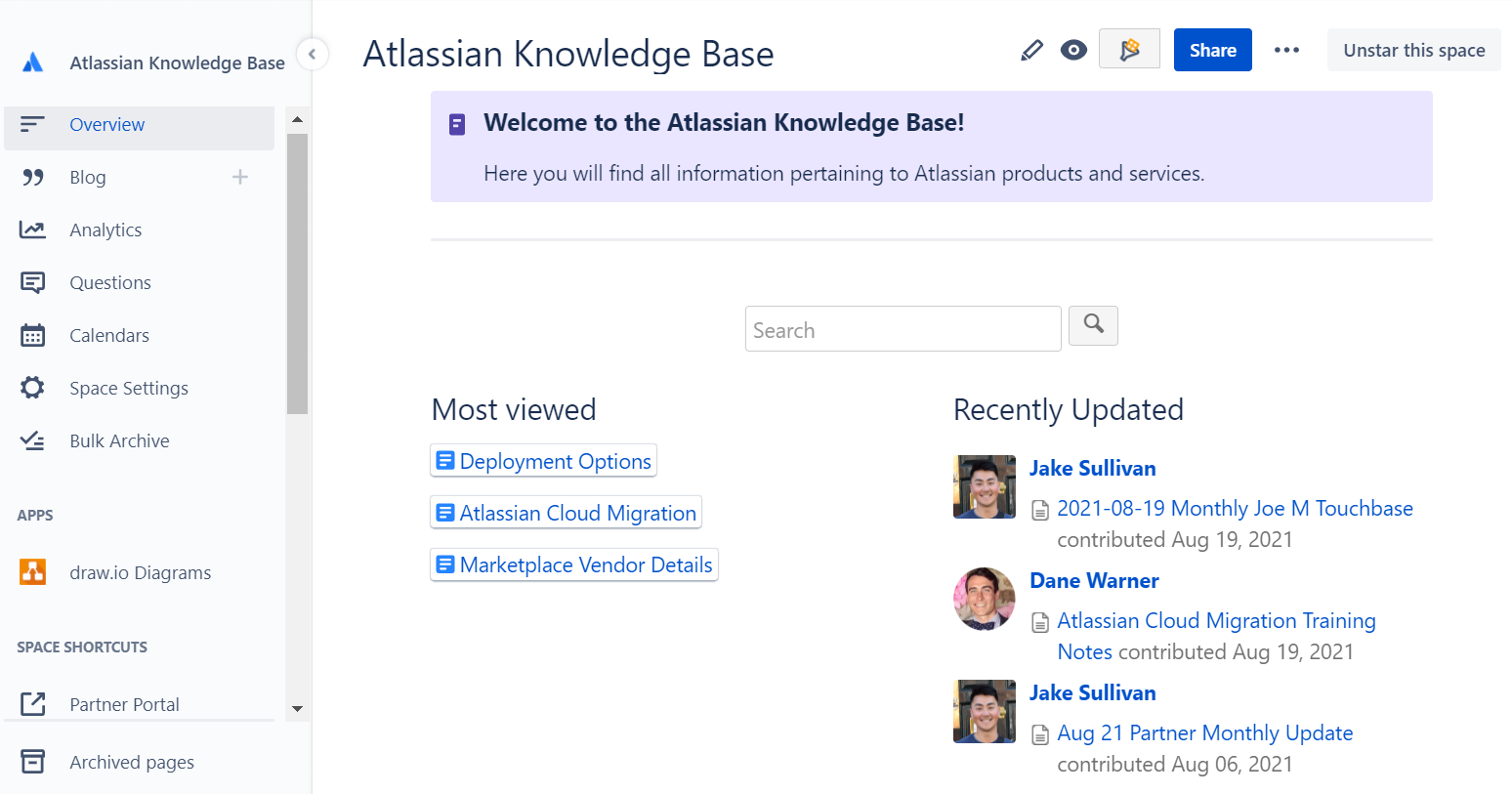
Atlassian Knowledge Base

Confluence vs Jira

While Jira is a leading issue tracking tool, Confluence is a leading collaboration and documentation system, that is tightly integrated with other tools in the Atlassian ecosystem, such as Jira. For teams that are using Jira for project management, software development or issue tracking, Confluence is a value driving addition, enabling users to capture and review information in real time.

How does Jira work with Confluence?

Jira Software integrates with Confluence by providing a place for teams to document and review all of their project information. This way all of the requirements, meetings notes and plans for a project can be captured in one place, linked to the Project and Issues in Jira.

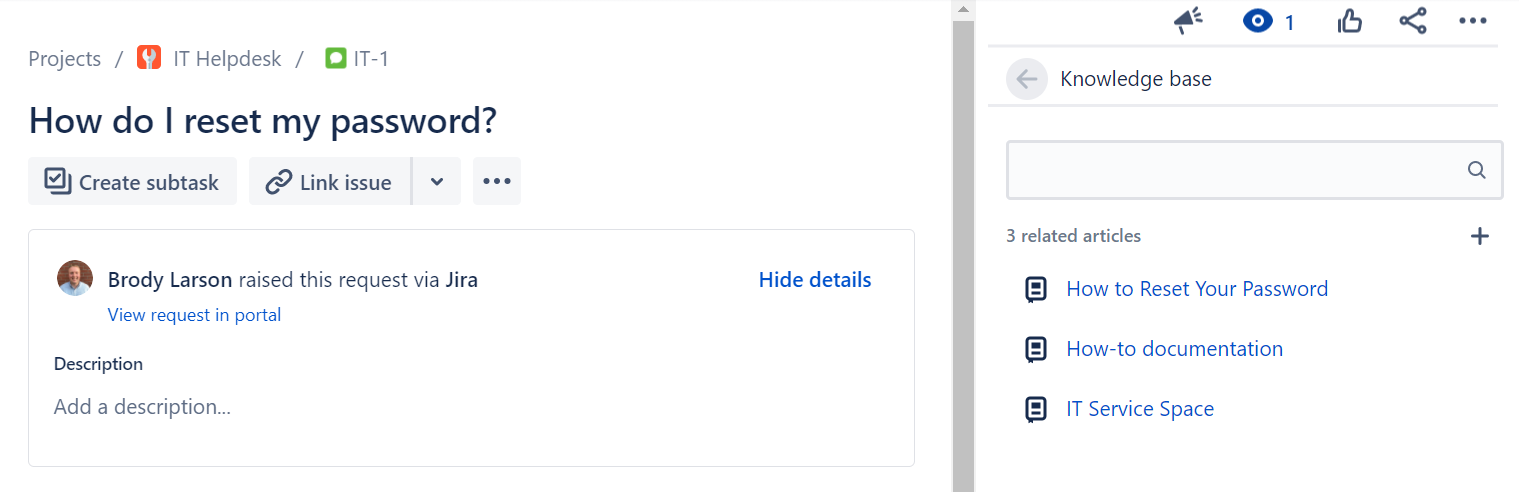
Jira Service Management integrates with Confluence by providing a knowledge base for Agents and Customers, where information is made available based on the request. JSM also allows Agents to create new documents in the Confluence knowledge base directly from their issue in Jira if relevant documentation is missing.
Confluence Features List

We already explained how Jira and Confluence work together to help any and all teams collaborate, but what are some of the other features that we love about Confluence? Keep reading this Confluence guide to learn more about Confluence pricing.

Confluence Templates

Confluence comes shipped with almost 100 best practice templates out of the box to serve as a starting point for new and existing teams to leverage. Don’t start from scratch, take advantage of these templates to make writing and collaborating on documentation faster and more cohesive across the organization.

Confluence templates

Collaboration

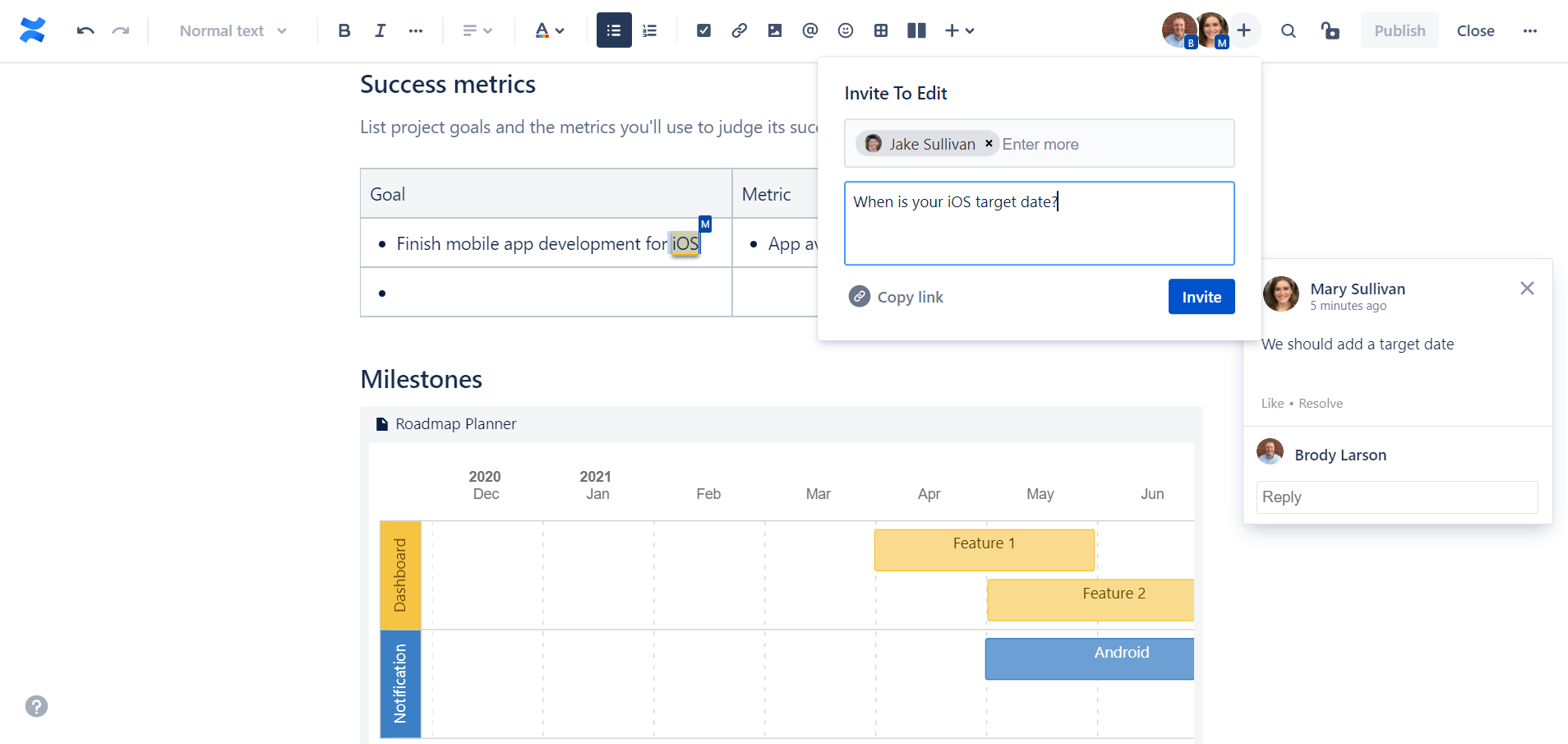
Confluence offers various features that help teams collaborate such as real-time editing, comments on pages or in-line, dynamic notifications and more.
Permissions

Whether you’re a growing team or a large enterprise, Confluence has a robust and layered permission scheme that enable administrators to ensure that the right users have access to the right information across your site.
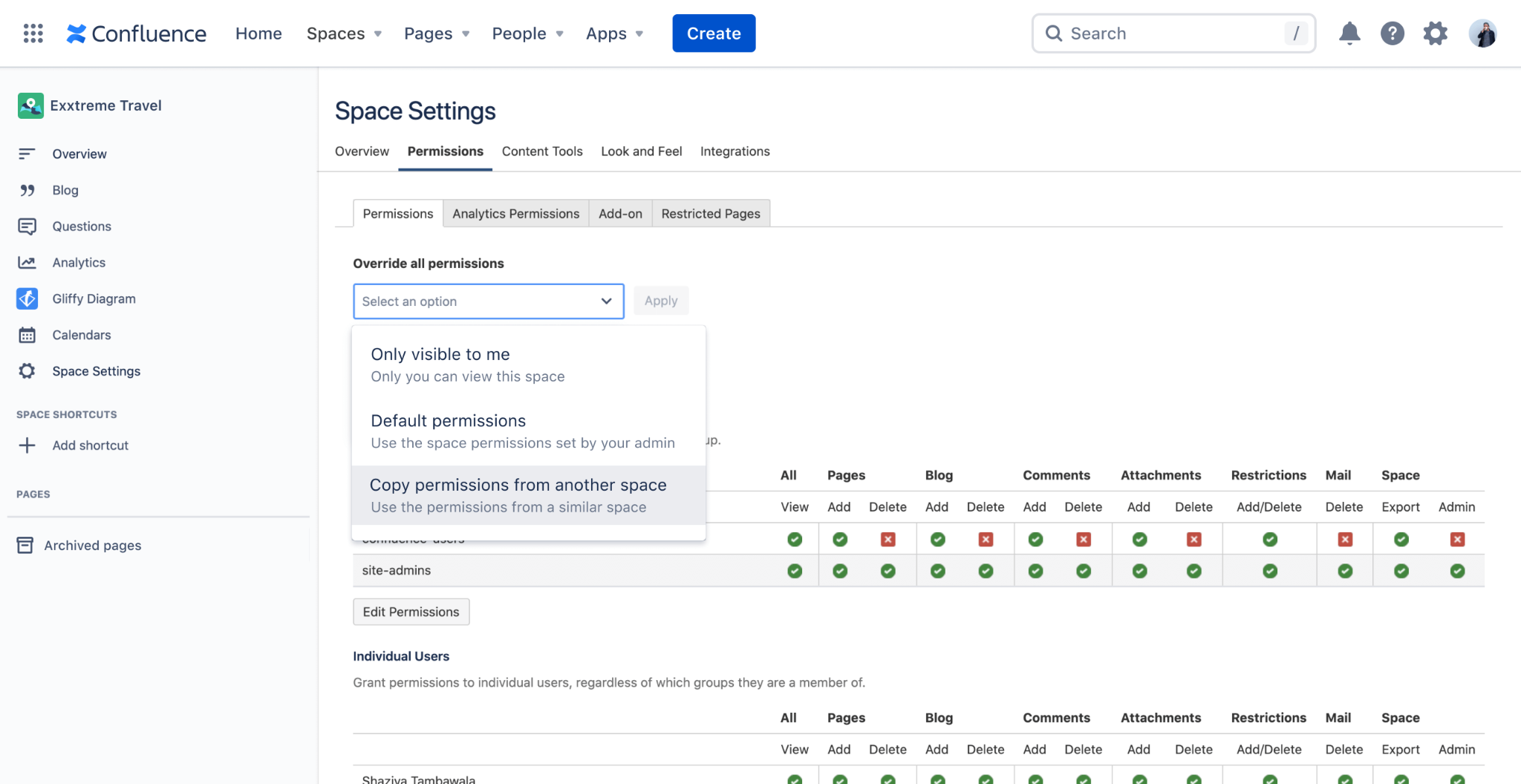
Confluence permissions

Analytics

Confluence Data Center and Cloud Premium offer analytics and insights and the page, space and site level, to help administrators and content owners evaluate usage and help make decisions.
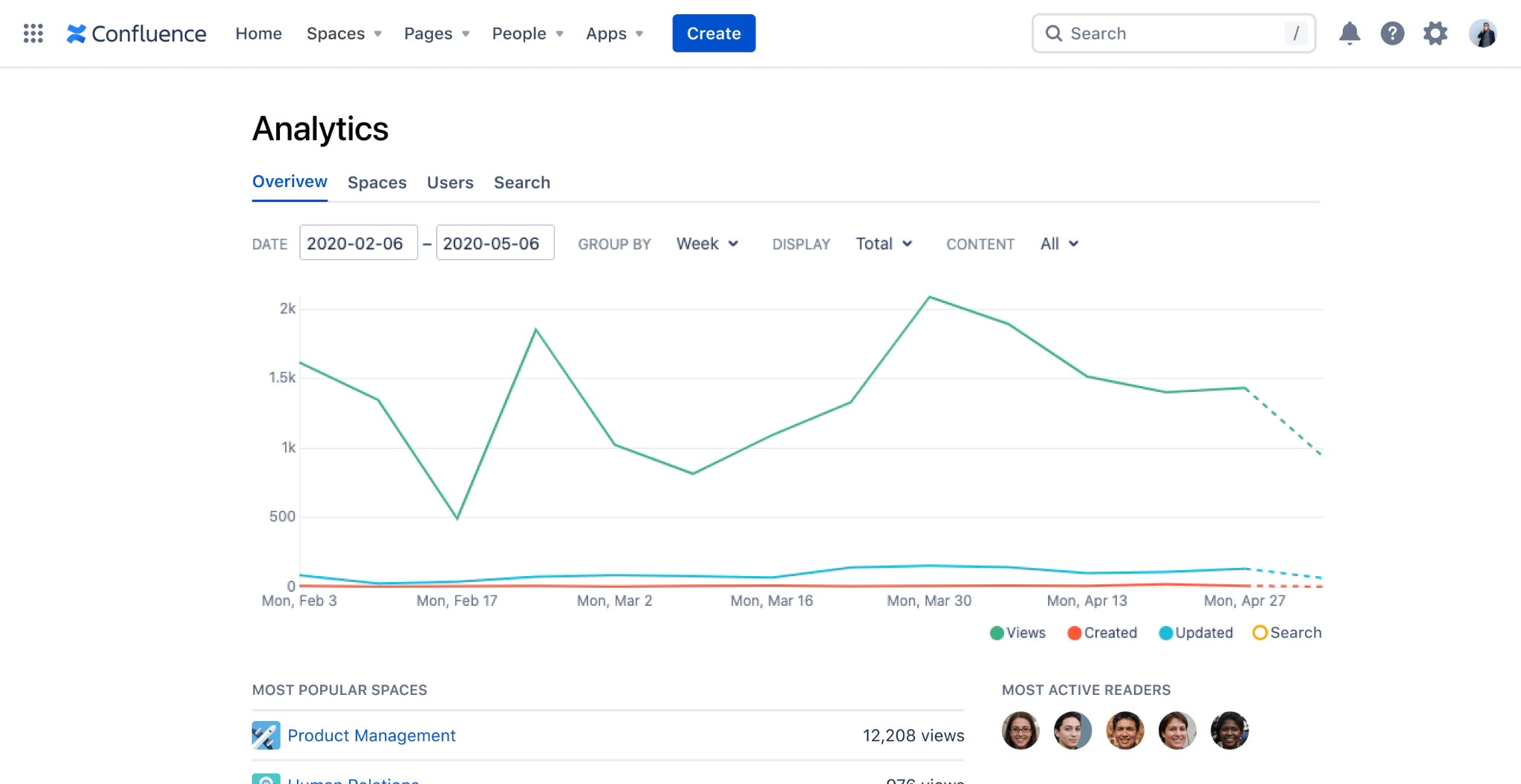
Confluence Analytics

Integrations

Beyond the native integrations between Confluence and other Atlassian tools, there are hundreds of Marketplace Apps that make it seamless to integrate Confluence with other documentation tools such a Google Drive, SharePoint or OneDrive and business tools such as Lucid Charts.

How do I know which version of Confluence I need?

There are 3 main factors to consideration when trying to determine which version of Confluence will meet your needs:

  • Deployment: There are now two different deployment options available for Atlassian’s Confluence product, Cloud and Data Center. As you may already be aware, in October of 2020, Atlassian announced they were discounting their Server products, in favor of Cloud and Data Center. You can read more about their announcement here.
  • Feature Set: For Confluence Cloud, there are four different versions available, all with a different set of available features. We will outline them below.
  • User Tier: All Atlassian product licenses are based on # of Users, and most used a tiered system. We will highlight the price for many of the available User Tiers below.

Confluence Cloud vs Data Center

Confluence Cloud

Atlassian has taken a ‘Cloud first’ approach to their products, and encourages all new and existing customers to choose their Cloud offerings. Confluence Cloud is a highly available software-as-a-service that Atlassian hosts and is scalable, secure, reliable, and highly performant. Atlassian is continuously developing new features for the Cloud offerings, and they will soon be available for all sizes of teams.

Confluence Data Center

Unlike Confluence Cloud (which is a SaaS), Confluence Data Center is a self-managed offering, where you host Confluence on your own infrastructure. Other benefits of Confluence Data Center include: environment control, active clustering for high availability, SAML 2.0 and OpenID Connect support, Atlassian-supported disaster recovery and advanced permissions capabilities for added security.

Reasons to choose Confluence Data Center

Compliance Requirements

If your organization must adhere to HIPAA, NIST 800 or FedRAMP Moderate, Confluence Cloud is not currently a viable option for you. These are all on Atlassian’s Cloud Roadmap but for organization’s that are looking to implement Confluence now and must comply with these regulatory requirements, Data Center is the appropriate deployment option.

User Tier

Confluence Cloud currently only supports up to 20,000 Users per site. Atlassian is working on supporting up to 35,000 Users per site, but may not be available until Q4 2022.

Confluence Pricing

Once you have decided on which deployment option (Cloud or Data Center) is appropriate for you, review the various pricing options below to determine which Confluence license is right for your organization.
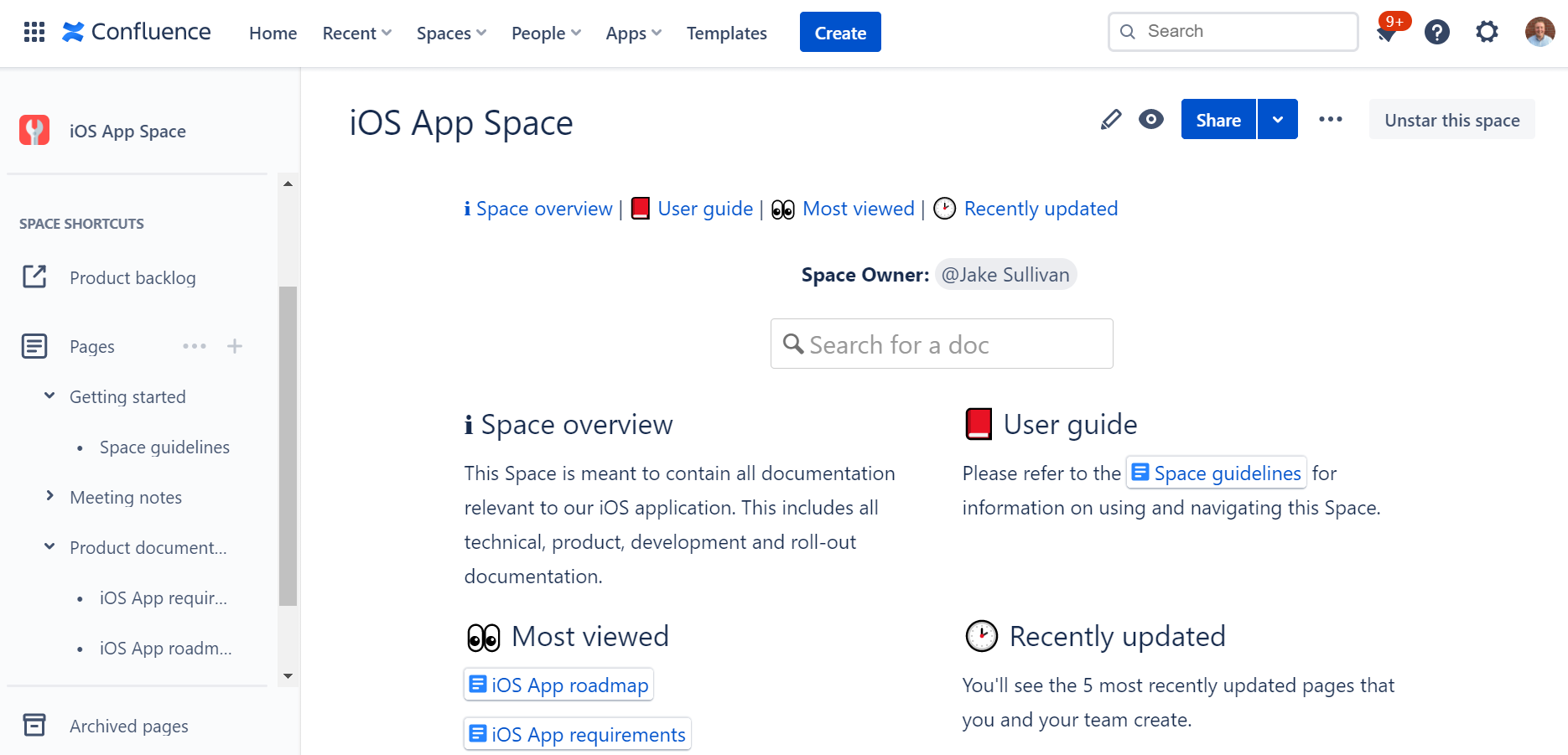
Confluence Cloud Pricing

Confluence Free, Standard, Premium or Enterprise?

Before explaining the differences between the different versions of Confluence Cloud, note that Confluence Standard, Premium and Enterprise are all currently available for up to 20,000 users per site.

Confluence Free

For up to 10 Users, Atlassian offers a free version of Confluence Cloud, that comes with their basic set of features. Features not included in the free version of Confluence Cloud are things like: permissions, archiving, insights and audit logs.

Confluence Standard

The Standard version of Confluence comes with a robust set of features that meet the needs of most organizations. Remember all of the key features that we highlighted above? You’ll get all of those (besides analytics) and more with Confluence Standard.

Confluence Premium

Confluence Premium adds a specific set of features onto the Standard version of Confluence Cloud, such as: analytics, bulk archiving, permissions copying, a sandbox environment and unlimited storage.

Also worth noting, Atlassian will soon be releasing two new and very exciting features exclusively for Confluence Cloud Premium: external collaboration and automation.

Confluence Enterprise

Meant for large, enterprise organizations, Confluence Cloud Enterprise is available starting at the 1,000 User tier, and only offers Annual licenses, Monthly not available. With Confluence Cloud Enterprise, you are getting all of the features for the lower versions, plus some enterprise-enabling features such as: unlimited sites, Atlassian Access, and enhanced support and uptime. Need some more help with this Confluence guide? Contact us now.

Confluence Monthly Cloud Pricing

# of Users Standard Price per User Premium Price per User
1 – 100 $5.00 $10.00
101 – 250 $4.00 $7.00
251 – 1,000 $3.00 $5.50
1,001 – 2,500 $2.75 $5.00
2,501 – 5,000 $2.50 $4.75
5,001 – 7,500 $2.50 $4.50
7,501 – 10,000 $2.25 $4.25
10,001 – 15,000 $2.10 $3.75
15,001 – 20,000 $1.90 $3.50

Confluence Annual Cloud Pricing

# of Users Standard Price Premium Price Enterprise Price
10 $500 $1,000
50 $2,500 $5,000
100 $5,000 $10,000
500 $18,500 $34,250
1,000 $33,500 $61,750 $92,625
2,000 $61,000 $112,000 $167,500
5,000 $137,000 $256,000 $383,000
10,000 $256,000 $474,000 $711,000
20,000 $465,000 $837,000 $1,255,000

Note, there are more user tiers available for Annual Confluence Cloud Pricing, we have highlighted these tiers to make the pricing scale more readable.

Confluence Data Center Pricing

There is only 1 pricing and feature level available for Confluence Data Center. All deployments of Confluence Data Center come with the entire feature bundle, and only annual licenses are available. This means that if you have determined that Confluence Data Center is right for your organization, the User Tier the only variable to consider that will impact your license cost.

# of Users Annual Price
500 $27,000
1,000 $48,000
2,000 $84,000
5,000 $210,000
10,000 $230,000
20,000 $270,000
40,000 $350,000
40,001+ $370,000

Note, there are more user tiers available for Confluence Data Center Pricing, we have highlighted these tiers to make the pricing scale more readable.

Recommended blog posts

Now What?

Still not sure if Confluence is right for your organization or you just have some doubts about this Confluence guide, or not sure which deployment option and version you should choose? Our dedicated and award-winning team can help you evaluate your next steps.

 

Press Release: Kevin Thompson joins Oxalis

PORTLAND, OREGON 09/13/21. Oxalis is excited to announce the addition of Kevin Thompson to the leadership team as Vice President of Industrial and Government Services. Kevin will be integral to growing Oxalis’ core capabilities for the Maritime, Government, and Industrial sectors and broadening the Oxalis offerings in addition to already transformational and highly successful technology solutions. 

Kevin’s extensive background in both Maritime Ship Repair and Naval Architecture will be pivotal in providing stronger solutions to customers, both Federal and private. This will translate to a brighter future in Maritime, Industrial and direct-to-government services,” says Jonathan Malanche, CEO of Oxalis.

Kevin Thompson is a US Coast Guard veteran, with a Master’s in Naval Architecture and over a decade of direct Ship Repair and Maritime experience. In addition to Kevin’s Naval background, Kevin is master estimator and is an industry leader in technology application for the Ship Repair and Government sectors.

About Oxalis: Oxalis specializes in compliant technology solutions and services for the highly-regulated Maritime, Healthcare, and Government industries. With over decades of experience navigating the unique challenges surrounding compliant technology implementation, Oxalis experts consistently explore and develop elegant solutions for modern industry challenges.

Kevin Thompson | Vice President of Industrial and Government Services at Oxalis

Confluence Remote Code Execution Vulnerability: Everything you need to know about it

Atlassian has announced a critical severity security vulnerability CVE-2021-26084 on certain versions of the Server and Data Center platform for Confluence. Oxalis performed additional analysis on this vulnerability announcement and is confident that our current customers are protected by our security practices. This security vulnerability only affects Atlassian’s Confluence Data Center and Server products. Atlassian Confluence Cloud products are not affected, and users are not impacted by this vulnerability.

Specifically, the CVE (Common Vulnerabilities and Exposures) ID for this vulnerability is: CVE-2021-26084 (Confluence Server Webwork OGNL injection). To stay on top of the issue, track it here. Beyond its extremely high 9.8 severity level, the fact that it doesn’t require a user to be authenticated puts any publicly facing Confluence instance at risk. High profile teams are reporting successful attacks, including the CI/CD tool Jenkins.

We believe it’s critical you mitigate these issues immediately either on your own or through Oxalis’s assistance. US Cybercom has sent out notice to IT teams alerting to this issue, there is reason to believe CVE-2021-26084 will continue and rapidly increase.

This vulnerability specifically affects the following versions of Confluence Server and Data Center:

Affected versions:

  • any version < 6.13.23
  • 6.14.0 ≤ version < 7.4.11
  • 7.5.0 ≤ version < 7.11.5
  • 7.12.0 ≤ version < 7.12.5

What to do if you believe you’re at risk

Upgrade to the latest release

The current releases of Atlassian’s Confluence Server and Confluence Datacenter products have added security patches to address this issue – as long as you have a recent release, you are protected. Staying up to date should be the baseline for security practices. 

Check Your Current Version of Confluence

  • How to check current version
    • To find the version of Jira Data Center that you are on, click on the Administration cog and go to Applications. Here you can view the current version of your Jira applications.
      • Note: You will need to be a Jira Administrator to access Jira’s Administration menu.
    • Need help finding your current version of Jira Data Center? Get help immediately for assistance.

Pick the Version of Confluence to Upgrade and Download

These version apply to both Server and Data Center versions of Confluence:

  • Your best be should be to upgrade to version 7.13.0 (LTS) or higher
  • If you are running 6.13.x versions and cannot upgrade to 7.13.0 (LTS) then upgrade to version 6.13.23.
  • If you are running 7.4.x versions and cannot upgrade to 7.13.0 (LTS) then upgrade to version 7.4.11.
  • If you are running 7.11.x versions and cannot upgrade to 7.13.0 (LTS) then upgrade to version 7.11.6.
  • If you are running 7.12.x versions and cannot upgrade to 7.13.0 (LTS) then upgrade to version 7.12.5.

Versions can be downloaded from the following pages depending on if you are using server or Data Center:

  • Confluence Current Version: https://www.atlassian.com/software/confluence/download/data-center
  • For other patched versions: https://www.atlassian.com/software/confluence/download-archives

Make a Plan to Stay Up To Date

At Oxalis, we hold regular maintenance windows for all deployments and applications. We continuously monitor, review, and upgrade to new releases for applications like Jira to ensure our client’s systems are up to date.

Patch Your Current Confluence Installation

If for some reason you are unable to upgrade immediately, Atlassian has released a mitigation tool that can be run to remove the vulnerability without upgrading. Full details on downloading and applying the mitigation are available on Atlassian’s page here.

How to avoid future risks

Migrate to Atlassian Cloud

At the beginning of 2021, Atlassian announced their journey to cloud, showing their dedication to the Cloud products and services. Even though they will be decommissioning their Server offering, their Data Center platform will continue to be supported. There are many considerations to take into account before deciding to migrate to Atlassian Cloud, but it is certainly worth considering, as it is clear that Atlassian is focusing their efforts towards the Cloud.

  • Not a Lift-and-Shift – Migrating from Server/Data Center to Atlassian Cloud is not simply a lift-and-shift effort. There are many differences between the on-premise and cloud versions of Atlassian’s applications, along with differences in the Marketplace Apps. A short discovery effort is recommended to plan and map your migration effort to ensure success. You can learn more about our migration approach here.
  • Compliance – It’s possible Atlassian Cloud may not meet your compliance needs. Currently, Atlassian Cloud does NOT meet the following compliance standards:
    • HIPAA
    • FedRAMP Moderate
    • NIST 800.53
    • Review Atlassian’s cloud roadmap to see when they plan on meeting these compliance standards.
  • Trust – Atlassian’s team is dedicated to keeping the trust of their customers, and has you covered. Review information about security, reliability, privacy, and compliance for their products and services here.

Stay Up To Date

Staying on the most recent version continues to be the best strategy. With stability, it can be easy to end up just staying with what works and getting out of date.

Build Security at Depth

While implementing zero trust architectures can be challenging, choosing architectural patterns that allows for isolation and segmentation of infrastructure components provide both reduced blast radius and limits exploitation.

We’re here to help

If you need help understanding if you’re at risk CVE-2021-26084, hardening your existing infrastructure, are looking for ongoing maintenance help or want to move to a more compliant infrastructure, our award winning team is here to help. As a group of technology consultants and product leaders that operate in various high-compliant industries, Oxalis has a strong focus on security. We don’t just care when vulnerabilities occur, it’s a key piece of how we operate as a firm.  

Recommended blog posts

Contact us

Have some questions about CVE-2021-26084? Oxalis can help you.

Oxalis Solutions: Charting a New Course with SBA 8(a) Certification

Oxalis Solutions, LLC, a leading technology consulting firm based in the Pacific Northwest, is pleased to announce its acceptance into the prestigious United States Small Business Administration (SBA) 8(a) Business Development Program. This certification is a testament to Oxalis’s commitment to excellence and its proven track record of delivering innovative solutions to the public and private sectors.

The SBA 8(a) Business Development Program is a nine-year program designed to support small disadvantaged businesses by providing access to specialized business training, counseling, marketing assistance, and executive development. Additionally, the certification allows Oxalis to compete for set-aside and sole-sourced federal contracts, opening doors to new opportunities and partnerships.

“We are honored to be recognized as an SBA 8(a) certified business. This achievement is a significant milestone for our company and reflects our dedication to providing cutting-edge technology solutions that meet the complex needs of our clients. We are confident that this certification will further strengthen our relationships with federal agencies and enable us to continue delivering exceptional value to all our customers.”

— Jonathan Malanche, CEO, Oxalis Solutions

Oxalis specializes in developing compliant technology solutions for highly regulated industries, including maritime, healthcare, aerospace, energy, and government-adjacent sectors. With deep experience navigating the intricate landscape of compliance technology, Oxalis’s team of experts has a proven ability to design and implement innovative solutions that address the evolving challenges faced by businesses in these sectors.

This certification underscores Oxalis’s commitment to growth, innovation, and serving the unique needs of its clients. The company looks forward to leveraging the resources and opportunities provided by the 8(a) program to further expand its capabilities and continue its mission of delivering exceptional value to its customers.

About Oxalis Solutions, LLC

Oxalis Solutions is a technology consulting firm that specializes in providing advisory, consulting, and technical services to the public and private sectors. With a focus on compliant technology solutions for highly regulated industries, Oxalis helps businesses navigate complex challenges and achieve their goals through innovative technology strategies.

Oxalis SBA 8(a) Certified business

Explore Services from Oxalis, Designed Just for You

Knowledge Management at Enterprise Scale with Confluence Cloud – Webinar [ON-DEMAND]

On September 1st, we held our webinar Knowledge Management (KM) at Enterprise Scale with Confluence Cloud. Participants had the opportunity to hear from Oxalis Confluence experts how to advance their team’s knowledge and experience at the Enterprise scale. Topics included:

  • What is Enterprise Knowledge management?
  • Why should I care about KM?
  • How can Confluence help my organization collaborate and share knowledge better?
  • Where is my company on Oxalis’ KM Maturity Model?
  • How company’s can optimize Confluence at various stages of maturity
  • Live Q&A Session

Knowledge Management at Enterprise Scale with Confluence Cloud – Webinar [ON-DEMAND]

Did you miss the live Webinar? Get the On Demand version 

What are the principal Confluence features and benefits for knowledge management?

Confluence is a powerful knowledge management tool that offers a wide range of features and benefits for organizations looking to manage their information and knowledge more effectively. Here are some of the key benefits of using Confluence for knowledge management:

  1. Centralized repository: Confluence provides a centralized repository for all of an organization’s information and knowledge, making it easy to find and access the information that you need.
  2. Improved collaboration: With Confluence, teams can work together more effectively, sharing information, discussing issues, and making changes in real-time.
  3. Better organization: Confluence offers a range of features for organizing and categorizing information, making it easier to find and access the information that you need.
  4. Enhanced search capabilities: The platform’s powerful search capabilities allow users to quickly find the information they need, even within large volumes of data.
  5. Customization options: Confluence provides a range of customization options, allowing organizations to tailor the platform to meet their specific needs and requirements.
  6. Accessibility: With Confluence, organizations can make their information and knowledge accessible to all members of the team, regardless of their location or device.

Overall, Confluence offers a comprehensive solution for organizations looking to manage their knowledge and information more effectively and improve their overall productivity.

Why using Confluence as a knowledge base can give you multiple benefits?

As organizations grow and become more complex, it can be difficult to keep track of all the information and knowledge that is generated. From project plans and reports to policies and procedures, this information is critical to the success of the business. But if it is not properly organized and managed, it can be lost or become difficult to find, leading to delays, mistakes, and increased costs.

This is where Confluence can help. Confluence is a powerful knowledge management platform that provides organizations with a centralized repository for all of their information and knowledge. With Confluence, organizations can improve their collaboration, streamline their information management processes, and increase their overall productivity.

Here are some of the key benefits of using Confluence as a knowledge base:

  1. Improved collaboration: Confluence provides a range of collaboration tools and features, making it easy for teams to work together, share information, and make changes in real-time.
  2. Better organization: With Confluence, organizations can categorize and organize their information in a way that makes sense for their business, making it easier to find and access the information that they need.
  3. Enhanced search capabilities: The platform’s powerful search capabilities allow users to quickly find the information they need, even within large volumes of data.
  4. Customization options: Confluence provides a range of customization options, allowing organizations to tailor the platform to meet their specific needs and requirements.
  5. Accessibility: With Confluence, organizations can make their information and knowledge accessible to all members of the team, regardless of their location or device.

In conclusion, Confluence offers a comprehensive solution for organizations looking to manage their knowledge and information more effectively. By using Confluence as a knowledge base, organizations can improve their collaboration, streamline their information management processes, and increase their overall productivity.

Here’s an example of how an organization might use Confluence as its knowledge base

  1. Create a Space: The first step is to create a Confluence Space specifically for the knowledge base. This Space can be customized with a unique look and feel, and organized in a way that makes sense for the organization.
  2. Categorize Information: Next, the organization can begin categorizing their information into pages within the Space. For example, they might create pages for policies, procedures, project information, and team guidelines.
  3. Add Content: With the pages created, the organization can start adding content to their knowledge base. This might include text, images, videos, and other types of media. The organization can also use Confluence’s collaboration features to work together on the content and make changes in real-time.
  4. Make it Searchable: With the content added, the organization can make their knowledge base searchable by adding labels and other metadata to their pages. This makes it easier for users to find the information they need, even within large volumes of data.
  5. Share the Knowledge: With their knowledge base set up, the organization can share it with their team, making the information and knowledge accessible to all members, regardless of their location or device.

This is just one example of how an organization might use Confluence as their knowledge base. With its powerful features and customization options, Confluence can be tailored to meet the specific needs of any organization, making it a flexible and effective solution for managing information and knowledge.

Recommended blog posts

Updates to Trello Pricing and Tiers – August 2021

What’s Happening?

As of August 24th, 2021, Atlassian has launched an updated suite of Trello tiers to provide simplified pricing and greater capabilities for teams of all sizes.

  • Trello “Business Class” is now called Premium and includes unlimited automation.
  • Atlassian is introducing a new Standard tier, which is a lower priced plan ($5/mo).
  • All users can now add unlimited Power-Ups and integrations with no limits.
  • Trello “Gold” is now discontinued and will be retired throughout September and October. Many of the old “Gold” tier features are now free.
  • Trello Enterprise remains as the go-to tier for customers seeking greater security and compliance controls.
  • Jira Work Management remains a powerful alternative for organizations looking to scale.

Curious about whether Trello is right for your organization? Contact us below to set up a free consultation.

What Do I Need to Do?

If you’re currently a Trello “Gold” customer, be mindful of the following dates:

  • August 24th, 2021 – Atlassian will stop the sale of new Gold subscriptions.
  • September 7th, 2021 – If you are a Gold user with a personal board, your board will automatically be migrated to a new Workspace with a 60-day Premium free trial.
  • September 24th, 2021 – Atlassian will stop the renewal of existing Gold subscriptions.
  • October 24th, 2021 – All Trello Gold subscriptions will expire.

For all other users, explore the new, powerful functionality unlocked with this change!

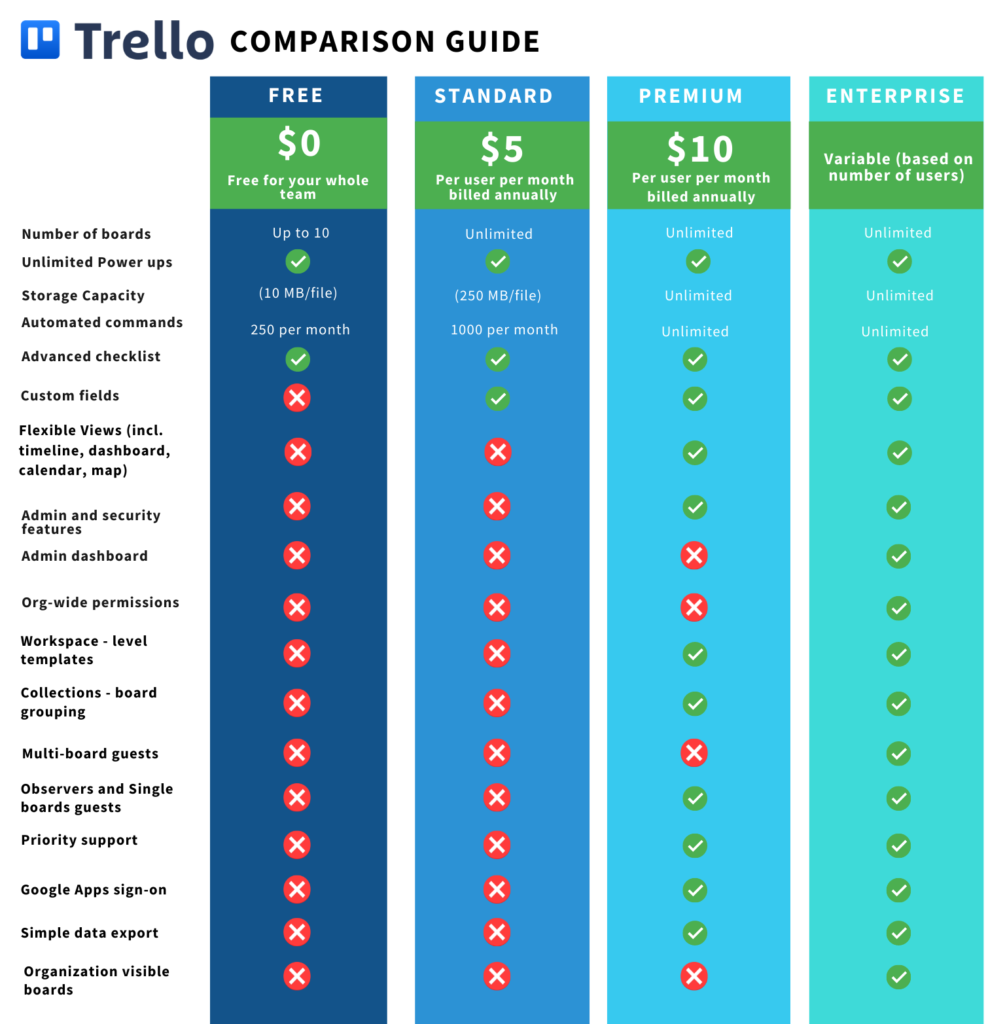
What Are the Differences Between Plans?

Trello Pricing Chart

Where Can I Learn More?

It’s time to escape fragile and messy Excel spreadsheets, countless email threads, and systems that do not integrate with the tools you need. Trello on its own is a strong asset—however, Oxalis unlocks the full potential of the software so your team can work more efficiently, connected, and effectively.

Let us show you how Oxalis makes Trello work for you.

Contact us