Public Sector Compliance Meets Operational Agility with IFS

In the public sector, compliance isn’t optional, but it doesn’t have to come at the cost of agility. Federal, state, and local agencies face tight budgets, critical infrastructure demands, and constant oversight, yet traditional systems built for accountability have often slowed progress instead of enabling it. IFS changes that equation by pairing strict governance with flexible, responsive execution, empowering teams to innovate while maintaining full compliance. At Oxalis, we help agencies adopt IFS to modernize operations, meet regulations with confidence, and adapt seamlessly to mission demands.

Home » Compliance

The Compliance Challenge, Rewritten

Public sector organizations are governed by frameworks like: 

  • Federal Acquisition Regulation (FAR) 
  • Defense Federal Acquisition Regulation Supplement (DFARS) 
  • NIST and FedRAMP security standards 
  • GAAP, OMB A-123, FISMA, and more 

Add in internal policy layers, union agreements, and reporting obligations to multiple oversight bodies, and compliance quickly becomes a full-time job. Many agencies rely on legacy systems, spreadsheets, or point solutions to manage requirements—but these tools were never designed to evolve alongside changing regulations or support cross-functional agility. 

The result? Rigid processes, data silos, manual workarounds, and rising risk.

IFS: Designed for Control, Built for Change

IFS is built from the ground up to support organizations that are both highly regulated and operationally complex—like defense contractors, transportation departments, shipyards, utilities, and government agencies. 

It offers: 

  • Configurable workflows and approval chains aligned to your policies 
  • Audit trails on every action, asset, and transaction 
  • Role-based access and permissions, down to the field level 
  • Real-time reporting and dashboards that simplify inspections and reviews 
  • Secure cloud options, including FedRAMP-ready deployments via trusted partners 

But what sets IFS apart isn’t just its compliance muscle—it’s how it enables agility at the operational edge.

Real Agility, Without Losing Control

Where legacy ERPs force you to choose between staying compliant and staying responsive, IFS gives you both. 

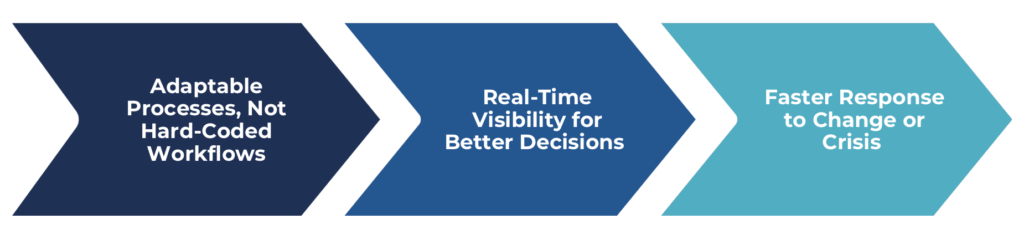
1. Adaptable Processes, Not Hard-Coded Workflows 

With IFS, agencies can update workflows as mandates or priorities evolve—without costly re-engineering. Whether you need to incorporate a new inspection process, revise procurement approval steps, or track a new asset class, IFS makes it possible in weeks, not months. 

This means your platform can evolve as your mission does—without sacrificing structure or traceability. 

2. Real-Time Visibility for Better Decisions 

IFS breaks down operational silos and provides decision-makers with actionable insights. From project performance and asset health to labor availability and compliance status, dashboards and reports are updated in real time, and accessible by the right people, at the right time. 

No more chasing status updates or waiting for end-of-quarter reports. With IFS, you manage proactively, not reactively. 

3. Faster Response to Change or Crisis 

In today’s environment, public sector leaders must be ready to respond—whether it’s a supply chain disruption, a funding reallocation, or a maintenance emergency. 

IFS supports scenario planning, cost forecasting, and resource reallocation on the fly. Because it’s modular and cloud-based, agencies can scale, shift, or reprioritize operations quickly—without sacrificing governance.

A Platform Aligned with the Public Trust

The work of public service comes with an additional responsibility: stewardship. 

Every dollar spent, every decision made, every asset maintained is accountable to stakeholders, elected officials, and the public itself. That’s why Oxalis and IFS work together to deliver systems that: 

  • Increase transparency and audit readiness 
  • Reduce compliance risk and manual overhead 
  • Support mission continuity in changing environments 
  • Foster accountability, traceability, and trust 

Whether you’re overseeing fleet operations, managing a shipyard, modernizing IT infrastructure, or supporting civilian services, IFS ensures your operations are secure, compliant, and future-ready.

How Oxalis Helps

As a strategic systems integrator and public sector specialist, Oxalis brings more than implementation support: we bring operational fluency. 

We understand your regulatory landscape, operational tempo, and stakeholder pressures. We help you: 

  • Map compliance needs into IFS configurations 
  • Design workflows that reflect real-world execution 
  • Migrate securely and minimize disruption 
  • Train your workforce for long-term success 
  • Stay aligned to emerging policies and mandates 

With Oxalis, your IFS investment becomes a catalyst for operational maturity, not just a software upgrade.

The Bottom Line

Compliance and agility are no longer at odds. With IFS, public sector organizations gain the tools to govern with discipline and operate at speed, and without compromise. 

If your agency is being asked to do more with less, under greater scrutiny and tighter deadlines, IFS offers a proven, secure, and scalable foundation. Oxalis helps you unlock its full potential.

Let’s build something resilient, responsive, and ready for what’s next.

Talk to our team today to explore how IFS can support your mission.

Reducing Resolution Time by 55%: TriMet’s Human-Centered ITSM Transformation

Situation:

TriMet’s journey toward transformation began with the desire to improve IT responsiveness, visibility, and customer experience. As demand grew, so did the need to extend service management beyond IT to other departments like Bus, Rail, Maintenance of Way, and Facilities—teams previously relying on legacy tools like Footprints, spreadsheets, or even handwritten tickets.

This expansion required not just technology upgrades, but strategic planning, training, and cultural change to drive sustainable adoption across the organization.

Challenges:

TriMet faced several interrelated challenges across its IT and business operations:

  • Disjointed service delivery: Many departments used inconsistent or manual processes to manage service requests. Some teams handled tickets by phone or paper, leaving no record or visibility into work.
  • Fragmented incident response: IT lacked standardized workflows for classifying major incidents, coordinating response, and keeping stakeholders informed.
  • No centralized asset tracking: Without a unified asset management system, TriMet couldn’t easily connect assets to service history, manage hardware lifecycle, or meet cybersecurity standards. This was a critical gap for the cybersecurity team, which needed visibility to fulfill CIS Controls 1 and 2, including vulnerability management and endpoint scanning.
  • Resistance to change: Teams varied in digital maturity, and some were hesitant to adopt new systems.
  • Service Desk integration: TriMet was already planning to establish a dedicated Service Desk. What they needed was a way to thoughtfully integrate this team into existing processes and governance structures.
  • Limited admin capacity: Internal Jira administrators needed guidance, mentorship, and scalable templates to support further departmental adoption of JSM.

Solutions:

Oxalis supported TriMet through a multi-year series of engagements, each focused on delivering measurable value while building long-term internal capacity.

1. ITSM Transformation: Standardizing Processes and Visibility

To improve IT responsiveness and consistency, Oxalis:

  • Redesigned the IT service portal to simplify intake and improve user experience
  • Defined SLAs and reporting standards to improve transparency and accountability
  • Helped integrate TriMet’s newly formed Service Desk team into IT service workflows
  • Provided hands-on training to IT staff, aligned with ITIL best practices

Results:

  • 55% reduction in average time to resolution
  • 8% increase in customer satisfaction
  • 18% improvement in customer experience ratings

2. Modernizing Incident Management

In 2025, Oxalis led a targeted effort to overhaul TriMet’s major incident response process:

  • Consolidated alerts into Jira Service Management
  • Enabled classification of major incidents and automated responder notifications
  • Integrated Microsoft Teams for real-time collaboration directly from Jira
  • Created standardized, automated post-incident review workflows
  • Improved visibility for stakeholders through real-time updates

3. Enterprise Service Management (ESM) Rollout Across Departments

Oxalis led a 16-week implementation for the Bus, Rail, Maintenance of Way, and Facilities teams, including:

  • Stakeholder interviews, requirements documentation, and future-state design
  • Tailored project configurations and baseline template development for Jira Admins
  • Hands-on training, UAT, and change management workshops
  • Expanded adoption to new departments like HR, through internal enablement

Change Management Success:
A hesitant team requesting a delay just two weeks before go-live ended up asking to launch early after Oxalis delivered focused workshops and coaching.

4. Integration of Asset Systems for Cybersecurity and Lifecycle Management

To support hardware lifecycle tracking and fulfill CIS Controls 1 and 2, Oxalis:

  • Integrated CrowdStrike, Tenable, AirWatch, and Active Directory with Jira Assets
  • Built custom ETL pipelines and scripts for ingestion, normalization, and deduplication
  • Created a unified asset inventory supporting both operations and vulnerability management

Trimet ITSM transformation with Oxalis

This engagement exemplifies Oxalis’s strength in delivering cross-functional service management solutions in complex public sector environments, where outcomes like efficiency, transparency, and trust aren’t just metrics, but mission-critical mandates.

Ready to Modernize Service Delivery?

Oxalis helps public agencies and regulated organizations turn complex, outdated service management into streamlined, secure, and scalable systems. Whether you’re starting from scratch or optimizing an existing platform, our experts are here to guide the way.
Let’s build something better, together.

Connect with Us!

Overview

As Portland’s regional public transportation provider, TriMet depends on reliable IT and operations systems to serve thousands of daily riders. From service outages and hardware tracking to facilities maintenance and HR requests, every part of the organization requires fast, accountable, and efficient service delivery.

Between 2023 and 2025, Oxalis partnered with TriMet on a multi-phase transformation effort, modernizing both IT Service Management (ITSM) and Enterprise Service Management (ESM) using Jira Service Management (JSM). Together, we redefined how TriMet delivers services across teams, technologies, and touch points.

Results

Across all phases of engagement, Oxalis delivered:

  • Unified, modern service management for both IT and non-IT teams
  • Improved incident response and post-incident transparency
  • Integrated asset tracking and cybersecurity alignment to meet CIS Controls
  • Scalable frameworks for continued Jira Service Management adoption
  • Empowered Jira Administrators with templates and best practices for future rollouts
  • Increased efficiency, accountability, and leadership visibility across the organization

Conclusion

Through a combination of strategic consulting, technical expertise, and organizational change leadership, Oxalis guided TriMet through a comprehensive transformation of both IT and enterprise service management.

By architecting and implementing Jira Service Management across IT and non-IT teams, Oxalis helped TriMet transition from fragmented, manual processes to a centralized, scalable platform that supports everything from incident response and asset management to facilities requests and HR services. TriMet staff now benefit from automated workflows, standardized SLAs, improved visibility, and consistent governance delivered through systems that are easy to adopt and built to grow.

More than just implementing tools, Oxalis equipped TriMet with the training, templates, and internal capacity to continue expanding JSM organization-wide, ensuring sustainable value far beyond go-live.

10 Ways Modern ERP Simplifies Compliance (and Saves Your Sanity)

At-a-Glance: Modern ERP systems like IFS Cloud embed compliance into daily operations—from audit trails and role-based access to automated reporting and policy-aligned workflows. This blog highlights 10 ways ERP modernization helps public sector teams reduce risk, prepare for audits, and eliminate the stress of manual oversight. For CIOs and compliance leaders, it’s not just about passing the next audit—it’s about building a system that supports every one after that.

Home » Compliance

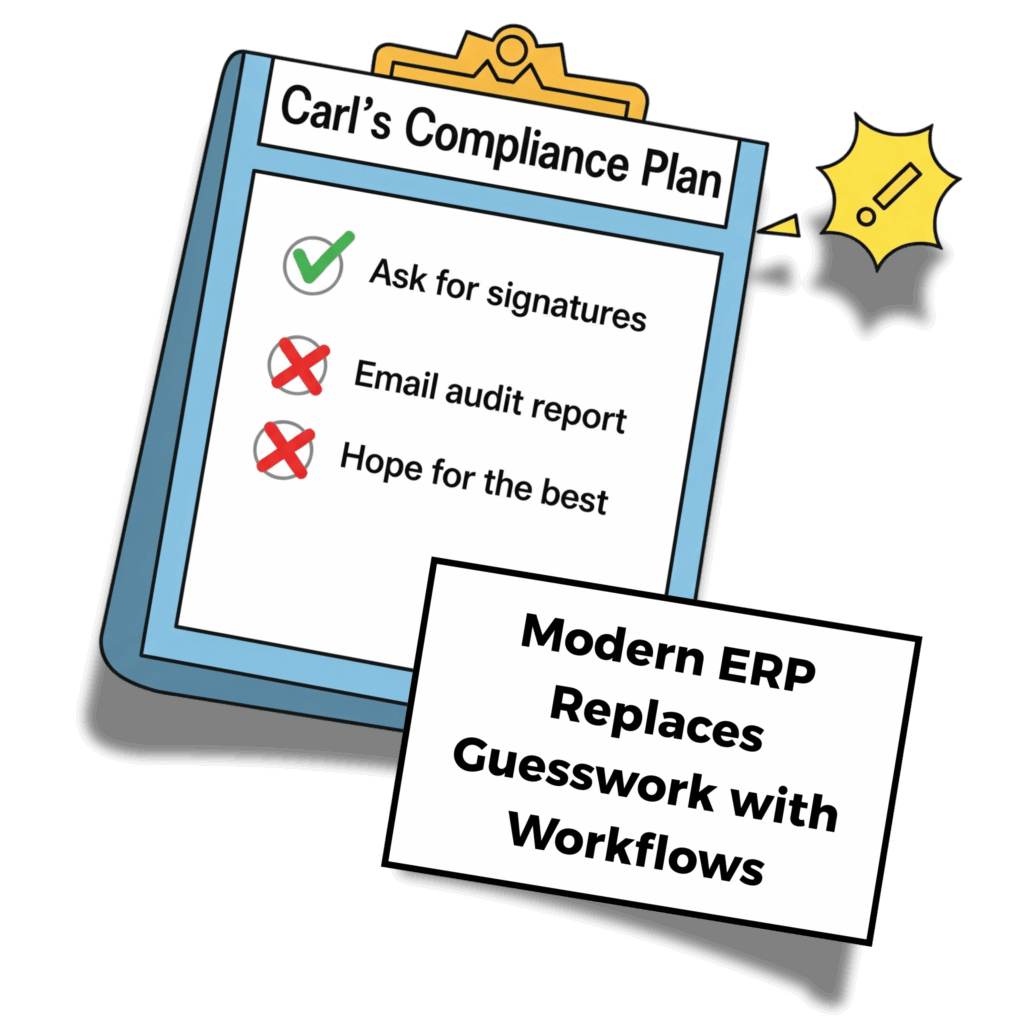
Compliance pressure is real—especially if you’re running on spreadsheets, legacy tools, or crossing your fingers before an audit. If you’ve ever lost sleep wondering if that approval was documented (or if your coworker Carl remembered to upload the inspection report), you’re not alone.

Modern ERP platforms like IFS Cloud take the drama out of compliance. Instead of treating it like an add-on, IFS builds it right into your everyday workflows—so you can stop chasing signatures and start focusing on what actually matters.

Here are 10 ways ERP modernization makes compliance easier, smarter, and (yes) sleep-worthy.

1. Real-Time Audit Trails

Everything’s tracked: approvals, edits, handoffs—complete with time stamps. You don’t have to piece it together later. It’s already there.

No more digital archeology during audit prep.

2. Role-Based Access Control

Only the right people can approve, edit, or access sensitive stuff. Built-in roles mean fewer “oops” moments and cleaner records.

Less micromanaging. More trust.

3. Policy-Aligned Workflows

Need a three-step sign-off for inspections? Done. Want purchasing to always route through finance? Easy. Your workflows, your rules.

Set it once. Let it roll.

4. Compliance Dashboards That Actually Tell You Something

You shouldn’t have to run six reports just to see what’s expiring next month. Dashboards highlight risks before they become headaches.

Red = danger. Green = good. You get the idea.

5. Auto-Generated Paper Trails (Without the Paper)

Whether it’s for grant funding, certifications, or federal audits, IFS gathers the right data and spits out what you need—when you need it.

Modern ERP automates what Carl used to manage manually

Instant receipts for the people who love paperwork.

6. Digital Signatures & Approvals

No chasing people for scribbles. Approvals happen in-system, with logs to prove it.

Carl can’t “forget” this one.

7. Training & Certification Tracking

Know who’s qualified (and who’s not). Get alerts before credentials expire and avoid the awkward “wait, they did what?” conversations.

Because qualified people doing qualified work is the goal.

8. Version Control + Change Tracking

Who changed that form? When? Why? With modern ERP, you’ll know.

Transparency without the witch hunt.

9. Built-In Security + Compliance Frameworks

IFS supports FedRAMP-ready deployments, encrypted data, and strict access controls—so your system stays secure andcompliant.

Peace of mind for your CISO *and* your inspector general.

10. No More “Tribal Knowledge” Dependencies

If your audit plan lives in someone’s head—or worse, a personal folder—you’re one PTO request away from panic. Modern ERP puts process knowledge where it belongs: in the system.

Sleep easy knowing everything’s documented (even Carl’s magic spreadsheet).

Modern ERP Makes Compliance a Feature—Not a Burden

Compliance shouldn’t be scary. With IFS Cloud, it becomes second nature—automated, trackable, and built into how your teams already work.

If your current ERP is making compliance harder than it needs to be, we can help.

Cloud or Data Center? The Best Atlassian Deployment for Healthcare

For healthcare organizations using Atlassian products like Jira or Confluence, navigating the shift to a cloud-first strategy is more important than ever. With Atlassian discontinuing Server support in 2024, organizations must decide whether to migrate to Atlassian Cloud, adopt Data Center, or implement a hybrid approach.

For highly regulated industries like healthcare, compliance, security, and data control are top priorities. The critical question is: Does Atlassian Cloud meet HIPAA requirements, or is Data Center the better choice?

This guide explores your options, addresses HIPAA compliance concerns, and provides expert insights into making the best decision for your organization.

Atlassian Cloud vs. Data Center: What Healthcare Organizations Need to Know

Atlassian Data Center: A Behind-the-Firewall Option

For healthcare organizations needing full control over their infrastructure, Atlassian’s Data Center products offer a self-hosted, behind-the-firewall solution. This is particularly important for organizations that must store PHI/PII in Jira or Confluence but cannot meet compliance requirements in a cloud environment.

Key Advantages of Data Center:

  • Increased Security & Compliance – Full control over hosting, access, and compliance settings.
  • Scalability & High Availability – Load balancing and disaster recovery support.
  • Customization & Integration Flexibility – Ability to customize workflows and integrate with on-premises systems and security tools for enhanced compliance.

Atlassian Cloud’s Compliance and Security Features

Atlassian has made significant investments in security, compliance, and scalability for its Cloud offerings. Jira Software, Jira Service Management, and Confluence on the Enterprise plan are HIPAA-compliant, and Atlassian is prepared to sign Business Associate Agreements (BAAs) for them.

However, Jira Work Management is not HIPAA-compliant, and Atlassian has no plans to certify it. If your organization is not on the Enterprise plan, other considerations, such as Data Loss Prevention (DLP) tools and controlled third-party plugin usage, become essential.

Key Considerations for Cloud Deployments:

  • HIPAA Compliance – Available on Enterprise plans with a signed BAA.
  • Data Loss Prevention (DLP) Tools – Critical for enforcing PHI/PII storage policies.
  • Third-Party Plugins – Vendors may or may not be HIPAA-compliant; review all Marketplace apps carefully.
  • Process & Policy for Reporting and Remediation – A structured approach is needed to flag, review, and remove PHI. If your organization needs assistance evaluating whether Atlassian Cloud is the right fit, Oxalis can help assess your compliance needs and implementation strategy.

Considerations for Data Center:

  • Higher Hosting & Maintenance Costs – Requires dedicated IT resources and infrastructure investment.
  • User Minimums – Higher licensing costs with a 500-user minimum for Jira Software.

For organizations prioritizing compliance, security, and control, Data Center remains a viable alternative to Cloud, particularly for those not yet ready to fully migrate.

A Hybrid Approach: The Best of Both Worlds?

For organizations looking to balance security and efficiency, a hybrid cloud approach may offer the best of both worlds. This strategy allows teams to use Atlassian Cloud for non-sensitive operations while keeping PHI/PII in a secure Data Center environment.

Common Hybrid Cloud Scenarios:

  1. Customer-Facing Services on Cloud, Internal Systems on Data Center
    • Example: A healthcare IT company uses Jira Service Management on Data Center for handling PHI in customer support requests, while Jira Software and Confluence remain in the Cloud for agile development and knowledge management.
  2. Sensitive Workflows in Data Center, General Operations in Cloud
    • Example: A multi-state healthcare provider operates Quality Management in Jira Cloud, but runs compliance-sensitive projects in Jira Data Center to meet regulatory requirements.

Making the Right Decision for Your Healthcare Organization

Choosing between Atlassian Cloud, Data Center, or a hybrid approach depends on your security needs, compliance requirements, and IT infrastructure.

  • If you need a fully managed solution with built-in compliance, Atlassian Cloud (Enterprise Plan) is a strong option.
  • If you require full control over data storage, security, and compliance policies, Atlassian Data Center is the better fit.
  • If you want flexibility, a hybrid approach offers tailored security and scalability.

Atlassian’s Compliance Roadmap

The chart below details current and future Cloud compliance standards according to the Atlassian Cloud compliance roadmap.

UPDATESTATUSTIMEFRAME
FedRAMP Moderate Authority to Operate (ATO)Coming SoonQ2-Q3 2025
FedRAMP Moderate Security Assessment and Agency ReviewCompletedQ4 2024
HIPAA eligibility expansionReleasedQ3 2023
Notifications for HIPAA customersReleasedQ3 2023
WCAG (Web Content Accessibility Guidelines) Level ‘A’ReleasedQ1 2024
TISAX level 2 complianceReleasedQ3 2023
IRAP ComplianceFuture2026
C5 ComplianceFuture2026
BYOK Compliance in Copy Product DataReleasedQ2 2024
Accessibility Support in Primary ExperiencesFuture2025
SOC 2 Compliance for Rovo and AIReleasedQ4 2024
Usage limits monitoring for RovoReleasedQ4 2024
Atlassian Cloud Migration Playbook

Oxalis’ Proven Methodology: Your Atlassian Cloud Migration, Simplified

As your trusted Atlassian Cloud Migration advisors, we’ve distilled our extensive experience into a step-by-step eBook. Whether you’re transitioning from Server or Data Center, this guide covers every aspect of your journey.

How Oxalis Can Help

At Oxalis, we specialize in helping healthcare organizations navigate Atlassian deployments while ensuring compliance with HIPAA and other regulatory frameworks. Our team provides:

  • Compliance Assessments – Evaluating Cloud vs. Data Center fit for your organization.
  • Architecture & Deployment Strategy – Implementing secure, scalable solutions.
  • Hybrid Cloud Solutions – Designing an optimal mix of Cloud and Data Center products.
  • Security & Compliance Best Practices – Ensuring ongoing HIPAA compliance and data protection.

Need expert guidance on your Atlassian deployment? Contact Oxalis today to explore the best path forward for your healthcare organization.

Is Jira HIPAA Compliant? What Healthcare Organizations Need to Know

For healthcare organizations and businesses handling protected health information (PHI), compliance with the Health Insurance Portability and Accountability Act (HIPAA) is a fundamental requirement. However, as organizations increasingly adopt modern cloud-based collaboration and service management tools, ensuring compliance becomes more complex. Atlassian’s suite of products—particularly Jira and Confluence—offers powerful solutions for enterprise teams, but are they suitable for HIPAA-compliant environments? This guide breaks down the current state of Atlassian’s HIPAA compliance, comparing Cloud and Data Center deployment options and providing best practices for maintaining compliance.

What You’ll Learn

  • An overview of HIPAA compliance
  • The HIPAA compliance status of Jira and Confluence Cloud
  • The HIPAA compliance considerations for Jira and Confluence Data Center
  • Best practices for using Jira in HIPAA-compliant environments

Is Jira HIPAA-Compliant?

HIPAA compliance is a critical concern for healthcare organizations and any entity handling protected health information (PHI). Atlassian has made strides in ensuring HIPAA compliance for select products. As of February 2023, Atlassian has implemented HIPAA compliance for specific Cloud products on its Enterprise plan. Additionally, Atlassian Data Center products continue to provide a self-hosted alternative for organizations that require full control over their compliance framework.

However, achieving HIPAA compliance is not solely about using a compliant product. Organizations must ensure their hosting, access controls, and plugin usage align with their HIPAA compliance program.

Interested in learning more about HIPAA compliance with Atlassian? Oxalis can help guide you through the decision-making and implementation process. Contact us below to get in touch. Keep reading to learn more about which Atlassian products are now HIPAA-compliant.

Are Jira and Confluence Cloud HIPAA-Compliant?

The short answer: partially. Atlassian provides HIPAA compliance for select Cloud products, but only under its Enterprise plan. Atlassian is also prepared to sign Business Associate Agreements (BAAs) for the following products:

  • Jira Software Cloud
  • Jira Service Management Cloud
  • Confluence Cloud

Notably, Jira Work Management is not HIPAA-compliant, and Atlassian has no current plans to make it so. Organizations using non-Enterprise Cloud plans should anticipate future expansions of HIPAA compliance, but currently, only Enterprise customers can fully leverage HIPAA protections.

For organizations considering Atlassian Cloud, it is essential to follow Atlassian’s HIPAA Implementation Guide to configure their environment properly.

Is Jira/Confluence Data Center HIPAA Compliant?

The answer: it depends on your hosting strategy.

Atlassian Data Center offers a viable solution for organizations handling PHI, as it can be self-hosted or managed by a healthcare-oriented Managed Service Provider (MSP). This model provides greater control over compliance policies, security configurations, and access permissions. When properly implemented, Jira and Confluence Data Center can be part of a HIPAA-compliant infrastructure.

Organizations should ensure their Data Center deployment includes:

  • Secure hosting (on-premises or through an MSP with HIPAA safeguards)
  • Role-based access controls and audit logging
  • Regular security assessments and compliance audits

Regardless of whether you use Atlassian’s Cloud or Data Center products, we recommend the following:

  • Ensure your infrastructure’s configuration and controls (internally hosted or managed by an MSP) are aligned with your organization’s HIPAA Compliance Program.
  • Leverage a Data Loss Prevention (DLP) tool to keep PHI/PII out of your system, and eliminate it if found.
  • Analyze which plugins you intend to use, and whether the third party vendor is considered a business associate subject to a BAA.
  • Consider your options for remediating PHI/PII accidentally stored in issue data/history, pages, and attachments.

For an in-depth review, check out our article Atlassian Cloud vs Data Center: Which is Better for Healthcare Organizations?

Best Practices for HIPAA Compliance with Atlassian Products

Regardless of whether you choose Atlassian Cloud or Data Center, ensuring HIPAA compliance requires careful planning. Oxalis recommends the following best practices:

  1. Align Hosting and Configuration with HIPAA Requirements
    Ensure your Cloud or Data Center infrastructure aligns with your organization’s HIPAA compliance program.
  2. Use a Data Loss Prevention (DLP) Tool
    Implement a DLP solution to prevent PHI from being stored inadvertently and ensure it is removed when necessary.
  3. Evaluate Third-Party Apps and Plugins
    Review third-party apps and integrations to determine if vendors qualify as business associates and require a BAA.
  4. Develop a Remediation Plan for PHI Storage
    Establish procedures for identifying and removing PHI/PII that may have been accidentally stored in issues, pages, or attachments.

How Oxalis Can Help

At Oxalis, we understand that security and compliance are critical for healthcare organizations. Our team has extensive experience helping organizations determine whether Atlassian Cloud or Data Center is the right fit for their HIPAA compliance needs. We provide expert guidance on implementation, configuration, and ongoing compliance management.

If you need assistance navigating HIPAA compliance with Atlassian products, contact Oxalis today to schedule a consultation with our experts.

To learn more about making the right choice for your organization, download our whitepaper: Atlassian Cloud vs. Data Center: Key Considerations for Enterprise, Compliance-Heavy Organizations.


Recommended blog posts

Sana Benefits: Delivering Better Healthcare with Atlassian Cloud

The Challenge: Migrating to the Cloud with Compliance in Mind

Sana Benefits needed to move its Jira Software, Confluence, and Jira Service Management (JSM) environments to the Atlassian Cloud while maintaining HIPAA compliance. The transition required:

  • Regulatory Compliance: Ensuring sensitive health data remained protected throughout the migration.
  • Complex Data Environment: Migrating a highly customized Jira and Confluence setup with plugins and workflows.
  • Change Management: Training employees and preparing them for the new cloud-based experience.
  • Minimal Disruption: Executing a seamless migration without impacting daily operations.

The Solution: A Strategic, Secure, and Seamless Migration

Oxalis led an 8-week structured migration approach that ensured compliance, minimized risk, and maximized efficiency. The key phases included:

1. Current State Mapping & Gap Analysis

  • Conducted a comprehensive assessment of workflows, plugins, and data usage.
  • Identified non-migratable data and developed remediation strategies.

2. Migration Strategy Development

  • Created a clear roadmap for data transfer, testing, and user validation.
  • Designed a communication plan to keep all stakeholders informed.

3. HIPAA-Compliant Cloud Implementation

  • Assisted with the Business Associate Agreement (BAA) process.
  • Procured Atlassian Cloud licenses and configured Atlassian Guard for enhanced security.
  • Implemented Single Sign-On (SSO) and user provisioning via G Suite.

4. Technical Testing & Dry Runs

  • Conducted rigorous technical testing and two dry runs to validate processes.
  • Allowed users to test data in a sandbox environment before final migration.
  • Provided comprehensive Atlassian Cloud training to ensure a smooth transition.

5. Production Migration

  • Executed the migration during off-hours to minimize operational impact.
  • Ensured data integrity and system readiness.

6. Post-Migration Support & Adoption

  • Delivered post-migration support to address user concerns and optimize workflows.

The Results: A Faster, More Secure, and Cost-Effective Future

By partnering with Oxalis, Sana Benefits successfully migrated to Atlassian Cloud on time and within budget. The transformation delivered:

  • Cost Optimization – Reduced infrastructure and licensing costs with Atlassian Cloud.
  • Enhanced Security & Compliance – Maintained HIPAA compliance while leveraging Atlassian’s latest security features.
  • Improved User Experience – Employees gained access to cutting-edge Atlassian features, enhancing productivity.
  • Operational Efficiency – Eliminated server maintenance and streamlined IT operations.
  • Successful Change Management – Employees adapted quickly thanks to structured training and communication.


“The engineering teams saw improvements in cycle times with a median cycle time of 24 hours for bugs and under 5 days for stories.”
— James Cadena, Director of Information Security, Sana Benefits

Unified Atlassian services


Making Healthcare Easy with Atlassian Cloud

Founded in 2017, Sana Benefits is dedicated to making healthcare easy and accessible for small and medium-sized businesses.

With over 30,000 members and more than $320 million saved in medical billing, Sana offers affordable health plans that empower businesses to provide better care. As the company scaled, it relied on Atlassian’s Data Center products to maintain compliance with HIPAA regulations while fostering collaboration across its teams.

When Atlassian Cloud achieved HIPAA compliance, Sana recognized an opportunity to enhance efficiency, reduce costs, and gain access to the latest features by transitioning from Data Center to Cloud.

To ensure a seamless migration, they partnered with Oxalis Solutions, an Atlassian Platinum Solution Partner specializing in cloud transformations for highly regulated industries.

  • Industry: Healthcare & Insurance
  • Location: Austin, TX
  • Company Size: 160+ Employees

THE CHALLENGE

  • HIPAA-compliant migration from Atlassian Data Center to Atlassian Cloud

THE TOOLS

  • Jira Software
  • Confluence
  • Jira Service Management (JSM)
  • Atlassian Guard

THE SOLUTION

  • Atlassian Cloud Migration
  • Change Management
  • Knowledge Management
  • Training

Moving Forward with Atlassian Cloud

From Organic Growth to Enterprise-Wide Adoption: DHCS’ Atlassian Success Story

The Situation

The California Department of Health Care Services (DHCS) manages one of the most complex public healthcare programs in the nation.

Within DHCS, the Medi-Cal Enterprise Systems Modernization (MESMD) team successfully leveraged Jira Software and Confluence Cloud for agile software development and work management. Their success sparked an interest in expanding the Atlassian suite agency-wide to improve project visibility, collaboration, and scalability.

Before scaling, DHCS needed to ensure:

  • Access and permission structures aligned with security policies and could scale across the agency.
  • Standardized project templates to support both technical and business teams with varied methodologies (scrum, waterfall, hybrid).
  • Comprehensive onboarding and training to enable new users to quickly adopt Atlassian tools with minimal disruption.

To support this transformation, DHCS partnered with Oxalis, an Atlassian expert with deep experience in public sector project management, governance, and I

The Challenge:

DHCS faced key obstacles in expanding Atlassian adoption and project standardization:

  • Inconsistent permission structures – With multiple teams and external contractors, DHCS required a standardized permission model to protect sensitive data while allowing seamless collaboration.
  • Lack of structured onboarding – Many teams lacked experience with Atlassian tools, requiring custom training and process guidance.
  • Disjointed project methodologies – Teams followed varied project management styles, making it difficult to standardize reporting and governance.
  • Limited visibility into project portfolios – Leadership struggled to gain a unified view of project progress and resource allocation.

Oxalis’s Approach

Oxalis designed and executed a scalable, structured approach to Atlassian adoption across DHCS.

1. Standardizing Permissions and Security

  • Developed and implemented a unified permission scheme, ensuring consistent user access controls for employees and contractors.
  • Aligned permission structures with DHCS security policies, ensuring compliance and minimizing risk exposure.

2. Enhancing Training and Onboarding

  • Created customized training materials, including documentation and instructor-led sessions.
  • Onboarded over 500 users across 75 projects and five divisions, ensuring consistent tool adoption.
  • Provided role-based training tailored to both technical and business teams using scrum, hybrid, or waterfall methodologies.

3.Establishing Project Templates and Best Practices

  • Designed structured project templates to standardize workflows and enable rapid project setup.
  • Implemented enterprise-level reporting structures, allowing leadership to track project health across the organization.
  • Integrated portfolio-based reporting, ensuring all projects rolled up into a common enterprise hierarchy.

4.Fostering a Community of Practice

  • Created a Community of Practice to support collaboration, knowledge sharing, and best practices across project teams.
  • Provided post-implementation support to refine workflows, optimize configurations, and reduce technical debt.
  • Developed a Project and Portfolio Management (PPM) Maturity Model, charting a roadmap for continuous improvement.

The Outcome

With Oxalis’ expertise, DHCS successfully scaled its Atlassian Cloud implementation, resulting in:

  • 500+ users onboarded across 75 projects, accelerating agency-wide adoption.
  • Improved security and governance, with standardized permission models ensuring data integrity and controlled access.
  • Greater project visibility, with enterprise-wide reporting allowing leadership to track progress and resource allocation.
  • Faster onboarding and reduced time-to-value, ensuring new users and projects can begin using Atlassian tools quickly and efficiently.
  • A structured approach to PPM maturity, providing a clear path for ongoing improvements and scalability.

ABOUT DHCS

  • Headquarters: Sacramento, CA
  • Annual budget: $100BN
  • 3,400 employees
  • Serves 15+ million Californians

DHCS works to ensure access to quality health care services, manages funding allocations, and collaborates with stakeholders to improve health outcomes across the state.

SERVICES PROVIDED

  • Project Management
  • Knowledge Management
  • Change Management
  • Training & Documentation
  • Jira Software (JSW)
  • Confluence

CONCLUSION

  • Successful Enterprise-Wide Adoption 
  • Enhanced Security & Governance 
  • Improved Project Visibility 
  • Accelerated Onboarding & Time-to-Value
  • Scalable PPM Maturity Framework

By partnering with Oxalis, DHCS successfully transitioned from ad-hoc Atlassian adoption to a structured, scalable project management framework.

Through standardized permissions, structured onboarding, and portfolio-level visibility, Oxalis ensured that DHCS could effectively scale Atlassian tools to support its mission of delivering high-quality healthcare services.

This case study highlights Oxalis’ ability to drive enterprise-wide transformation through governance, training, and scalable IT solutions, ensuring smoother operations, improved collaboration, and long-term success in public sector organizations.

Get Started with Oxalis

Looking to achieve similar results to DHCS? Get started with the expert team at Oxalis today.

Understanding Microsoft Cloud Compliance

Confused about Commercial vs. Government vs. GCC vs. GCC High Terminology?

Microsoft cloud compliance offerings for 365 and Azure can be confusing if you need to comply with data protection requirements.

  • Why are there two 365 Government levels?
  • Why does 365 Government (GCC) use Azure Commercial?

We’re here to break down Microsoft cloud compliance offerings for Microsoft 365 and Azure, clarify the important distinctions, and explain how each offering affects the compliance types most important to our customers.

Let’s get some terminology and acronyms out of the way first.

Microsoft Cloud Compliance Terminology

Being clear on these acronyms and terms will help for the following discussion.

Officially means Non-Federal Information Systems, which includes more than commercial organizations.

GCC – means Government Community Cloud.

CONUS – stands for Continental United States.

OCONUS – stands for Outside the Continental United States.

Data Enclave, in this context, refers to a segregated environment, with servers residing in regional Azure data centers.

Data residency means the hosted data is stored entirely on servers in the U.S.

Data sovereignty builds on data residency by specifying that the data will be handled and supported only by US persons, and accessed via a US-only network and directory.

  • Sovereignty includes controls for restricting sensitive data access to only screened US persons with data processing.
  • It also specifies technical support provided 24×7 by screened US Persons in a US Location, but note that this only applies to the customer service personnel you contact to open and update support tickets. A support engineer you escalate to may be anywhere in the world, and it’s up to you to watch what you share. You can request that your support ticket be restricted to screened US Persons in a US Location only, but be aware that the response time and mitigation level may suffer.

Overview of Microsoft Cloud Compliance offerings

Microsoft cloud compliance offerings

This table packs in a lot of distinctions; let’s unpack them.

Microsoft Cloud: Microsoft 365 vs. Azure

  • Microsoft 365 is a family of software products and online services, with three levels: “Commercial,” GCC, and GCC High. Despite the names, GCC and GCC High are fundamentally different since they use different Azure offerings.
  • Azure is a cloud computing platform, like AWS, with two levels: “Commercial,” and Government.  GCC is only a 365 offering, and has nothing to do with Azure.

Each 365 level pairs with an Azure level, but not in a 1:1 way, since 365 “Commercial” and GCC both pair with Azure Commercial.

Microsoft Cloud: MS 365 Commercial vs. MS 365 Government (GCC)

  • Commercial is open to all customers. All datacenters, customer support, and network/directory are global. It meets the fewest compliance requirements.
  • Government (GCC) is restricted to certain customers. All datacenters are in CONUS, and more compliance requirements are met.  It does NOT include any specifications about where customer support personnel are located, or the network and directory used.

Microsoft Cloud: GCC vs. GCC High

As noted, the language is a bit confusing: GCC and GCC High are not variants of each other. The only element they share is compliance with a few low-level requirements.

GCC

MS 365 Government (GCC) is a CONUS data enclave of Microsoft 365 Commercial, so it inherits all shared services from Commercial. These shared services may have data processing OCONUS, and they leverage a global follow-the-sun support model. Most notably, this includes a global network and a global directory. For example, Azure Active Directory (AAD) in Commercial is shared with GCC. AAD is supported globally and may have data processing occur OCONUS along with service management by global support personnel. For the primary Office 365 workloads (as opposed to Azure services), GCC has a commitment to ensure data residency and data processing is in CONUS. In addition, only screened US Persons in datacenters are authorized for restricted customer data. However, Microsoft 365 Government (GCC) customer support is provided under the same terms and conditions offered to Microsoft 365 Commercial, without assurances for agent physical location or citizenship – so you have to ensure that your own internal data sharing controls, policies, and procedures are followed when engaging with Microsoft customer support. Will GCC meet your needs? Since there are many CUI categories, we can only offer guidelines here. Several categories may not require data sovereignty, such as Privacy, Legal, etc. GCC does not support export-controlled data, such as ITAR and EAR natively. If you’re absolutely clear on which CUI categories you deal with, and what level of compliance they require, GCC may work for you. If you’re not sure, or if the categories or compliance level change over time, or if you don’t want to have to worry whether you’ve got it right, then GCC High is for you.

GCC High

Like GCC, all datacenters are all in CONUS and only certain customers are eligible. Unlike GCC, the network is sovereign and constrained to CONUS. The GCC High directory services with AAD are provided by Azure Government and are sovereign to the US. It meets all listed compliance requirements. Customer support is provided 24×7 by screened US Persons in a US Location, but MS customer support relies on support engineers in other countries for their expertise in certain topics. If you require your support ticket be restricted to “screened US Persons in a US Location” only, be aware that the response time and mitigation level may suffer. As a result of the above, GCC High is suitable for any level of compliance you need.

Microsoft Cloud: Azure Commercial vs. Azure Government

For clarity, Microsoft’s own official distinction is between Azure and Azure Government, but we use “Azure Commercial” to minimize confusion.

  • Azure Commercial is supported with a global follow-the-sun support model, with a global network and a global directory.
  • Azure Government contains every aspect of the data and its handling to CONUS.  The network is sovereign and constrained to CONUS.  Directory services with Azure AD are provided by Azure Government and are sovereign to the US, to holistically safeguard all categories of CUI.

Note that because all services must meet all the applicable compliance requirements, adding them to Azure Government often takes longer or may come with limitations, so be sure to check Microsoft’s documentation for the latest service offerings.


Compliance: CMMC 2.0 Level 1 vs. Levels 2-3

The goal of the Cybersecurity Maturity Model Certification (CMMC, which we’ve blogged about before) is to increase the trust in measures of compliance to a variety of NIST standards.

Level 1

This level applies to FCI – information that is not intended for public release, but does not require safeguarding like CUI does. It relies on self-assessment. GCC provides compliance with CMMC 2.0 Level 1 for protection of FCI, but not for absolute protection of CUI. Level 1 may may meet your need if you have CUI that does not require explicit commitments to protect CUI Specified and ITAR export-controlled data. Or if you add additional compensating controls, such as FIPS 140-2 validated end-to-end encryption to protect ITAR export-controlled data. If you’re absolutely clear on which CUI categories you deal with, and what level of compliance they require, GCC may work for you. If you’re not sure, or if the categories or compliance level change, or if you don’t want to have to worry whether you’ve got it right, GCC High is for you.

Levels 2-3

These levels aim to safeguard CUI/CDI, which is a safeguarding system for unclassified information (CDI is the DoD’s almost interchangeable term for CUI). Although this type of information is not considered “classified,” it is still sensitive, important, and requires protection. They involve many more practices and objectives that protect your information. Level 2 requires a mix of third-party assessments and self-assessments, while Level 3 requires government-led assessments. You may demonstrate compliance with all maturity levels of CMMC with Azure Government, so as with GCC, if you’re not sure whether Level 1 meets your needs, or if your the categories of your CUI change, or if you don’t want to have to worry whether you’ve got it right, Levels 2-3 are for you.

Compliance: ITAR/EAR

ITAR and EAR regulate export controls of certain items, and compliance with both necessitates screened US Persons and data residency/sovereignty in CONUS.

  • ITAR (International Traffic in Arms Regulations) regulates the export of items, both physical objects and technical data, that are built for defense and military use. It dictates that information and material pertaining to these technologies may only be shared with US Persons (where “person” does not mean “citizen”, but includes some permanent resident non-citizens, legal entities incorporated in the US, and federal government bureaus, departments, offices, etc.) unless authorization from the Department of State is received to export the material or information to a foreign person.

The Department of State interprets and enforces ITAR.

  • EAR (Export Administration Regulations) regulates the export of items, both physical objects and technical data, that may have defense/military use in addition to commercial use. This necessarily means that EAR covers a much wider range of items than ITAR – for example, radar systems have broad use in commercial enterprises, but because they can also be a component in missiles, their export is regulated by EAR.

EAR contains a list of 10 General Prohibitions that restrict export-related activity for the regulated items, and require that you receive either a license or a license exception from the Bureau of Industry and Security, an agency in the Commerce Department.

The Commerce Department interprets and enforces EAR.

Using ITAR-compliant and EAR-compliant systems ensures that foreign persons won’t accidentally gain access to your data without the federal government’s authorization – as can happen, for instance, if a data center or customer service center is OCONUS.


There’s More to Microsoft Cloud Compliance

As we said at the beginning, this article focuses on the compliance types most important to our customers, but there are plenty more, including DFARS, FedRAMP, StateRAMP, SRG, and NIST SP-800.

You can find more in-depth information at this article, Understanding Compliance Between Commercial, Government and DoD Offerings – written by Richard Wakeman, Published Mar 17 2022, Source: Techcommunity.microsoft.com.

We can help you sort through which Microsoft cloud offerings best meet your compliance needs.


Oxalis Is Here to Help

As experts in Microsoft cloud compliance, we provide consultancy services to better enable businesses to be more productive while maximizing the ROI of their tools. Get in touch with an Oxalis expert and get secure today.

Atlassian Cloud Enterprise is HIPAA Compliant

What does this mean for Healthcare providers holding PHI and PPI Data?

HIPAA Compliance (Health Insurance Portability and Accountability Act). On February 2nd 2022, Atlassian announced HIPAA compliance for their Jira Software Cloud Enterprise and Confluence Cloud Enterprise products. With the introduction of this service, organizations with access to PHI can now use Atlassian Cloud to store and manage their sensitive data.

Atlassian will make use of Business Associate Agreements (BAA) to facilitate HIPAA compliance. Organizations must enter into a BAA before giving access to or disclosing any PHI to Atlassian Cloud.

Jira Software Cloud Enterprise and Confluence Cloud Enterprise will offer built-in security controls and processes that are compliant with HIPAA.

This is a potential game changer for Healthcare and data sensitive companies. Prior to this announcement, organizations managing PHI were unable to provide or store data in the Atlassian Cloud. Instead they needed to rely on self managed servers with complex Data Loss Prevention tools to scrub their instances of PHI and prevent data contamination. While some organizations may want to continue with hardened Data Loss Prevention techniques and tools as a precaution, others may want to establish a compliant domain. Hybridized solutions can also be used for integrations between server and cloud. Oxalis has successfully delivered these kinds of solutions for multiple healthcare providers and has deep experience in this field.

What is HIPAA Compliance?

Jira HIPAA compliance

The Health Insurance Portability and Accountability Act, is a regulation made by the U.S. Department of Health and Human Services. This
regulation is focused on safeguarding the privacy and security of individuals’ Protected Health Information and covers areas such as

  • Privacy and security measures for protecting PHI
  • Assessments for reasonable remediation or mitigating controls of addressable HIPAA Security Rule requirements
  • An annual HIPAA Security Attestation, Gap Assessment, and Security Risk Analysis
  • The regular review and retention of HIPAA Privacy and Security policies and procedures
  • Privacy and security awareness content regarding the protection of PHI, and
  • The designation and role definition of a HIPAA Privacy and Security Officers

HIPAA has established high standards to protect the security, integrity, and confidentiality of an individual’s Protected Health Information (PHI). This is achieved through various administrative, physical, and technical safeguards, including:

  • Descriptions of permitted use cases of PHI
  • Commitments to not use or further disclose PHI other than as permitted by the contract or as required by law;
  • The use of appropriate measures and safeguards to prevent inappropriate PHI use or disclosure
Atlassian is HIPAA Compliance

Next Steps

To qualify for Cloud HIPAA compliance your organization must utilize an Enterprise product and enter into a BAA Business Associate Agreement (BAA) with Atlassian. Oxalis can help you request a BAA and determine your eligibility.

The following products are not currently covered by the BAA but may be road mapped by Atlassian soon:

  • Any Cloud product other than Confluence Cloud Enterprise or Jira Software Cloud Enterprise
  • The Cloud Standard or Cloud Premium editions of Jira Software and Confluence

As a Solution Partner, Oxalis is positioned to provide you with the best value license arrangement and can optimize your Atlassian products so that you reap the most benefit from your software subscriptions.

Other things you need to know

Marketplace apps and Jira Service Management are not yet included in the HIPAA Compliant offering. Atlassian customers will need to individually assess each app that handles PHI to determine if they are HIPAA compliant. Oxalis can provide assistance with App assessment and provide workarounds via customized plugins and specialized support.

Recommended blog posts

Want to find out more?

Please get in touch. Oxalis specializes in high compliance implementations of Atlassian products for Healthcare organizations. We’ll ensure you get the maximum value from your Atlassian services and secure your organization against the risk of HIPAA exposure. Check Atlassian’s guide & Atlassian’s HIPAA requirements guide to learn more about HIPAA compliance. Oxalis is an Atlassian Partner who delivers tailored solutions and support services within the healthcare industry. These partnerships are instrumental in driving innovation and productivity, ultimately improving patient care and healthcare delivery