Jira Buyer’s Version Comparison Guide: Which Do I Need? | Jira pricing, features and more.

This Jira Comparison Guide will explain the cost and features of each Jira product, and provide guidance on choosing the Cloud vs. Data Center versions. With all the available information, it can be hard to compare all the Jira pricing, factors, and what they can do for your business. Our Jira Comparison Guide aims to distill the most important information into one place.

For example, Atlassian has separate pages for the three main products, Jira Work Management, Jira Software, and Jira Service Management. Here, we’ll explain everything in detail (including Jira license cost per user). And then, there are yet again separate pages for the two hosting versions, Cloud and Data Center. Note that Atlassian no longer sells Server Edition, and if you want to stay self-hosted you will be subject to a minimum user tier or 500 on Data Center. Oh, and not all the products and features are available in the Data Center version that your business may need for extra levels of security or work management capabilities. Licensing costs for Jira are likewise scattered.

We’ll put it all together for you in this Jira Comparison Guide, so it’ll be clear which Jira options your business needs.

3 Factors That Tell You Which Version of Jira to Buy

There are the three key factors to consider:

  • Product: Jira Work Management, Jira Software, and/or Jira Service Management
  • Deployment: Cloud or Data Center
    • Note: Jira Work Management does NOT have a Data Center version.
  • Licenses: number and type

Update: Atlassian Announced End of Life for Server Edition Products

On October 16, 2020 Atlassian announced they were sunsetting their Server edition support by February 2024, and would halt the sale and service of their Server licenses by February 2021. This announcement supports the company’s recent moves toward simplifying their self-managed options and doubling down on their Cloud support for Jira Software, Jira Work Management, Jira Service Management, and Confluence. With this announcement, they also announced pricing changes for Cloud and Data Center licenses by February 2021.

What This Means for You

  • All of the information in this Jira Comparison Guide is still accurate, such as Jira cost per user, features and more.
  • We strongly encourage any companies adopting Jira’s suite of high power Agile software tooling to consider Cloud licensing, if possible.
  • If your company is unable to move to the Cloud for compliance reasons, Data Center products are available.
  • We broke down Atlassian’s announcement and offered suggestions and steps forward on our blog.

Jira Work Management, Jira Software, and Jira Service Management

These three products are independent, and can be used individually or partnered together. Atlassian recognized the crossover use of Jira for all business units. Marketing teams to HR functions started using Jira to track work and collaborate. The launch of Jira Work Management reflects the fact that its business project functionality is at the core of what Jira does, and is present in the Software and Service Management versions as well. So, if you want just Jira Software, you can use it without feeling the need to add other products. Here’s an overview of the products:

[table id=1 /]

The target uses listed above should give you a general sense of each product’s focus. Keep in mind: Jira is inherently flexible and extensible, not just by virtue of the hundreds of add-ons available in the Atlassian Marketplace. Its well-documented Java API allows anyone to write custom code and even create add-ons.  So even if your use cases don’t clearly match what’s listed, Jira may still meet your needs. We have included some examples below for reference.

The fact that Jira offers a dedicated software version does not mean it’s necessary for software development. In fact, if you’re part of a small team or not following the Agile Development Approach, Jira Software could be more than you or your team needs. The fields utilized in Jira Software are built into both Jira Work Management or Jira Service Management for software development. It would be possible to build more simplistic configurations on those two products.

Jira Service Management Serves ITSM Needs

Jira Service Management stands separate from Jira Work Management and Software, as they have the self-service customer portal. The portal provides a simple external interface to Jira that allows unlicensed users to create requests and check on the status of their requests. Add-ons and customization can expand the actions available through a portal.

Note the key phrase “unlicensed users.” In Jira Service Management, a license is only required to work on an issue. This allows the flexibility to allow for many more people to use Jira than you could otherwise afford.

Business Cases

To illustrate Jira’s flexibility and extensibility, here are two examples of business processes that can be built in Jira:

1) Document Review

Say you’re a complex fabrication company that uses an engineering company to produce drawings and schematics needed to fill orders. Each document has to be reviewed both by you and the customer, and can go through several revision cycles before being approved and sent to production.

With Jira Service Management, you can create an external portal that engineers use to submit documents (including both attachments and metadata), while the customer uses it to review them.  In Jira, your team receives a document request and reviews it, then uses a custom workflow to send the request to the customer for review via the portal. The customer sends the request back with their feedback, you review it again, send it to the engineer to revise.  Eventually, the request is approved, and the workflow automatically routes it to production and the work begins. The engineers and the customer can do all that through the portal.

2) Marketing Collaboration

In this scenario, you have multiple teams working together on a large marketing campaign for the business. This campaign brings together many disciplines from content creation, copywriting, design, and development. Your teams need to collaborate and time their work efficiently to hit a deadline for an impending product launch. To date, you’ve been trying to string this together with tools oriented around those various disciplines and you’re even struggling to align to a product release from the software team.

With Jira Work Management, you can handle the entire process, from logging the work across all the teams to managing related assets for the campaign. You even have visibility across all the timelines and work for each team using Atlassian Advanced Roadmaps capability. And finally the icing on the cake: you can track your campaign and link it to an upcoming release while tracking the live progress with Advanced Roadmaps for the entire release. Now that’s work management across teams.

Bottom line: Jira Software is a perfect fit if you’re doing Agile Software Development with a sizable team or multiple teams.

Is there a special case we didn’t cover? We’d love to learn about it. Contact us and we’ll find a solution that fits your team needs.

Deployment Comparison: Cloud or Data Center

This choice should be familiar with many other software offerings, such as Microsoft SharePoint.

[table id=2 /]

Here are some practical questions to consider:

  • Will you have the resources to handle your own installation and maintenance?
    • If not, Jira Cloud is best.
  • Will you need full redundancy, high availability, or other enterprise-level architecture features?
    • If so, Jira Data Center is best.*
  • Will you have the resources for custom development?
    • If not, Jira Cloud is best.
  • Do you have government security requirements to meet, e.g. NIST or ITAR?
    • If so, Jira Data Center is best.*
  • Is it easier for your company to pay larger amounts of money annually, or smaller amounts monthly?
    • If monthly, then Jira Cloud is best, as it’s the only option that has a monthly plan.

*Oxalis recommends Data Center licenses only to those companies that have heightened security and compliance needs. Otherwise, we recommend going Atlassian Cloud.

What Are the Differences between Jira Cloud Licenses?

Wondering about Jira license cost? Atlassian sells its Cloud licenses with different tiers depending on your required features: Cloud Free, Cloud Standard, Cloud Premium, and Cloud Enterprise.

Jira Work Management, as a lighter version of the more robust Jira Software, only offers Cloud Free and Cloud Standard licenses. There are few differences between the two, however, the differences essentially separate daily users from casual users. Find out more at Atlassian here.

Jira Work Management Pricing

[table id=11 /]

Cloud Free

Atlassian’s Cloud Free version for Jira Work Management is great for businesses that are interested in checking Jira out as a whole, without committing fully. They offer a great collection of features; in fact, a company could use Cloud Free license for Jira Work Management up until they need more users. At that point, the value should be demonstrated and therefore the cost justified.

The Jira Work Management Cloud Free license does impose restrictions on storage, user count, and administrative tools like audit logs and advanced permissions.

Cloud Standard

The Cloud Standard version of Jira Work Management can be summarized by saying Jira Work Management Professional. The way Atlassian built their feature structure, businesses will need up upgrade to Jira Work Management Cloud Standard once they grow their user base or need more storage (250GB to be exact). Another real benefit is adding customer support, which is available to Jira Work Management Cloud Standard users between 9 am and 5 pm. Support will help with configuration, pulling reports, and configuring/customizing layout.

If you’re finding that Jira Work Management does not have all of the features that your business needs, consider making the leap to Jira Software.

Jira Software Pricing

[table id=12 /]

*Note: Jira Pricing, scales with the number of users – the more users, the more affordable per-user cost. Contact us for an accurate Jira pricing.

Jira Software Cloud Free

The Cloud Free tier includes most of the dynamic features that sets Atlassian’s flagship products apart from the competition. Users have access to scrum and kanban boards, as well as Agile reporting, Roadmaps, and Automation (which most project management tools charge for).

However, the Cloud Free tier of Jira Software falls short with support, permissions, and storage. The 2GB of included storage can fill up relatively quickly depending on usage. Atlassian does provide a robust Community Support system, but many customization questions require more in-depth conversations and workshopping. If your company needs to separate viewing permissions within the company or with internal vs external users, the higher tier will suit you well.

All in all, the free tier is invaluable for those debating whether to make the Jira Software switch. There are several factors that, with adopted use, will all but require a paid tier.

Cloud Standard

The Jira Software Cloud Standard tier is the next step up for Jira Software or Jira Work Management users ready to unlock the full power of Jira. As an administrator, you have access to a bevy of new features including Advanced Permissions, Project Roles, Audit Logs, and 250GB of storage (rather than 2GB at the Cloud Free tier). Since you can have up to 10,000 users (starting at $7 per user per month for the lowest tiers), this tier can meet the needs of many organizations for years.

Jira Software Cloud Premium

If you’re using Jira Software as your company’s hub, Jira Software Cloud Premium is well worth the cost. With this tier, admins obtain access to insights, sandboxing, release tracking, and unlimited storage – and it has Advanced Roadmaps for Jira included – the robust planning and forecasting Atlassian app that we use extensively at Oxalis.

Cloud Premium is double the price per user of Cloud Standard, but Atlassian makes up for it with all of the aforementioned included features. Not to mention, Atlassian also includes 24/7 priority support for Cloud Premium users.

The bottom line: if Jira Software is your company’s central hub, Cloud Premium will help you save money and time down the road as your processes improve and become more trackable.

Cloud Enterprise

Jira Software Cloud Enterprise is the highest tier available. With unlimited storage, 24/7 enterprise support, Atlassian Access, and unlimited sites included (the other tiers only allow for one site), Cloud Enterprise has you covered.

Companies should only consider Cloud Enterprise if they require those higher-level management and security requirements. Atlassian Access, Atlassian’s enterprise-wide subscription for enhanced security and centralized administration for Atlassian cloud products, brings an extremely high level of security to Jira Software. Features like SAML single sign-on (SSO), User provisioning (SCIM), Active Directory sync, Organization audit log, Organization insights, and Enforced 2FA are bundled into Atlassian Access.

You can add Access to the other tiers if needed, but you’ll have to purchase it separately.

While pricing isn’t readily available for Cloud Enterprise, Oxalis is able to pull a quote for your needs. Contact us and we will get the process started for you.

Jira Service Management Pricing Breakdown

[table id=13 /]

*Note: Jira Pricing scales with the number of users – the more users, the more affordable per-user cost. Contact us for an accurate pricing.

Cloud Free

Atlassian provides Jira Service Management Cloud Free so teams can see for themselves what JSM has to offer at a high level. It includes most of the robust features that help users understand how JSM works, especially if they are testing JSM vs. competitors like Zendesk or Freshdesk.

There are, of course, limitations to the free tier. For example, JSM Major Incidents (Incidents that cause significant disruption to everyday business operations) are capped at 5 per month, which can be extremely limiting for anything larger than a small, local business. Postmortems (a process of evaluating incidents after they’ve been resolved), a cornerstone for a successful Agile framework, are also capped at 5 per month.

Cloud Standard

With JSM Cloud Standard, you can get up to 5,000 agents (paying less per user as you scale up) with 250GB of storage, and the Cloud Support Team ready to help you during local business hours. Cloud Standard users are allowed up to 100 major incidents per month (quite the jump from 5), with more auditing and reporting features available.

Cloud Standard is the typical entry point for companies adopting JSM for their ITSM needs. It includes enough to cover the most common needs and run your ITSM operations. If you find yourself needing even more, there’s Cloud Premium.

Cloud Premium

Cloud Premium is for those medium to large businesses that use Jira Service Management for their entire ITSM operation. This is the tier that unlocks unlimited major incidents, postmortem, and storage. Customer support at the Cloud Premium level is also 24/7 premium support.

This tier also includes newer tools like Sandbox, which allows agents to test and control updates before rolling them out across the entire system. As with the other Jira tools, Cloud Premium offers higher levels of admin and reporting tools.

One major feature Cloud Premium gives you is the Incident Command Center, where you command, control, and coordinate incident response, and effectively collaborate through Opsgenie-hosted video bridge and other integrated communication tools. Admins can investigate incidents and monitor the health of their system with these tools, enabling faster incident management and system improvement.

Cloud Enterprise

As with Jira Software, Cloud Enterprise for Jira Service Management includes the highest level of reporting and administration controls, with unlimited storage and 24/7 enterprise support. As with Jira Software Cloud Enterprise, Atlassian Access is included with JSM Cloud Enterprise—leading to extremely high levels of security for those large enterprises that require it.

Jira pricing and Atlassian products prices are based on specific enterprise needs, so if you’re interested contact us and we will work with you to pull the best quote for your needs.

Jira License Types

Jira Work Management and Jira Software are licensed per user, meaning that a user cannot use the system unless a license is purchased and assigned. As mentioned above, Service Management only requires a license for those who need to work issues in Jira, called “agents“.
It’s worth noting that licenses for agents are more expensive than licenses for Work Management and Software users—not surprising since there are fewer of them.

Jira Cloud license types may be paid monthly or annually. Cloud licenses will expire if you fail to renew when required. Data Center licenses are only available annually, but they do offer a 50% discount for academic clients.

Larger customers will want to engage a partner for best pricing and license optimizations.

All three products offer an affordable starter option for small groups (meaning up to 10 users or 3 agents). Beyond that, volume discounts make larger numbers of licenses progressively cheaper.

One practical consideration for Jira Service Management: it includes the business process features in Jira Work Management. If you’re setting up projects in Service Management that do not use the extra features of Service Management, but only the business process features, you still have to pay for agent licenses. As a result, it may be cheaper to get both Work Management and Service Management to save the expensive agent licenses.

Jira pricing sound confusing? Let’s chat and talk through what configuration will work best for your team.

Licensing Cost Overview and Comparison

To translate Jira’s license per user costs into more practical terms, we’ve picked some sample numbers of users to compare costs between products and deployment options.

Monthly Cloud License Comparison

Here are samples of the licensing costs per month for the Cloud version of each product.  

Note: All costs are in US dollars.

[table id=3 /]

Annual Cloud License Comparison

Since the Jira Cloud version also offers a discounted annual subscription plan, it’s worth comparing the annualized monthly cost for each product to the corresponding subscription cost. Here is a breakdown of the cost per year for Jira products.

[table id=4 /]

This table shows how much businesses can save with the subscription plan. But do the math for the number of licenses you actually need, as there are some beneficial points in the Jira cost per user hierarchy that might not be apparent from the surface. You can find Atlassian’s pricing calculator here: Jira Work Management | Jira Software | Jira Service Management.

Jira Comparison Guide conclusion: Jira cost, Jira features, where to go from here?

In some cases, the information provided above will be enough to determine which Jira product(s) and deployment options are the best fit for you and Jira cost per user. But most companies, especially larger ones, have plenty of business processes that don’t clearly fall into those categories. And the truth is, we all know that reading the marketing materials doesn’t always provide the most accurate reflection of performance. This is where we come in. Oxalis can bridge that information gap, and help you figure out whether Jira products and Jira pricing, can meet your particular needs.

We covered many of the benefits and drawbacks of, and differences between, Jira Work Management, Jira Service Management, and Jira Software over the course of this post. However, if you need more information while deciding if the Jira Suite is right for you, send our team of experts a message—don’t let lack of information make your decision for you. Need special help about Atlassian Jira Subscription? Send us a message.

For more information or help with Jira training, we offer Jira consulting services to help with best practices in configuration, customization, and more. If you still have questions after reading this Jira Comparison Guide, let us know.

Contact us

Recommended Blog posts

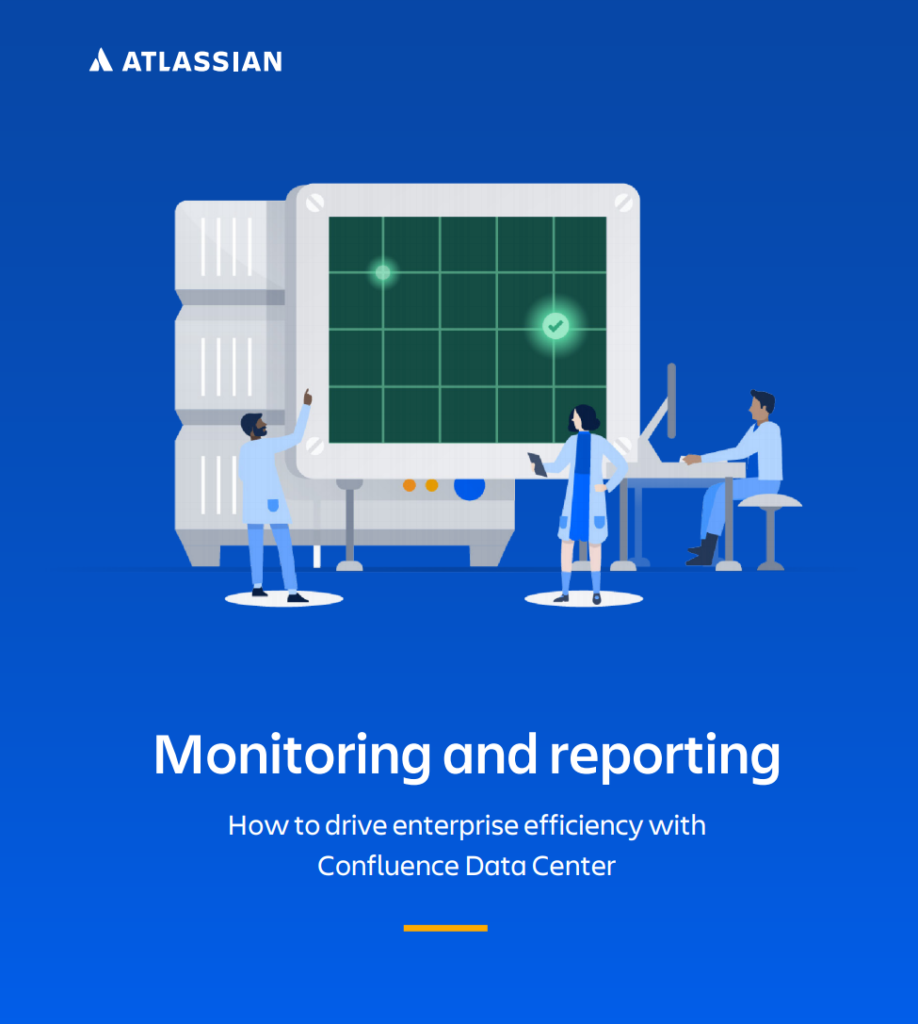
Monitoring and reporting : How to drive enterprise efficiency with Confluence Data Center

how to drive efficiency with Confluence Data Center | Whitepaper

What’s inside:

In this whitepaper, you’ll know how to drive efficiency with Confluence Data Center, including:

  • 5 ways to become more efficient with advanced auditing capabilities.
  • Confluence use cases.
  • Monitoring and reporting best practices.

Find out how to drive enterprise efficiency with Confluence Data Center. When it comes to driving efficiency and effectiveness in your organization, monitoring and reporting capabilities are your best friends.

Being an admin of a self-managed environment means that you are responsible for the management of your entire instance. This includes data retention, scale, performance, and end-user activity just to name a few things. On top of this, you also have to deliver on aggressive business objects, break down organizational silos, and establish consistent ways of working across the enterprise, that’s a whole lot to manage when you can’t understand what’s actually happening in your instance. That’s why having the right software that enables you to take action is so important. Start to drive enterprise efficiency with Confluence Data Center.

Data Center, Atlassian’s self-managed enterprise edition, has advanced auditing capabilities, which allow you to create a digital record of what’s happening in your instance. You can choose one of four different coverage levels (off, base, full, advanced) to log different types of events, depending on the unique needs and insight that your organization requires. Interested in driving enterprise-level efficiency with your teams? Contact us to learn more about Confluence Data Center.

If the software that your organization relies on can’t help you answer questions on performance and security, then it’s not contributing to efficiency and effectiveness within your enterprise. Contact us if you need help getting the most out of Confluence Data Center.

Server vs. Data Center: Which Atlassian Option is Right for You?

Server vs. Data center: What's the difference | Whitepaper

What’s inside:

  • Principal differences between Atlassian Server and Data Center.
  • Main group of benefits with Data Center.

If you have a Jira implementation—either Jira Software or Jira Service Management—you’ll need a license for either Server or Data Center. But what are the differences? Which is right for your business? Data Center offers the same functionality as Server, but with even more features and capabilities to better serve enterprises.

Simply put, Data Center is built for enterprises. High performance and availability, scalability, seamless user management, flexible deployment options, and solid security are just some of the ways in which Data Center meets the needs of organizations operating at scale. And, as of February 2021, apps like Team Calendars for Confluence and Advanced Roadmaps for Jira that were once add-ons will now be included in Data Center products.

While Data Center has several features, there are three main groups of benefits for your organization to enable you to deliver products quickly, reliably, and at scale:

  1. Agile & DevOps
  2. IT Service Management (ITSM)
  3. Work Management

As an enterprise, you’re likely dealing with large, complex, growing, and/or geographically distributed teams. And if those teams need Atlassian products to get their work done, any performance or availability issues can mean a huge loss in productivity. All Data Center products have features that help improve performance. In Jira Software and Jira Service Desk, you can archive both projects and issues to clear up space, clean up your instance, and make your products more performant.

To better understand the differences between Server and Data Center, take a look at the Data Center roadmap to learn about all the additional features that are currently available or coming soon. Still not sure? Reach our to our experts and they’ll be happy to help.

Updated: Please note that Atlassian Server reached its End of Life (EOL) on February 15, 2024 and is no longer supported.

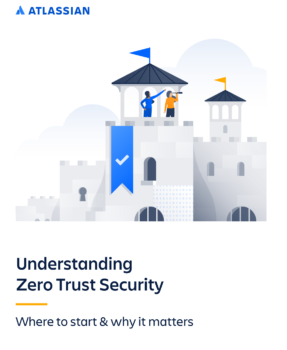
Understanding Zero Trust security: Where to start & why it matters.

Undertanding zero trust security | Whitepaper

What’s inside:

In this paper, we will review the current state of workplace security, the basic principles of this model, and how you can begin your journey towards a Zero Trust-secure workplace environment.

Zero trust security model is perfect for you if you want to improve your safety. For decades, enterprise security controls were built to protect a large, single perimeter around a corporation. Often described as castle-and-moat security, this approach is based on the principle that the perimeter (or moat) should protect everything within its bounds, and everything inside the network is trusted by default.

In this paper, we will review the current state of workplace security, the basic principles of the Zero Trust security model, and how you can begin your journey toward a Zero Trust-secure workplace environment. What makes the Zero Trust approach unique is that in order to minimize the ‘perimeter’ of any given individual and isolate the risk associated with that user, the Zero Trust approach supports the idea that an employee should only be given the minimum access and permissions needed for that employee to do their job.

By limiting access in this way, the risk is minimized. Should an attacker gain access to the credentials of a user in marketing, for example, that perpetrator is ‘laterally’ limited in that they cannot gain access to any of the tools, assets, or information outside that user’s specific role.

The corporate technology space has changed dramatically since the days of castle-and-moat. That change brought the need for a new approach to workplace security. Enter Zero Trust – the new security model industry experts have turned to that addresses the growing security challenges in the modern workplace. This model worked for environments in which applications are hosted on-premise. But castle-and-moat doesn’t stand up to the security threats posed by the proliferation of cloud applications, devices, and logins.

It has become increasingly difficult to secure the critical systems, data, and employees that allow companies to successfully operate. Several converging trends in the IT space are to blame. In case you need help with Atlassian or Jira feel free to contact us.

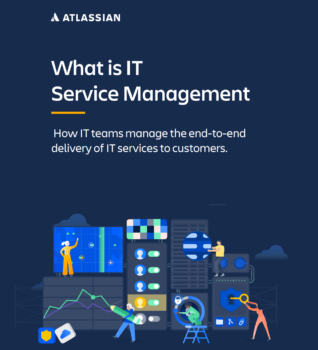
What is IT Service Management: How IT teams manage the end-to-end delivery of IT services to customers.

What's IT serivce management | Whitepaper

What’s inside:

  • The importance of ITSM.
  • ITSM processes.
  • ITSM software and tools.
  • And more.

IT service management — often referred to as ITSM — is simply how IT teams manage the end-to-end delivery of IT services to customers. This includes all the processes and activities to design, create, deliver, and support IT services.

The core concept of ITSM is the belief that IT should be delivered as a service. A typical ITSM scenario could involve asking for new hardware like a laptop. You would submit your request through a portal, fill out a ticket with all relevant information, and kick off a repeatable workflow. Then, the ticket would land in the IT team’s queue, where incoming requests are sorted and addressed
according to importance.

ITSM stands at the center of modernizing organizations. As the rise of software powered service accelerates, IT service teams are enabling employees and teams across organizations to deliver value more quickly. The role of the IT team has transformed from supporting the business to differentiating the business. It’s time to move towards approaches to ITSM that emphasize collaboration, ease of use, and faster value delivery. Transform your service desk with the Atlassian approach to IT Service Management.

Due to their day-to-day interactions with IT service management, people often misconstrue ITSM as basic IT support. On the contrary, ITSM teams oversee all kinds of workplace technology, ranging from laptops to servers, to business-critical software applications.

There is a common line of thinking in the IT industry that posits that a proper approach to ITSM should follow three steps in this order: 1) Build and implement IT technology. 2) Bring in and enforce the right process. 3) People can learn the technology and abide by the process. Atlassian flips that paradigm.

For Atlassian, the team comes first. IT teams should be continually learning and improving. They must feel valued and empowered to make a difference in the organization. In case you need some help feel with your Atlassian status, free to contact us.

DevOps with Atlassian: A guide to cloud features

DevOps with Atlassian | Whitepaper

What’s inside:

Atlassian unifies all of DevOps work and reduces collaboration overload. In this whitepaper you’ll touch base on the following topics:

  • Find out how Atlassian tools help developers get more productive.
  • How to plan and track projects.
  • How to mitigate alert fatigue and resolve incidents faster.
  • DevOps best practices.

Atlassian’s new features, automations and integrations for DevOps help developers take back their time and ship code faster. Teams benefit from less context switching, fewer meetings, and fewer pings from IT about security incidents.

Increased collaboration can come at a cost to developers. Instead of coding and building innovative solutions, developers can end up spending a big chunk of their day integrating multiple tools, updating work status, and sharing it with other teams. According to the recent DevOps Trends Survey conducted by Atlassian, more than 80% of developers state that disconnected tools, manual
processes, and constantly changing collaboration processes are getting in the way.

We’re helping developers focus on their code as we uniquely connect development, IT operations, and business teams with automation
that spans our products and third-party tools. Atlassian’s new features, automation, and integrations for DevOps help developers take back their time and ship code faster. Teams benefit from less context switching, fewer meetings, and fewer pings from IT about security incidents. Successful DevOps implementation doesn’t end at connecting the tools. Most DevOps practitioners agree—citing people and culture as the top factor in successfully implementing. Inside this whitepaper, you’ll learn more about every stage such as: Plan, building, CI/CD, operating & monitor, Communication & collaboration.

In case you need help with DevOps with Atlassian, Atlassian confluence, or other products, feel free to contact us

5 reasons to move to the cloud

5 reasons to move to the cloud | Whitepaper

What’s inside:

In this whitepaper, you’ll learn:

  • 5 reasons to move to the cloud.
  • 5 case studies.
  • What it takes to get to the cloud.
  • How to trial the cloud for free.

More and more organizations are moving to the cloud. Experts predict that up to 83% of enterprise workloads will be on the cloud by the end of 2021.

If you’re not in the cloud yet…it’s time. The highest-performing teams are 24 times more likely to use the cloud than underperformers. So, when we say staying on-premise is holding you back, we mean it. A move to the cloud isn’t a button you can push to instantly increase profits, speed, productivity, scalability, and future readiness. But the time and cost it takes to make the move pay off big in the long term. No matter your team size or growth phase, Atlassian has flexible plans and the tools you need in the cloud to not just keep up, but stay ahead.

Atlassian offers their most popular products completely free for teams of 10 or less to help unleash the potential of teams from startup to enterprise. Atlassian Cloud Premium gives teams the confidence to scale reliably with advanced features, plus a 99.9% uptime SLA, unlimited storage, and Premium Support. Not to mention that enterprise companies benefit from large team discounts when they sign up with 101+ users.

Cloud services are more secure, sustainable, agile, and cost-effective than ever before, and companies are finding fewer reasons to stay on-premise (also known as ‘on-prem’). In fact, 9 out of 10 new Atlassian customers choose cloud over on-premise—and even die-hard traditionalists are starting to make the move. So, what’s driving this mass move to the cloud? Why do experts think companies that haven’t made the switch are already falling behind? Learn more by downloading the white paper below, and contact us if you need help deciding if the cloud is right for your organization.

Monitoring and reporting: How to drive enterprise efficiency with Jira Service Management Data Center

How to drive enterprise efficiency with Jira Service Management Data Center | Whitepaper

What’s inside

  • Discover how to drive enterprise efficiency with Jira Service Management Data Center
  • 5 ways to become more efficient with advanced auditing.
  • Jira service management use case.
  • And more.

Drive enterprise efficiency with Jira Service Management Data Center, when it comes to driving efficiency and effectiveness in your organization, monitoring and reporting capabilities are your best friends. These capabilities are what allow you to gain insight into how your teams are using their software.

Being an admin of a self-managed environment means that you are responsible for the management of your entire instance. This includes data retention, scale, performance, and end-user activity just to name a few things. On top of this, you also have to deliver on aggressive business objects, break down organizational silos, and establish consistent ways of working across the enterprise, that’s a
whole lot to manage when you can’t understand what’s actually happening in your instance. That’s why having the right software that enables you to take action is so important.

You can choose one of four different coverage levels (off, base, full, advanced) to log different types of events, depending on the unique needs and insight that your organization requires. Advanced auditing is built with file externalization capabilities, which means that you can integrate your Data Center products with third-party monitoring tools, such as Splunk, Elastic Stack, Sumo Logic, or CloudWatch. By leveraging file externalization, you can even use key features provided by your monitoring tools to gain even more insight into your events.

Data Center, Atlassian’s self-managed enterprise edition, has advanced auditing capabilities, which allow you to create a digital record of what’s happening in your instance. In case you need some advice about how to use jira or other Atlassian products, feel free to contact us.

Proven Drivers for unlocking high-velocity ITSM

PROVEN DRIVERS FOT UNLOCKING HIGH VELOCITY ITSM

What’s inside

  • Principal challenges for I&O Organizations
  • Key drivers evaluation
  • High performers metrics

The proven drivers for unlocking high-velocity ITSM has an obsession with a culture of collaborative, cross-functional product teams and practices that prioritize autonomy, speed, and flexible integrated technology. With the global outbreak of the COVID-19 pandemic, uncertainty has become the new normal for many organizations. As a result, I&O organizations have been tasked with navigating and adapting to these uncertain times. And if organizations want to survive and thrive, they’ll need to start responding with higher velocity in a manner that is both faster and more sustainable. Leading I&O organizations must become nimbler and more flexible in their support and partnership with development, embracing the DevOps culture of collaborative teams, practices, and technology.

Atlassian commissioned Forrester Consulting to evaluate the key drivers at play during uncertain times for high performing I&O organizations. Forrester conducted an online survey with 649 respondents who have responsibility for IT service management (ITSM) initiatives in their organization to explore this topic. The survey was fielded during the COVID-19 pandemic, and it found that those high-velocity organizations which embrace more agile and integrated teams lead their industry in terms of performance, positive outcomes, and readiness to change. Organizations can thrive in today’s market by focusing on collective (rather than siloed) effectiveness when it comes to people, practices, and technology. Check out this study Forrester Consulting and Atlassian has for you and find the proven drivers for unlocking high-velocity ITSM. If you need some help feel free to contact us.