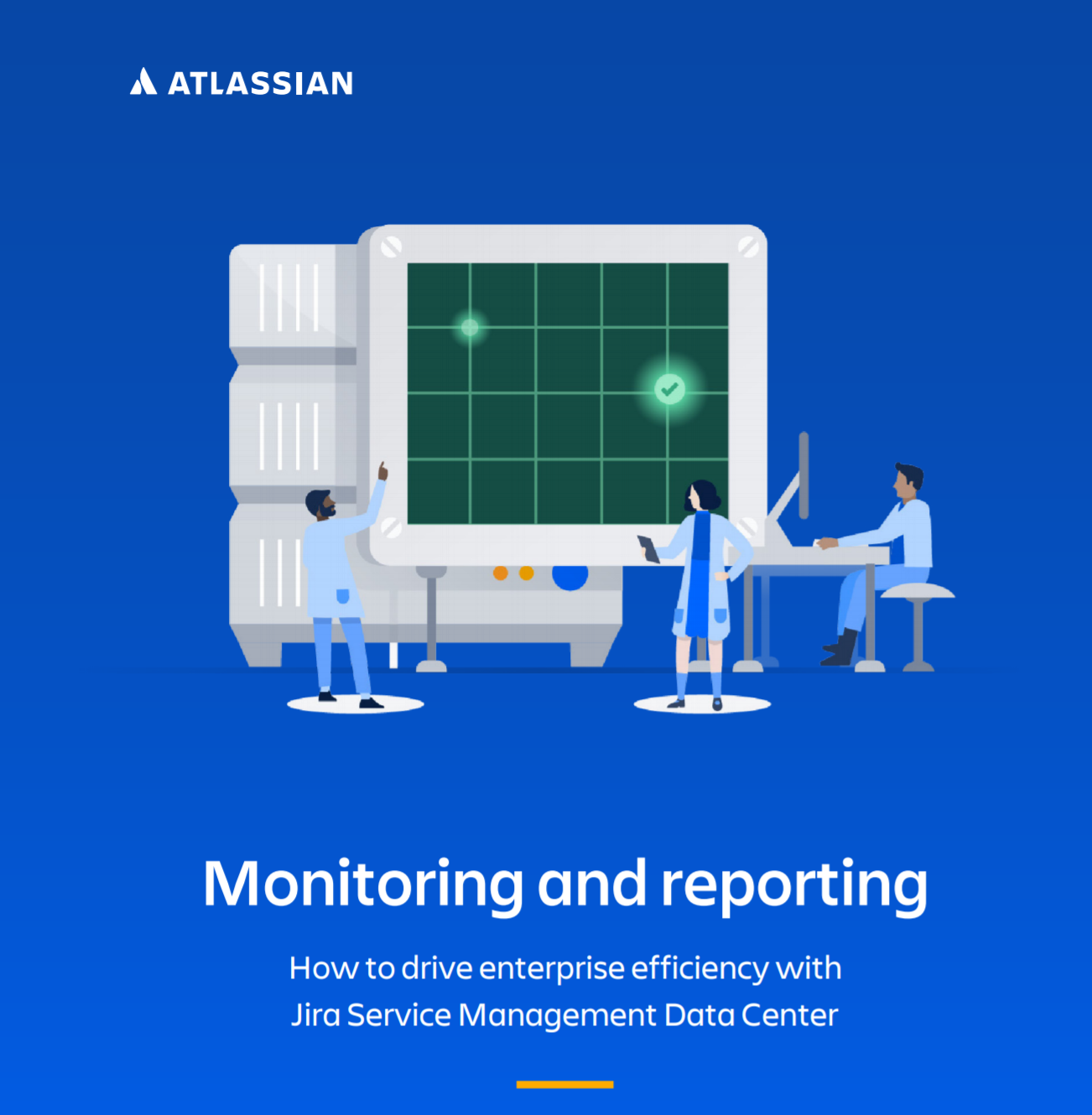
Monitoring and reporting: How to drive enterprise efficiency with Jira Service Management Data Center
What’s inside
Discover how to drive enterprise efficiency with Jira Service Management Data Center
5 ways to become more efficient with advanced auditing.
Jira service management use case.
And more.
Drive enterprise efficiency with Jira Service Management Data Center, when it comes to driving efficiency and effectiveness in your organization, monitoring and reporting capabilities are your best friends. These capabilities are what allow you to gain insight into how your teams are using their software.
Being an admin of a self-managed environment means that you are responsible for the management of your entire instance. This includes data retention, scale, performance, and end-user activity just to name a few things. On top of this, you also have to deliver on aggressive business objects, break down organizational silos, and establish consistent ways of working across the enterprise, that’s a whole lot to manage when you can’t understand what’s actually happening in your instance. That’s why having the right software that enables you to take action is so important.
You can choose one of four different coverage levels (off, base, full, advanced) to log different types of events, depending on the unique needs and insight that your organization requires. Advanced auditing is built with file externalization capabilities, which means that you can integrate your Data Center products with third-party monitoring tools, such as Splunk, Elastic Stack, Sumo Logic, or CloudWatch. By leveraging file externalization, you can even use key features provided by your monitoring tools to gain even more insight into your events.
Data Center, Atlassian’s self-managed enterprise edition, has advanced auditing capabilities, which allow you to create a digital record of what’s happening in your instance. In case you need some advice about how to use jira or other Atlassian products, feel free to contact us.
Proven Drivers for unlocking high-velocity ITSM
What’s inside
Principal challenges for I&O Organizations
Key drivers evaluation
High performers metrics
The proven drivers for unlocking high-velocity ITSM has an obsession with a culture of collaborative, cross-functional product teams and practices that prioritize autonomy, speed, and flexible integrated technology. With the global outbreak of the COVID-19 pandemic, uncertainty has become the new normal for many organizations. As a result, I&O organizations have been tasked with navigating and adapting to these uncertain times. And if organizations want to survive and thrive, they’ll need to start responding with higher velocity in a manner that is both faster and more sustainable. Leading I&O organizations must become nimbler and more flexible in their support and partnership with development, embracing the DevOps culture of collaborative teams, practices, and technology.
Atlassian commissioned Forrester Consulting to evaluate the key drivers at play during uncertain times for high performing I&O organizations. Forrester conducted an online survey with 649 respondents who have responsibility for IT service management (ITSM) initiatives in their organization to explore this topic. The survey was fielded during the COVID-19 pandemic, and it found that those high-velocity organizations which embrace more agile and integrated teams lead their industry in terms of performance, positive outcomes, and readiness to change. Organizations can thrive in today’s market by focusing on collective (rather than siloed) effectiveness when it comes to people, practices, and technology. Check out this study Forrester Consulting and Atlassian has for you and find the proven drivers for unlocking high-velocity ITSM. If you need some help feel free to contact us.
Secure your Atlassian Products with Cloud Enterprise: A quick guide to the benefits of Atlassian Cloud Enterprise
What’s inside:
Start with your improvement today. With Atlassian safeguarding your data, your IT team is free to focus on projects and initiatives important to your company
Principal benefits of Atlassian Cloud Enterprise
Benefits of Atlassian Cloud are there to start improving your business process. The idea of handing the security of your data over to another company may be intimidating. But when it comes to protecting data, most enterprises prefer cloud over on-premise setups. In fact, 94 percent of companies reported improvement in security once they moved to the cloud.
Maintaining compliance with regional or industry standards is non-negotiable, especially for companies whose customers are entrusting them with sensitive information. With on-prem setups, that compliance is on you. You’re in charge of bringing in auditors, building out compliance roadmaps, and executing on your plan.
A CSP can take care of the heavy lifting involved in achieving compliance certifications and offer technology that helps you stay compliant with local regulations. According to RapidScale, 91 percent of companies say cloud solutions make it easier to stay compliant. This is because any changes to compliance standards from a technology perspective are also handled by CSPs on behalf of their customers.
Cloud service providers (CSPs) like Atlassian work to help you stay compliant, offer dedicated teams charged with keeping your data safe, and leverage secure remote-ready practices that help your teams get work done. With Atlassian Cloud, you don’t have to worry about whether your Atlassian products are compliant—they are.
If you need help with Atlassian support feel free to contact us.
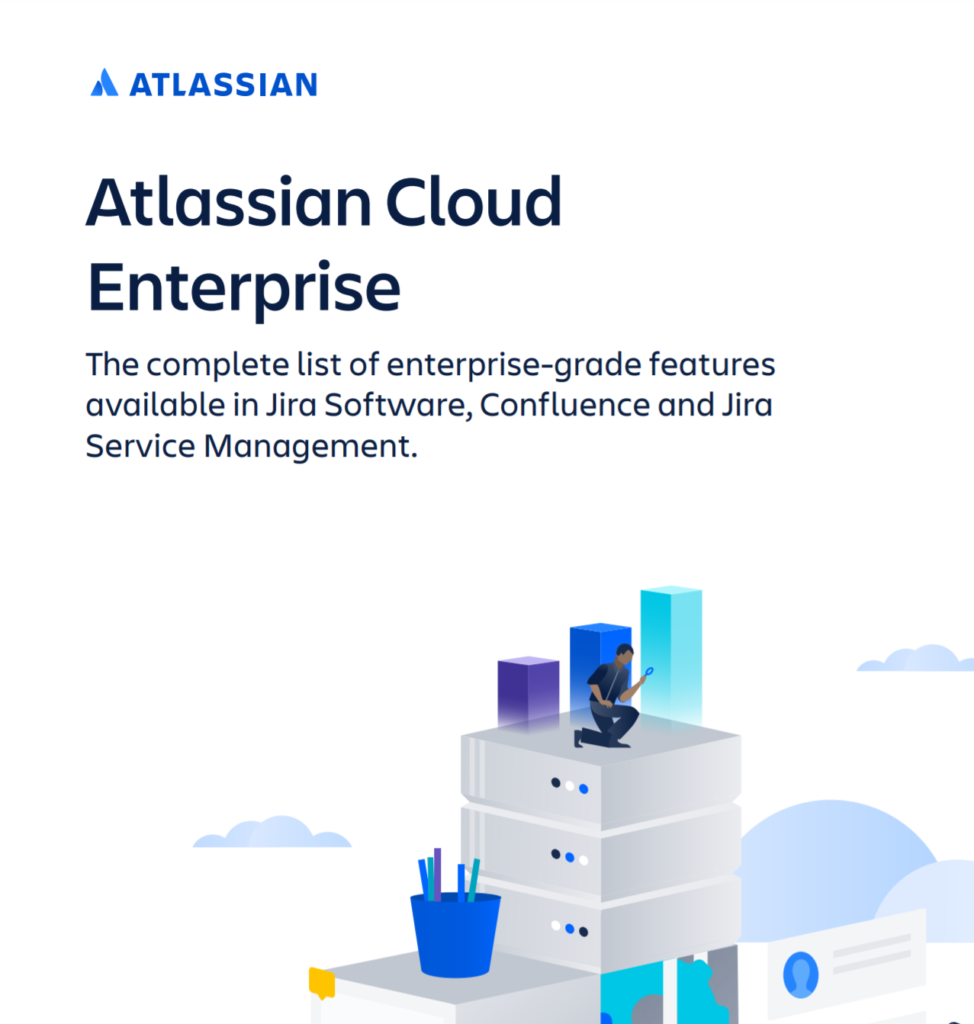
Atlassian Cloud Enterprise: Features available in Jira Software, Confluence and Jira Service Management
What’s inside:
Scale globally in your business while ensuring the highest standards of reliability. In this whitepaper you’ll learn about:
Cloud enterprise benefits you’ll get
Atlassian security certifications
Governance controls
and more…
Did you know that AtlassianCloud Enterprise is the most advanced cloud offering for Jira Software, Confluence, and Jira Service Management. Start working with greater flexibility and agility while providing your administrators with centralized tools to maintain security and compliance across the entire organization.
Scale globally while ensuring the highest standards of reliability with Atlassian Cloud Enterprise. Standardize your various Atlassian products onto a purpose-built cloud platform so you can cost-effectively scale, while also letting your teams customize based on their needs. Designed to mirror the way your company is structured, Cloud Enterprise allows your organization.
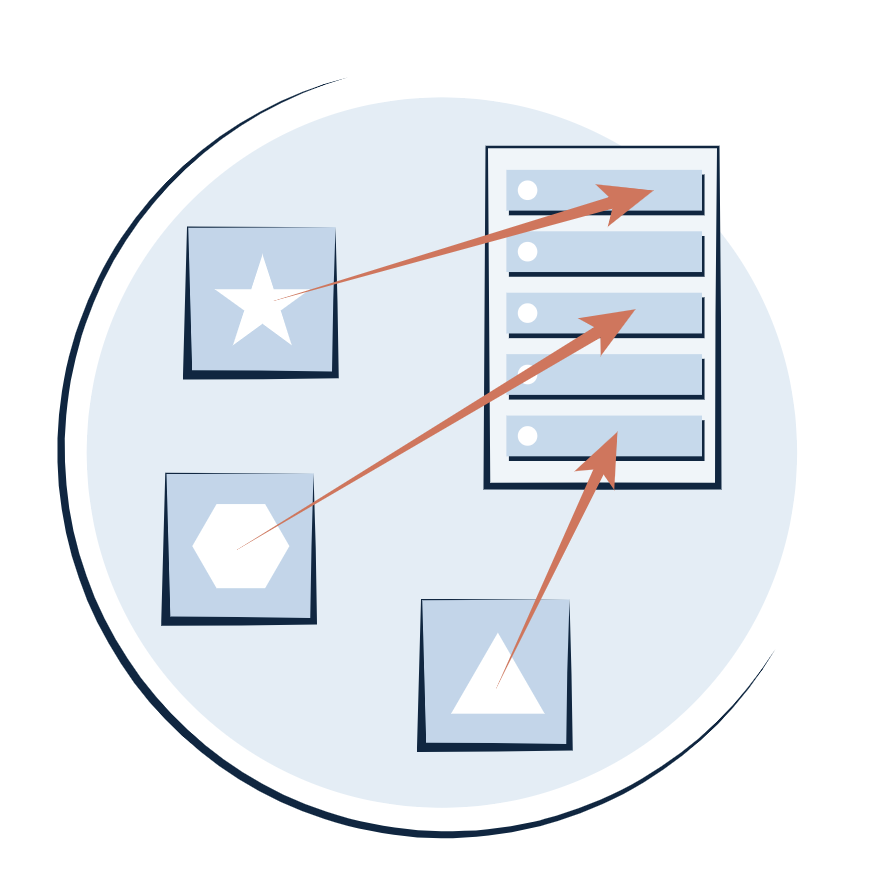
Multiple instances are often provisioned for independent business units, acquired entities or to keep data pinned to specific regions for compliance or to customize based on project configurations, marketplace apps and more. Work with greater flexibility and agility while providing your administrators with centralized tools to maintain security and compliance across the entire organization.
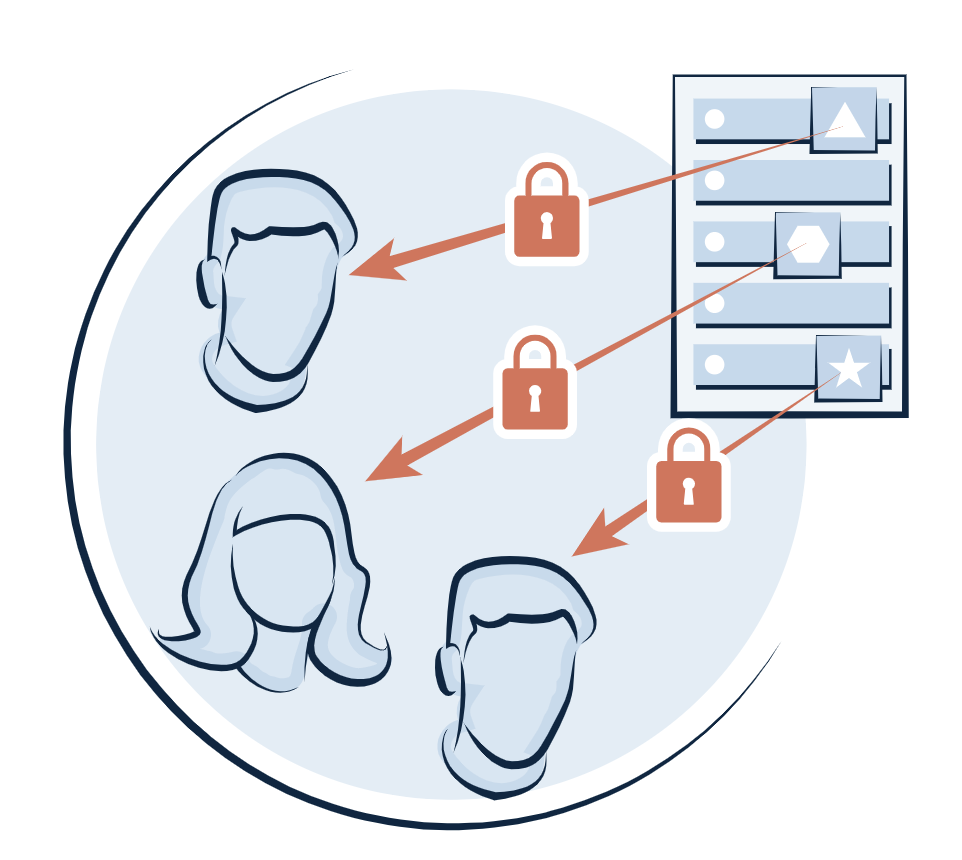
With Atlassian Cloud Enterprise, access a centralized hub to manage users across product instances, apply security policies, get usage insights and manage billing. It also allows you to test and control how product configuration changes get rolled out to end-users so you can apply your existing change management practices. In case you need some help with Atlassian support. Feel free to contact us if you need help with automations for jira.
Benefits of Atlassian Cloud Enterprise: Scale and reliability with Cloud Enterprise
What’s inside:
Reasons why you may need multiple instances
Principal benefits and advantages of Atlassian Cloud Enterprise
Testimonials from customers using Atlassian Cloud Enterprise
Atlassian offers a suite of powerful tools that can help organizations improve their productivity, streamline their workflows, and collaborate more effectively. If you’re currently running Atlassian Server, you may be considering migrating to the cloud. Here are some of the advantages of making this move:
Scalability: One of the biggest advantages of migrating to the cloud is scalability. As your organization grows and your needs change, you can easily scale your cloud infrastructure up or down to match your requirements. This means you won’t need to worry about investing in new hardware or software, as your cloud provider will handle these updates for you.
Flexibility: The cloud provides greater flexibility than on-premises solutions. You can access your Atlassian tools from anywhere in the world, on any device with an internet connection. This means you can work remotely or collaborate with colleagues who are based in different locations.
Cost-effectiveness: Migrating to the cloud can also be cost-effective for organizations. With on-premises solutions, you need to invest in hardware, software, and ongoing maintenance. In the cloud, you pay only for what you use, and your cloud provider handles all maintenance and updates.
Security: Security is a top concern for many organizations, and cloud providers offer robust security measures to protect your data. With Atlassian Cloud, you can take advantage of features like two-factor authentication, encryption, and secure backups.
Integration: Atlassian tools are designed to work together seamlessly, and moving to the cloud can make it easier to integrate them with other cloud-based applications. This can help streamline your workflows and make collaboration more efficient.
Automatic upgrades: With Atlassian Cloud, you don’t need to worry about upgrading your software manually. Your cloud provider will handle all upgrades automatically, ensuring you always have access to the latest features and bug fixes.
Overall, migrating from Atlassian Server to Cloud can be a smart move for many organizations. It offers greater scalability, flexibility, cost-effectiveness, security, integration, and automatic upgrades. If you’re considering this move, be sure to plan carefully and work with an experienced Atlassian partner to ensure a smooth transition.
Atlassian Cloud Enterprise is a specialized version of Atlassian’s cloud-based software suite that is designed to meet the needs of larger organizations. This version provides enterprise-level features, such as enhanced security, scalability, and governance, to support the unique needs of businesses with larger teams and more complex workflows.
Atlassian Cloud Enterprise benefits are great to improve your company. 95% of new Atlassian customers start in the cloud with many on-premise customers making the switch every day, and one of the primary benefits of doing so is on-demand scalability. Unlike on-prem systems, the cloud has computing power on demand and can automatically scale to accommodate new users. Your product usage could literally triple overnight, and your systems could still adapt without the need for any manual intervention. Atlassian cloud infrastructure is built to quickly respond to such fluctuating customer data and user load.
Organizations that move to Atlassian Cloud Enterprise for Jira Software, Confluence or Jira Service Management can now achieve global scale with unlimited instances.
Atlassian Cloud Enterprise offers enhanced governance features, which enable administrators to manage and control user access, data retention policies, and other compliance-related settings. This helps organizations stay in compliance with various regulatory requirements and internal policies. Cloud Enterprise allows users to customize their environments based on team needs, setting up instances with specific Marketplace apps or set of project configurations. Atlassian products can scale to support as many users as possible on a single instance of Jira or Confluence. In addition to offering unlimited instances via Cloud Enterprise plan, Atlassian continues to increase per user limit on a single instance. In case you need some help with Atlassian, feel free to contact us.
Atlassian Jira Data Center’s Critical Vulnerability – What you need to know
Atlassian has announced a critical severity security vulnerability on certain versions of the Data Center platform for Jira, Jira Core, Jira Software and Jira Service Management. Oxalis has performed additional analysis on this vulnerability announcement and is confident that our current customers are protected by our security practices. This security vulnerability only affects Atlassian’s Data Center products. Atlassian Server and Atlassian Cloud products are not affected, and if you are on either deployment, you are not impacted by this vulnerability.
Specifically, the CVE (Common Vulnerabilities and Exposures) ID for this vulnerability is: CVE-2020-36239 (Missing Authentication for Ehcache RMI).
As explained by Atlassian, the affected versions of Jira, Jira Core, Jira Software and Jira Service Management.
“exposed a Ehcache RMI network service which attackers, who can connect to the service, on port 40001 and potentially 40011, could execute arbitrary code of their choice in Jira through deserialization due to a missing authentication vulnerability”
Atlassian has created two issues in their system for tracking, where updates will be published:
This vulnerability specifically affects the following versions of Jira, Jira Core and Jira Software Data Center:
6.3.0 to 8.5.16
8.6.0 to < 8.13.8
8.14.0 to < 8.17.0
Additionally, this vulnerability specifically affects the following version of Jira Service Management:
2.0.2 to 4.5.16
4.6.0 to 4.13.8
4.14.0 to 4.17.0
If you are unsure of the best way to confirm the version of Jira Data Center you are on, or have any other concerns, get support here!
You may not be vulnerable
According to Oxalis’ evaluation in addition to Atlassian’s announcement, this vulnerability will only impact specific Jira deployments. If any of the following deployment options match your usage of Atlassian’s Jira products, you are NOT affected by this security vulnerability, and do not need to take any further action:
Server – Even though Atlassian’s two hosted / on-premise deployments have a lot of similarities, Server deployments of Jira, Jira Core, Jira Software and Jira Service Management are not affected by this vulnerability, and do not need to be updated.
Cloud – Atlassian Cloud is not affected by this vulnerability, and all Atlassian Cloud customers can rest assured that their site is not at risk.
Single-node Data Center Deployments – If your Data Center infrastructure only contains a single node, you are not affected by this vulnerability, as the security threat is specifically for clustered instances.
Non-Jira Data Center Products – All Data Center deployments of Confluence, Bitbucket and Crowd are not affected by this security vulnerability, and do not require any updates.
Up-to-date Jira Data Center deployments – For Jira, Jira Core and Jira Software, all deployments version 8.17.0 and higher contain a fix for this issue. For Jira Service Management, all deployments version 4.17.0 and higher contain a fix for this issue.
What you should do
Even if you’re not vulnerable, take the opportunity to review your security and maintenance procedures and controls. While rare, being prepared and having strong defences to these types of vulnerabilities is easier to put in place before they become critical.
You have layers of protection to prevent exploitation
In order to exploit the issue, an attacker would need to have network access to the particular ports in DC deployments. Oxalis’ clustered cloud deployments, while already avoiding the issue by being up to date, have multiple layers of protection following zero-trust principles to ensure these types of issues cannot be exploited.
Here are some of the ways that our deployments are protected against these types of threats:
System and network firewall rules restricting communication to exclusively cluster instances.
Isolated application infrastructure to prevent any platform to launch an attack.
Serverless hosting and isolated instances so any remote code execution does not have any additional access, reducing or eliminating the blast radius and any further privilege escalation.
Active monitoring of network traffic and IDS systems for early detection.
What you should do
Upgrade your system as soon as possible. Also review your maintenance processes to chart a path to staying up to date.
What to do if you believe you’re at risk
Upgrade to the latest release
The current releases of Atlassian’s Jira DC products have added security patches to address this issue – as long as you have a release from the past 2 months, you are protected. Staying up to date should be the baseline for security practices.
How to check current version
To find the version of Jira Data Center that you are on, click on the Administration cog and go to Applications. Here you can view the current version of your Jira applications.
Note: You will need to be a Jira Administrator to access Jira’s Administration menu.
Need help finding your current version of Jira Data Center? Get help immediately for assistance.
If you’re ready to upgrade, follow Atlassian’s upgrade process. New versions for the affected applications can be downloaded at:
At Oxalis, we hold regular maintenance windows for all deployments and applications. We continuously monitor, review, and upgrade to new releases for applications like Jira to ensure our client’s systems are up to date.
Not Ready to upgrade, or can’t upgrade quickly?
There are various reasons why you may not be able to quickly upgrade to version 8.17.0 (4.17.0 for Jira Service Management) of Jira Data Center such as:
Outdated DB – There are many older platforms that Jira no longer supports, which would block a potential upgrade to the latest version. Check out the list of Atlassian support platforms for the latest versions here.
Marketplace App compatibility – There are thousands of third party applications in the Atlassian ecosystem, and many systems have at least several downloaded on their system. These Apps usually lag behind the latest Jira versions for compatibility if major changes are made, and need to be reviewed before performing the upgrade.
Change Management overhead – Many organizations have a robust change management process in place which may cause a delay in a system upgrade. While we do recommend having a robust change management process in place, there must be bypasses specifically for situations such as this security vulnerability.
If you are unable to upgrade for any reason, and this vulnerability does apply to your version of Jira Data Center…
Remember, single node infrastructures are not affected, and while you should still plan to upgrade soon, it is not critical to complete right away.
Do you need a cluster? Migrate to a single, huge VM to avoid this specific vulnerability without having to make any upgrades.
Review and hand-tune your firewall rules based on Atlassian’s recommendations below.
Atlassian’s provided Mitigation plan for customers who are unable to upgrade to a fixed version immediately focuses on restricting port access.
“Restrict access to the Ehcache RMI ports to Jira Data Center, Jira Core Data Center, and Jira Software Data Center, and Jira Service Management Data Center cluster instances via the use of firewalls or similar technologies.”
Specifically, the ports that need to be restricted are:
port 40001
port 40011
ports in the range 1024-65536
For Jira version 7.3.1 and above you can apply the workaround detailed here to avoid needing to restrict access to these ports
For Jira Service Management version 3.3.1 and above you can apply the workaround detailed here to avoid needing to restrict access to these ports
How to avoid future risks
Migrate to Atlassian Cloud
At the beginning of 2021, Atlassian announced their journey to cloud, showing their dedication to the Cloud products and services. Even though they will be decommissioning their Server offering, their Data Center platform will continue to be supported. There are many considerations to take into account before deciding to migrate to Atlassian Cloud, but it is certainly worth considering, as it is clear that Atlassian is focusing their efforts towards the Cloud.
Not a Lift-and-Shift – Migrating from Server/Data Center to Atlassian Cloud is not simply a lift-and-shift effort. There are many differences between the on-premise and cloud versions of Atlassian’s applications, along with differences in the Marketplace Apps. A short discovery effort is recommended to plan and map your migration effort to ensure success. You can learn more about our migration approach here.
Compliance – It’s possible Atlassian Cloud may not meet your compliance needs. Currently, Atlassian Cloud does NOT meet the following compliance standards:
HIPAA
FedRAMP Moderate
NIST 800.53
Review Atlassian’s cloud roadmap to see when they plan on meeting these compliance standards.
Trust – Atlassian’s team is dedicated to keeping the trust of their customers, and has you covered. Review information about security, reliability, privacy, and compliance for their products and services here.
Stay Up To Date
Staying on the most recent version continues to be the best strategy. With stability, it can be easy to end up just staying with what works and getting out of date.
Build Security at Depth
While implementing zero trust architectures can be challenging, choosing architectural patterns that allows for isolation and segmentation of infrastructure components provides both reduced blast radius and limits exploitation.
We’re here to help
If you need help understanding if you’re at risk, hardening your existing infrastructure, are looking for ongoing maintenance help or want to move to a more compliant infrastructure, our award winning team is here to help. As a group of technology consultants and product leaders that operate in various high-compliant industries, Oxalis has a strong focus on security. We don’t just care when vulnerabilities occur, it’s a key piece of how we operate as a firm.
Contact us
Enterprise Portfolio Management with Jira
In this article, you will learn about Jira portfolio management, including how to set up and use Atlassian for effective portfolio management at an enterprise scale.
Introduction to Enterprise Portfolio Management
Oxalis has decades of experience successfully implementing portfolio management processes and tools at scale. Faced with increasing global competition and a rapidly evolving technology landscape, it’s critical that organizations are capable of adapting to change and rapidly executing an appropriate strategic response. According to research done by the PMI, however, nearly 50% of all strategic initiatives fail. Strategy and tactics end up misaligned, growth stalls, and opportunities are missed. In the best-case scenario, you’ve experienced a sunk cost in the form of hundreds or thousands of person hours generating Excel spreadsheets and reports for an Annual Strategic Planning retreat that appears to have had minimal impact. At worst, you’ve been outpaced and outmaneuvered by your competition, and are beginning to lose market share.
Fortunately, we know that a scalable approach to enterprise portfolio management is in fact possible. The key to success is defining robust feedback cycles between your executive decision makers and delivery team-level contributors. A process and supporting systems must be implemented in order to enforce the reliability, accuracy, and timeliness of the data, while freeing the delivery teams to operate effectively. Atlassian’s Advanced Roadmaps and Jira Align are two tools that are commonly used to facilitate this process. In this article we cover common failure modes of enterprise portfolio management and methods to address capability gaps.
Common failure modes of Enterprise Portfolio Management
Strategy without tactics is the slowest route to victory. Tactics without strategy is the noise before the defeat. – Sun Tzu
Based on our experience working with clients across the Maritime, Government, and Healthcare industries, misalignment between business strategy and tactical execution is, unfortunately, all too common. The problem frequently stems from poor velocity and accuracy of information used for strategic prioritization and investment. Once a decision has been made, there’s little traceability between strategic priorities and tactical execution, so it becomes difficult or impossible to ensure the validity of your plans. If you’re one of the lucky organizations that have gotten past these two hurdles, it’s likely that your regimented top-down approach to maintain compliance is stifling the agility and ability of your teams to truly innovate. Let’s explore these ideas a bit further.
Decision making suffers from poor quality, low velocity data.
If you’re like most organizations, by the time you’ve reviewed a report during Annual Strategic Planning it’s too late. Those human-powered, Excel-based spreadsheets, slide decks, and infographics have been painstakingly developed by your teams over the last two or three months. This process of manually extracting and massaging the data leads to insights and decisions based on inaccurate, missing, or untimely information. You’re not confident in the veracity of the data you’re consuming, and you’re beginning to do the mental math to calculate the opportunity cost of generating the report. Even worse, you may have pointed your organization confidently in the wrong direction based on the wrong map.
There’s often limited traceability from strategic priorities to tactical execution.
Now that you’ve decided your strategic priorities, how do you ensure your teams are delivering on them? Spreadsheets, presentations, and announcements get stale, fast. Not to mention your organization has recently adopted a new Agile framework – and isn’t the point for teams to move fast and break things? Without clear traceability and visibility back to strategy, tactical execution quickly becomes unmoored. Many organizations patch over this gap by expending hundreds or thousands of PM hours developing roll-up status reports to enforce alignment.
Top-down enforcement of compliance defeats team autonomy.
Heavy-handed mandates and strict policies can do wonders to ensure team compliance. Excessive standardization and micromanagement, however, can severely limit teams’ abilities to work effectively. You find that your leadership team is no longer dictating just the “Why” behind its vision, but also “How” and “What” the teams will do to satisfy it. The result is that your teams are all pointed in the right direction, but are delivering at 50% of their capability.
Approaches to modern Enterprise Portfolio Management
We understand that Portfolio Management at scale is challenging. Now, what are some of the approaches leading organizations are taking today to address this problem? Although every organization differs based on company culture and what it’s planning for, it’s important to establish a feedback loop between your executive decision-makers and tactical delivery teams. The ultimate goal is to provide direction and clarity while enabling the teams to work and collaborate in a way that maximizes their productivity. Through our experience, we have found there are common success factors for modern Enterprise Portfolio Management.
Establish a strong planning cadence, with future plans informed by actual past results.
Your company’s success depends on the accuracy of your strategic priorities, and the quality of the data used to inform those priorities. Understand the source of your data and demand transparency into any changes which may have altered the story told. By establishing a strong feedback loop between your key objectives and what’s actually being worked by the delivery teams, you will have a much greater understanding of which projects are “winners” and deserve further investment and which projects should be stopped early to limit downside risk.
Value Engineering in Jira Align
Focus on the “Why.”
Tie all tactical deliverables back to Strategic Objectives, but resist the urge to dictate “How” the teams must manage their work to get there. Strong executive sponsorship is a key ingredient to ensure that teams understand how their work relates to the bigger picture. Give your teams a target and let them chart the path that works best based on their unique experiences, skills, and preferences. Trust your organization to do things right, while verifying status with real-time data.
Jira Align’s Strategy Room
Leverage modern technologies and tools to accelerate collaboration at scale and unlock data driven decision making.
With the right tools and the right process, you can plan and track work across your entire portfolio with minimal overhead and effort. Modern tools such as Jira Align and Advanced Roadmaps help break down silos by providing a common data model or “language of work.” High-level strategy is tied directly to tactical execution across product, portfolio, and engineering levels. Executives are provided with real-time visibility into investment vs actuals, strategic and financial alignment, and resource allocation across the organization at large. Teams are empowered with modern, flexible tools that accelerate and fit the way they want to work, whether through Jira Software, Jira Service Management, or Jira Work Management.
While technology paves the way for efficiency gains and process improvements, it is important to consider both the People leveraging the tool and the Processes by which usage is enforced. Tools such as Jira Align are powerful and flexible but should be purposefully designed and intentionally deployed to ensure adoption is sustainable and addresses the root problems. Expert Solution Partners such as Oxalis can help by helping you chart a path from where your organization is currently at, to where you’d like to be.
Program Tracking in Jira Align
How tools like Advanced Roadmaps and Jira Align can help
Both Advanced Roadmaps for Jira and Jira Align help you visualize, plan, and track work across the business. By planning and executing work in the same place, you can benefit from improved visibility, greater strategic alignment, and enhanced business agility.
Advanced Roadmaps (formerly known as Portfolio for Jira) enables you to create realistic roadmaps and conduct long-term agile planning, while keeping stakeholders up to date on the work taking place at the Jira project level. We typically recommend creating a separate “Portfolio Planning” or “Initiative Planning” space in order to track the definition, prioritization, and execution of strategic initiatives. As Initiatives are given the green light to progress, delivery teams are notified and at that point the only difference in workflow is that the delivery team then “tags” their Epics or Features with the appropriate parent. This structure empowers delivery teams to work in a way that suits them best, minimizing administrative overhead while providing real-time data for cross-team roll-up reporting.
Portfolio View in Advanced Roadmaps
Jira Align
With Jira Align, you have the ability to connect real-time data at all levels of the organization beginning with your Mission, Vision, and Values, all the way down to individual Epics, Features, and Stories. As your executive team sets strategy and communicates down to the agile teams delivering the work, intent and strategy flow across the teams. As work is completed against Program Increments, the status, results, and outcomes are visible across the enterprise.
Jira Align’s Program Room
Some of the key features enabled by tools such as Jira Align include:
Dependency visualization across teams, programs, and portfolios,
Scenario planning to balance what needs to be done with how much can be done,
and support for numerous hybrid, custom, and traditional agile frameworks such as Scrum, Kanban, SAFe, Lean Startup, Spotify, and LeSS.
Conclusion
Effective Portfolio Management at scale is critical for organizations of all sizes to compete in today’s market. Powerful tools such as Jira Align can significantly improve your chance of success by providing the right information at the right time, empowering both delivery teams and company leadership.
Tools, however, are only as effective as the people using them and the processes that define their use. Oxalis’ team of Atlassian consultants and business leaders can help, offering years of deep experience in both Enterprise Portfolio Management and Atlassian’s suite of tools. Oxalis is an expert in doing this work in an enterprise setting. To learn more about how to deploy Enterprise Jira Portfolio Management at scale, please contact us to learn more. Do you need help with Jira Portfolio setup or Portfolio Management for Jira? Feel free to send us a message.
Oxalis has a strong perspective after decades of experience in knowledge management. As organizations grow, autonomous teams and users develop their own approach to performing Enterprise Knowledge Management and Data Quality. In many legacy systems, the knowledge that the organization is recording becomes unmanageable, out-of-date and unusable. More so, the pileup of documentation becomes nearly impossible to sift through, forcing users to waste precious time trying to find answers to their questions. If even 10 employees spend ~1 hour a month trying to find an important piece of documentation, your organization is wasting over 100 hours a year on a single reference. Now think about 100s of users trying to find 100s of pages – that is a major loss in productivity.
Without taking a thorough, robust, and scalable approach to enterprise knowledge management, organizations get left with piles of disjointed and unusable documentation. Once leadership realizes that this is a problem that needs to be fixed, a major effort is required to review and reorganize that information. A process and tool must also be implemented to keep that information updated and discoverable, or the cycle will repeat, at increasingly larger scales. Get support.
Enterprise Knowledge Management and Data Quality & How Can it Help
Knowledge management at the enterprise level strives to make information accessible and reusable to stakeholders across the organization. To meet this goal, organizations must define and implement processes and tools that enable the classification, categorization, and grooming of information, coupled with methods to expose the right information to the right users at the right time. Data Quality can be enforced via the use of sustainable templates and tools deployed at Enterprise scale, driving standardization and quality in developed intellectual property.
Knowledge Management Methods
When discussing knowledge management related to enterprise organizations, it is important to understand the different models or methods for managing information that available knowledge management applications use.
Pull
The old, legacy way of approaching knowledge management can be described as having a “pull” mentality. In this model, users must rely on very robust search capabilities to sort through a very large library of information. Generally, this method is adopted by intranets and other database focused tools.
Push
The new, modern way of approaching knowledge management can be described as having a “push” mentality, where integrated knowledge base tools expose information to users based on the context of the work they are currently performing. In this model, search is still available to find specific information in the knowledge base, but tags, labels and categories are heavily used, coupled with machine learning to prompt users to reference information when they might need it.
Confluence, integrated with other tools in the Atlassian suite, embraces and is a leader in the new approach to getting information to users, and their methods will be explained below.
Approaches to Accomplish Enterprise Knowledge Management and Data Quality
Process is key
To have an effective knowledge management system, organizations should focus on accomplishing three key aspects:
knowledge capture
knowledge access
knowledge management
These processes should be accompanied by a straightforward process that the organization embeds into the way that their users work: capture, review, publish and groom.
1. Knowledge capture
Knowledge capture is the process of converting knowledge that an employee possesses in their mind into a format that is available to other users in the organization (this is often referred to as tacit versus explicit knowledge). Knowledge capture is arguably the most important aspect of the knowledge management process. If you don’t have a consistent and reliable way to capture your employee’s knowledge, you’ll lose it! You invest in your employees to learn and gain competencies throughout their time working for your organization, so when an employee decides to leave the company, your investment and potential resources for future employees will walk out the door with them. The information that your employees possess is invaluable intellectual property for your organization, so help make the process of capturing that information easy for your employees!
As an industry leading knowledge management tool, Confluence offers a library of industry standard and best practice templates, which make writing documentation simple, easy and less confusing. Often times, the hardest part about writing effective documentation is knowing where to start, and how to structure the documentation you need to put together. Instead of users wasting their time formatting pages and tables, creating siloed, discreet templates, Confluence templates make it easy for people to do the right thing, and capture their knowledge in a structured, readable and reproducible way. This knowledge management and data quality approach allows for strong capture at time of inception. Talk to an expert.
Now you might be thinking, “my employees don’t have time to sit and type out detailed documentation about every single thing they know or do each day”.
That should not be your organization’s goal! Trying to capture every piece of knowledge floating around in every employee’s head is a waste of time and will likely lead to cognitive overload for everyone involved in the content management process. Instead, organizations should prompt their users to capture the information that is 1) critical to performing their job role effectively and 2) key to your organization’s growth and future success, but only if that information has not already been documented by someone else in the organization.
“But how are my employees supposed to know whether what they’re working on has already been documented by someone else or not? Surely they don’t have the time to go and search through our entire knowledge base while completing a task.”
Right again! This is why users should be prompted to reference (and create, if necessary) documentation as a part of your business systems. With tools like Jira Software and Jira Service Management, articles can be suggested to users based on what they are currently working on (more on that later) and users can be prompted (via Confluence) to quickly create effective, templated documentation in cases where no relevant documentation already exists. In this way, information is being captured precisely at the time it was needed, generating new intellectual property for your organization when it is relevant.
“So, you’re talking about capturing knowledge at an individual level, how does this scale across my entire organization?”
Enterprise knowledge capture (and knowledge management in general) means that Teams and Departments across the entire business are working cohesively, in a similar way. When users across the organization are being prompted to capture their knowledge at the right time, you start to build up an effective knowledge management process and system.
2. Knowledge access
Once an organization has established sound practices for capturing its employee’s knowledge, the next step in enterprise knowledge management is to focus on making sure that the right people have access to that knowledge (and at the right time). When using a modern knowledge base like Confluence, ensuring that the right people have access to the right documentation is handled using flexible and scalable permission schemes. The ability to view, edit or administrate can be granted to groups and roles, allowing your permissions to scale and be dynamic. It is also important to enforce a review and categorization cycle on organization-wide documentation before it is published to the entire enterprise. With modern knowledge management applications, a review process can be enforced, from draft to approval to being released to the organization.
Along with access to knowledge, organizations should enable and encourage their employees to collaborate around the knowledge that is being and has been documented. According to a 2020 study by Forrester, high performing teams are 20% more likely to encourage open knowledge sharing and collaboration compared to low performing teams. With a modern knowledge base application like Confluence, users can collaborate in real-time on articles together, by adding in-line comments, liking, favoriting, sharing and mentioning other users on documentation.
“But how do my users find the documentation that they have access to?”
All leading modern knowledge base applications are equipped with a robust search capability, but searching for articles will always be a manual and tedious process. To help make the manual search for documentation and the automated promotion of articles to users more effective, intentional and thorough categorization is key.
By enabling (and often times enforcing) documentation publishers to add tags, labels and categories to documentation during the review cycle, modern knowledge management systems can use machine learning to prompt users to access relevant documentation as a part of their workflow. For example, Atlassian offers a robust integration between Jira Service Management and Confluence, which enables organizations to:
Expose, categorize and promote knowledge base articles to external stakeholders (customers or internal users) through a customizable portal.
Enable service agents to access and review the same documentation that is being prompted to external stakeholders, and access a separate, internal knowledge base.
Enable service agents to generate new, templated documentation directly from requests for which no useful documentation already existed.
According to a study conducted by Forrester in 2019, organizations that implemented Jira Service Management alongside Confluence saw a 20% ticket deflection rate, and one organization reported a 230% increase in traffic to their HR team’s documentation space.
3. Knowledge management
So, you’re prompting your employees to capture their knowledge when it is relevant to them and you’re exposing that knowledge back to them when it is needed. Now you need to instill a consistent practice of managing that knowledge to keep it updated, relevant and manageable.
One of the more traditional ways to approach this part of the knowledge management process is by creating a hierarchical structure to store and organize documentation. While this file-folder / intranet mindset may have started with legacy knowledge base tools, it is still relevant and appropriate for modern knowledge management tools. Regardless of how powerful and tailored your knowledge management tool’s search capability is, your space / site owners should enforce a consistent hierarchy across the entire system, to help make information easier to find when manual searching is necessary. At Oxalis, we recommend creating a Confluence Space for each level and area of the organization, to ensure that every piece of information has a place to call home. Each Project, Team and Department should have a Space that they take ownership of, with a Space at the Corporate level as well. Enforcing a consistent architecture of information at every level of the organization will help your knowledge management practices and tools scale across your enterprise.
To keep your knowledge manageable and managed, Oxalis recommends assigning ownership at the space/site and individual page/article level. By spreading the responsibility for your content across the team, users can hold each other accountable, and also lessen the burden of reviewing information, making it more likely to be performed on a regular cadence. When using a tool like Confluence, reminders can automatically be sent to content owners to help keep information fresh. Contact us.
Additionally, Confluence offers Space and Page analytics to help content owners understand how often specific information is being viewed, at a micro or macro level, which can help inform decisions around what content needs to be promoted or archived. During the knowledge capture or review process, a content owner may discover or decide that a specific article is no longer relevant, and choose to archive the information. This ensures that your organization’s intellectual property is not lost, and also that outdated content is not being suggested to your users. This process of proactive content review and grooming is a crucial part in the knowledge management process for enterprises to keep their knowledge relevant and useful.
Finally, most enterprise organizations must adhere to specific compliance standards. For more information about how Atlassian approaches security, reliability, privacy, and compliance for their products and services, visit Atlassian Trust.
Conclusion
Enterprise knowledge management means that your employees, across all teams, departments and units are capturing, managing and accessing your organization’s information in a consistent way. When you expose the right information, to the right people, in the right place, at the right time, you ensure that your employees can work quickly and effectively, maintaining and utilizing your most important information.
Growing and enterprise organizations must work to implement a process and tool for capturing and managing the knowledge that their employees have, or risk wasting employee’s time and energy searching through stale content or worse, lacking the ability to leverage their own knowledge across the organization.
Our Approach to Enterprise Knowledge Management and Data Quality
When Oxalis approaches a discovery and implementation effort for Confluence and other tools across the Atlassian suite, we prefer to take a cohort-style approach to the roll-out of new processes and tools to get organizations to an enterprise, sustainable path. Oxalis offer a full suite of services to get you a professional implementation of a critical business process.
Knowledge management with data quality is difficult at scale and in an enterprise setting, however, it is essential that you business get this right. Your IP is your business and you need to make it available, high quality, and harness its power. Oxalis is an expert in doing this work in an enterprise setting.
Jira Work Management: Atlassian’s New Solution for Business and Operations Teams
As of April 28, 2021, Atlassian’s Jira Work Management was released to current Jira Software and Jira Core customers.
While it is promoted as a new system, Jira Work Management (JWM) is actually more of an upgrade and rebranding of the Jira Core Cloud product. If you’re an existing customer, you will already see the difference in any Jira Business project.
Oxalis has been at the forefront of using the Jira family of products to transform how businesses organize and coordinate work. With these substantial upgrades to Jira Core, Oxalis examined the new features to determine their effectiveness in a business setting. Ready to learn more?
New Views
Atlassian added new task viewing options to Jira Work Management to accommodate the needs of business operations teams. These views can be configured to show only what you need to see, ensuring that these views support how your team works. Don’t hesitate to use Jira for operations.
List View: The standard list view (seen in the image above) is the most commonly used, where you can see any number of information points from status to due dates to assignees. Jira Work Management supports in-line editing from the list view for faster updates to issues and tasks.
Calendar View: This is a new addition to the Core software, which is especially helpful with marketing and long-term planning teams that need to track tasks over longer periods of time. It’s also helpful to see when tasks are stacked on busy days to help with capacity management.
Timeline View: This Gantt-view helps see the length of projects, ensures projects are being planned appropriately, and takes an overview approach to capacity management. You can view dependencies, high-level data, and manage start and end dates for any issue type (including subtasks). Jira Work Management projects are viewable in Advanced Roadmaps for Jira for more high-level portfolio and capacity planning.
Board View: Users can customize the boards to match their teams’ particular needs and review cycles. This view is optimal for task management and daily task organization.
It’s also worth mentioning that Jira Work Management supports custom workflows—same as Jira Software and Jira Core. As one of Atlassian’s most powerful tools, custom workflows change the way tasks, content, and initiatives are viewed across the organization and sent for approval. Creating custom workflows per project is essential to unlocking the power of Jira Work Management within teams.
Form Builders
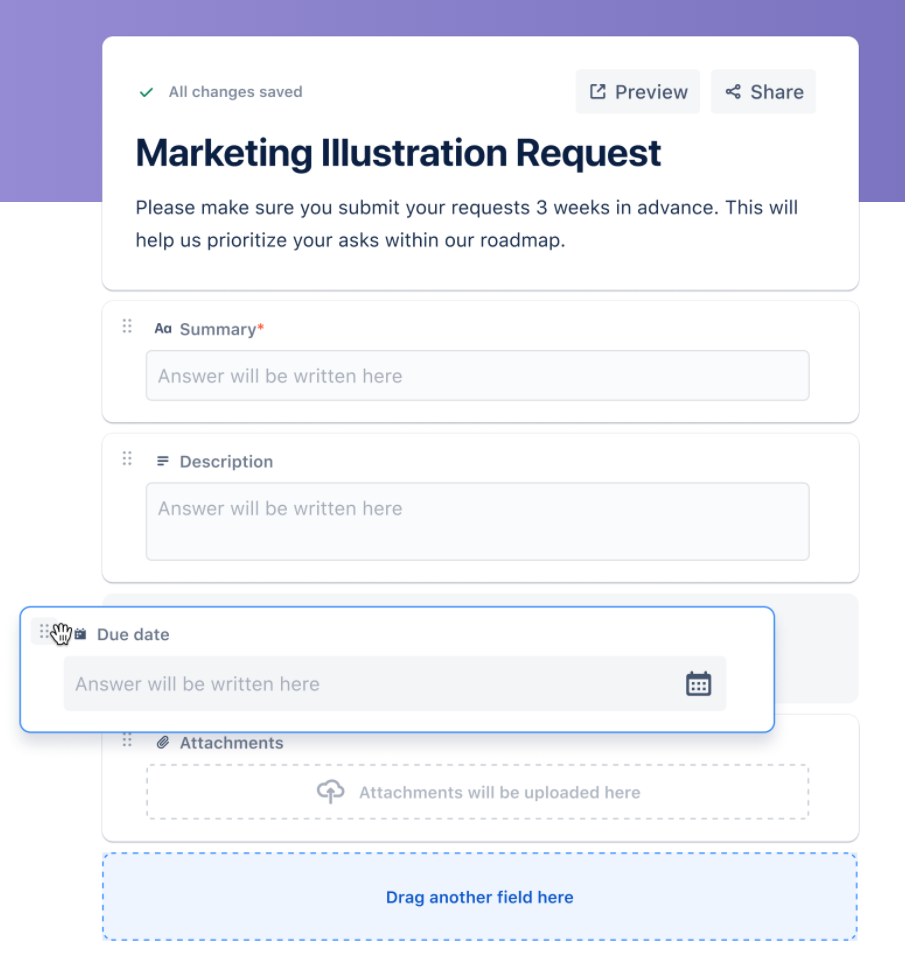
In Marketing, creating standardized forms helps teams submit requests with all of the requisite information without wasting time on back and forth communication between teams. This tool can be utilized in all different ways, however, this is where we found the most value during the trial:
For Marketing Pull Requests: when team members need a creative asset, brochure, or other marketing materials, they are able to include all required information with due dates in order to queue up appropriately.
For Adding Tasks on the Fly: When a task comes up but you don’t have Jira open, it’s simple to open your bookmarked “Task Creation” form where you can include any information on your mind, then send it to your backlog for your next task review.
These forms are “light” forms, but can be configured to include all essential information for each individual project. The benefit of these forms being properly configured is they automatically fill information on the issue card and quick transfer of information to the issue assignee. Contact us to learn more.
Templates
Atlassian has been listening to their customers’ needs and understanding the pain points in custom Jira configurations. JWM is their solution—with a vast variety of customized templates for Sales, Marketing, HR, Legal, Finance, and Design teams, you can get the project that you need. Want to learn more about Jira dependency management? Send us a message.
However, these templates serve as a solid baseline. Should your team have more specific needs, Jira Work Management allows for custom configuration should you require more granular changes to your workflow, layout, permissions, etc.
Atlassian’s other features from Jira Core—like extensive automation, custom individual and team dashboards, and permission setting—are all still available with Jira Work Management, making it a truly powerful tool for any company’s business operations. Get started. Jira for operations can maximize your business improvement.
It’s time to escape fragile and messy Excel spreadsheets, countless email threads, and systems that do not integrate with the tools you need. Jira Work Management on its own is a strong asset—however, Oxalis unlocks the full potential of the software so your team can work more efficiently, connected, and effectively.
Let us show you how Oxalis makes Jira Work Management work for you.Do you have some questions about implementing Jira for operations? Send us a message!
Contact us
Cookie Consent
We use cookies to improve your experience on our site. By using our site, you consent to cookies.
Used by Google Analytics 4 to persist session state and track usage across visits. The XXXXXXXXXX portion corresponds to the Oxalis Google Analytics property ID.
1 year
_gac_
Contains information related to marketing campaigns of the user. These are shared with Google AdWords / Google Ads when the Google Ads and Google Analytics accounts are linked together.
90 days
__utma
ID used to identify users and sessions
2 years after last activity
__utmt
Used to monitor number of Google Analytics server requests
10 minutes
__utmb
Used to distinguish new sessions and visits. This cookie is set when the GA.js javascript library is loaded and there is no existing __utmb cookie. The cookie is updated every time data is sent to the Google Analytics server.
30 minutes after last activity
__utmc
Used only with old Urchin versions of Google Analytics and not with GA.js. Was used to distinguish between new sessions and visits at the end of a session.
End of session (browser)
__utmz
Contains information about the traffic source or campaign that directed user to the website. The cookie is set when the GA.js javascript is loaded and updated when data is sent to the Google Anaytics server
6 months after last activity
__utmv
Contains custom information set by the web developer via the _setCustomVar method in Google Analytics. This cookie is updated every time new data is sent to the Google Analytics server.
2 years after last activity
__utmx
Used to determine whether a user is included in an A / B or Multivariate test.
18 months
_ga
ID used to identify users
2 years
_gali
Used by Google Analytics to determine which links on a page are being clicked
30 seconds
_ga_
ID used to identify users
2 years
_gid
ID used to identify users for 24 hours after last activity
24 hours
_gat
Used to monitor number of Google Analytics server requests when using Google Tag Manager
1 minute
Marketing cookies are used to follow visitors to websites. The intention is to show ads that are relevant and engaging to the individual user.