How Jira Cloud Migration Assistant Helps In-House Migration
In October, Atlassian announced the plan to phase out sales and support for their Server licensed products.
While customers with Server licenses are able to continue using their Server licensed products indefinitely, Atlassian’s announcement causes many Jira users to start exploring other options.
If your business has the server space, the resources, and the knowledge to maintain Atlassian Server-licensed products, you could support the license on your own.
However, as of February 2021, Atlassian announced they would no longer sell Server licenses and price changes will go into effect for Cloud and Data Center licensed products. As of February 2024, Atlassian will no longer support Server-licensed products, meaning they would no longer fix any bugs or push any updates.
Atlassian ending support of their Server-licenses has security- and compliance-related implications. Without security patches and bug fixes, the Server licenses could be exposed to looming cybersecurity threats.
Users in this predicament should start a plan now to ensure they’ve created a clear roadmap for safely and securely migrating. Atlassian knows this announcement caught some of their users by surprise, and they are providing partners like Oxalis with all the tools needed for a safe and secure migration to Data Center license or Cloud license. Learn more.
Atlassian is also helping those who would like to migrate to the Cloud in-house with several resources and tools, the best of which is their Jira Cloud Migration Assistant.
What is Jira Cloud Migration Assistant?
Jira Cloud Migration Assistant is a do-it-yourself app in the Atlassian Marketplace that helps Server-licensed users to migrate from Jira Server to Jira Cloud. It offers broadstroke views, actions, and guidelines to migrate projects, users, and groups.
Jira Cloud Migration also covers an important part of any migration: deciding what to migration over and what to leave behind. Cleaning house during a migration speeds up the migration, but also removes unused projects and clutter. After a migration, you should only see the projects, users, and groups that you use and need. Otherwise, you’re potentially wasting time, money, and effort. Talk to an expert.
In order to use Jira Cloud Migration Assistant, you will need to do the following:
Can You Migrate Any and All Atlassian/Jira Products?
The short answer to this question is no.
Currently, the Jira Cloud Migration Assistant is only for the following users:
Do you need to migrate your Jira Service Management or other Atlassian products that don’t fall into this perview? Oxalis’s award-winning team of Jira high-compliance experts is ready to help you migrate quickly and efficiently, while organizing and optimizing each step of the way.
How Much Does it Cost?
Jira Cloud Migration Assistant is free for any Jira Server instance or Jira Data Center instance.
Is Jira Cloud Migration Assistant Right for Me?
If you’re feeling like this is the greatest thing Atlassian could offer its Jira Server instance customers, you’re not wrong. They have provided an amazing tool that helps users start their journey to the cloud.
However, Jira Cloud Migration Assistant is not flawless in its execution, but rather an overall view for how simple cloud migrations are executed. Get help.
Jira Cloud Migration Assistant is best used on smaller instances. Larger instances or enterprises will see more complications and slower performance. For those sized businesses there will be other, authentication/authorization design, technical debt, process consolidation, and user change management challenges. Also, Jira Cloud Migration Assistant does not have Jira Service Management support.
Most importantly, Jira Cloud Migration Assistant is a wonderful tool to help scrape the surface of Cloud migration and is best used if your system is smaller and uncomplicated.
But, as most Jira software is used within companies and teams, more complication comes out of necessity to work around teams’ needs. While the app is working on the surface to move things over, more nuanced parts of Cloud migration are left untouched by the app, tossing the burden to your IT department. For example:
Through and through, Jira Cloud Migration Assistant can help significantly when migrating from Server instance or Data Center instance to Atlassian Cloud. However, as a standalone app, it does not get into the intricacies that many companies and teams require after building and customizing their Atlassian software.
Oxalis’ Proven Methodology: Your Atlassian Cloud Migration, Simplified
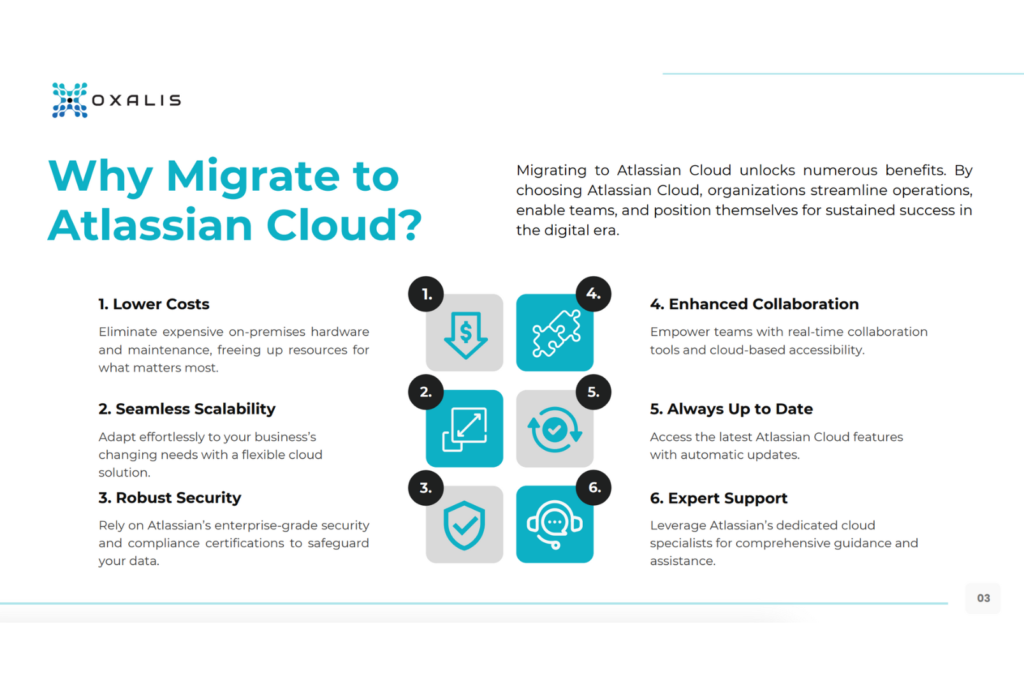
As your trusted Atlassian Cloud Migration advisors, we’ve distilled our extensive experience into a step-by-step eBook. Whether you’re transitioning from Server or Data Center, this guide covers every aspect of your journey.
This is Where Oxalis Comes In
Oxalis has not only executed Cloud migrations in extremely difficult environments (high compliance, large scale enterprise), but we’ve also customized and cleaned them along the way. Teams investing in a cloud migration will want to take advantage of the opportunity to transition their users to the new Cloud capability and collaboration paradigm. The shift from server to cloud is not one for one, or like for like. New capability will be unlocked. Our focus is not just to move your systems, but to improve them. This takes each step into account and ensures that every step we take is deliberate to help your systems perform considerably better than when it was brought to us.
The shortcomings mentioned above are exponentially more time and labor intensive with the scale of use and business. Therefore, if you have a larger presence and more use on Jira Software or Jira Core, you will likely need more customization and optimization. Get support.
Rather than stumble through and learn about migrating to the Cloud as you go, pushing your timeline farther out than intended, hire a dedicated team that will complete the job in less time with pure efficiency and dedication to creating the smoothest process possible.
We’re prepared to simplify your migration and optimze your systems along the way.
Recommended blog posts
- Atlassian Cloud Migrations – Webinar [ON-DEMAND]
- Jira Buyer’s Version Comparison Guide: Which Do I Need? | Jira pricing, features and more.