The Cherwell Sunset: Your Guide to a Brighter ITSM Dawn

For businesses that have relied on Cherwell for years, the EOL news can be unsettling. The thought of migrating to a new platform may conjure images of data chaos, productivity dips, and frustrated users. But fear not! This “Cherwell sunset” doesn’t have to mark the end of efficient service delivery. Instead, it presents a golden opportunity to embrace a brighter ITSM dawn with a future-proof solution.

Enter Jira Service Management (JSM): Your Post-Cherwell Oasis

Jira Service Management, from Atlassian, emerges as a compelling successor to Cherwell. Designed for the modern service desk, JSM offers a robust feature set, intuitive interface, and seamless scalability — all while ensuring a smooth transition for Cherwell veterans.

But how does JSM stack up against Cherwell? What are the key advantages of migrating?

These are just some of the questions we answer in our comprehensive white paper: “A Guide to Jira Service Management for the Cherwell User.” Packed with valuable insights and practical considerations, this guide explores the following:

  • Understanding JSM: This section delves into JSM’s core functionalities, highlighting its similarities to Cherwell. You’ll learn how JSM’s familiar structure, combined with an intuitive interface, minimizes the learning curve for Cherwell users.
  • Beyond Cherwell: JSM’s Advantages: We unveil JSM’s true strengths, showcasing its unmatched capabilities for fostering collaboration, streamlining workflows, and integrating seamlessly with other Atlassian tools. Discover how JSM empowers your organization to break free from the limitations of legacy systems and embrace a truly agile, collaborative ITSM approach.
  • Migration Considerations: We address potential concerns about data migration and user adoption. Learn about proven strategies for minimizing disruption and ensuring your team feels comfortable and empowered in the new JSM environment.
  • The JSM Advantage: Quantifiable Benefits: Facts speak louder than words! This section delves into real-world case studies showcasing successful migrations from Cherwell to JSM. We also summarize the key findings from the Atlassian-commissioned Forrester Total Economic Impact (TEI) report, highlighting the compelling ROI and potential cost savings JSM can bring to your organization.

Why Choose JSM over Other Solutions?

While numerous ITSM platforms exist, JSM stands out for several reasons:

  • Familiar Yet Evolved: JSM’s core functionalities share similarities with Cherwell, ensuring a smooth transition for users. However, JSM goes beyond, offering greater flexibility, customization, and modern integrations, future-proofing your ITSM setup.
  • Built for Collaboration: The modern service desk thrives on seamless collaboration between IT, development, and business teams. JSM fosters a unified environment where everyone can work together efficiently, breaking down silos and accelerating problem resolution.
  • Scalability and Adaptability: Your organization doesn’t operate in a vacuum. JSM’s cloud-based architecture ensures it scales alongside your company’s growth. Whether you’re experiencing rapid expansion or anticipating future growth, JSM adapts to your needs, safeguarding your investment for years to come.

Embrace the Future of ITSM: Download the White Paper Today!

While Cherwell’s EOL may appear daunting, it’s ultimately a catalyst for positive change. By migrating to JSM, you unlock a world of ITSM possibilities:

  • Enhanced Service Delivery: Empower your team to deliver exceptional service faster and more efficiently.
  • Reduced Costs: Streamline processes, automate tasks, and unlock trapped resources, resulting in significant cost savings.
  • Improved User Experience: Cultivate a user-friendly service environment that fosters collaboration and satisfaction for both internal teams and your customers.
Cherwell to Jira Service Management Migration Services

Ready to navigate your post-Cherwell journey with confidence? 

Download your free copy of our white paper: “A Guide to Jira Service Management for the Cherwell User.” Packed with valuable insights and practical considerations, this guide equips you with the knowledge and confidence to make a smooth and successful transition to JSM.

Don’t let the Cherwell sunset dim your ITSM future. Embrace the dawn of a brighter era with JSM!

The CISO’s Castle: Bolstering Security with Integrated Asset Management

In today’s ever-evolving threat landscape, CISOs face a constant siege — maintaining robust security postures while navigating a complex web of compliance requirements. A critical weapon in this ongoing battle is a unified system that seamlessly integrates asset management with IT service management (ITSM) practices. 

The Fragmented Fortress: A Common Challenge 

Many organizations find themselves struggling with a fragmented landscape of tools for asset management and ITSM. This often resembles a castle with separate towers, each manned by different teams with limited visibility into the bigger picture. This siloed approach leads to:

  • Incomplete asset inventory: A lack of a centralized view of all hardware, software, and cloud resources across the organization. 
  • Security blind spots: Difficulty in tracking the security posture of each asset, making it challenging to identify and address vulnerabilities promptly. 
  • Compliance headaches: Meeting regulations like GDPR, HIPAA, PCI DSS, and FISMA becomes an uphill battle due to the difficulty of generating comprehensive compliance reports. 

Compliance Tightrope: A Balancing Act for CISOs 

CISOs are constantly on a compliance tightrope, juggling a multitude of regulations that mandate strict data security controls and regular reporting on asset inventory and security posture. Failure to comply can result in hefty fines, reputational damage, and operational disruptions.  

Jira Service Management: Unifying Your ITSM Castle 

Jira Service Management (JSM) acts as the unifying bridge between your asset management and ITSM operations.  Imagine transforming your fragmented castle into a centralized command center with JSM at its core. Here’s how JSM empowers CISOs: 

  • Centralized Asset Data: Maintain a single source of truth for all asset information, providing complete visibility into your IT environment. 
  • Automated Asset Discovery: Leverage automated discovery tools to continuously identify and register new assets within the network, ensuring your inventory remains up to date. 
  • Enhanced Vulnerability Management: Integrate asset data with vulnerability scanning tools to prioritize and remediate security risks effectively. 
  • Streamlined Compliance Reporting: Generate compliance reports with ease, demonstrating ongoing adherence to regulatory requirements. 

Building Stronger Defenses with Oxalis

JSM’s capabilities are further amplified by partnering with Oxalis. Among the many things Oxalis offers is expertise in implementing and overlaying ITSM maturity models onto your JSM instance. This ensures your organization leverages JSM to its full potential, achieving enterprise-grade security and governance. 

By combining JSM’s asset management features with Oxalis’ implementation and maturity model expertise, CISOs can: 

  • Gain complete control over their IT environment. 
  • Proactively address security vulnerabilities before they can be exploited. 
  • Demonstrate continuous compliance with regulations. 
  • Achieve enterprise-grade security and governance, fortifying your organization’s digital castle. 

JSM and Oxalis, together, empower CISOs to move from reactive firefighting to proactive security leadership. With a unified system and a focus on continuous improvement, CISOs can ensure their organizations are well-equipped to face the ever-changing threat landscape and emerge victorious. 

Take control: learn how JSM & Oxalis can fortify your security

The complexities of modern IT infrastructure demand a unified approach to security and compliance. In this blog, we explored the challenges CISOs face in a fragmented landscape, and how a centralized system integrating asset management and ITSM offers a powerful solution. Jira Service Management empowers CISOs with a central hub for asset data, automated discovery, vulnerability management, and streamlined compliance reporting. 

However, maximizing JSM’s potential requires expert guidance. Partnering with Oxalis provides the expertise to implement and overlay ITSM maturity models on your JSM instance, ensuring you achieve enterprise-grade security and governance. 

Ready to learn more about how JSM and Oxalis can transform your organization’s security posture? Download our white paper, “How Jira Service Management and Asset Management Meet Security & Compliance Requirements: A Guide for CISOs.” This comprehensive resource dives deeper into how JSM’s functionalities, coupled with Oxalis’ expertise, empower CISOs to build a robust defense against evolving threats. 

How Jira Service Management Asset & Asset Management Meet Security & Compliance Requirements: A Guide for CISOs

In this white paper, you’ll discover: 

  • A detailed breakdown of JSM’s asset management capabilities. 
  • Strategies for integrating asset data with vulnerability scanning tools. 
  • Practical steps for generating comprehensive compliance reports. 
  • How Oxalis’ ITSM maturity model expertise optimizes JSM for maximum security benefit.

Take control of your IT environment and empower your security leadership. Download the white paper today! 

10 myths about moving to Atlassian Cloud

10 myths about moving to Atlassian Cloud

What’s inside:

In this guide we will touch base on the following topics:

  • Best practices about cloud migration.
  • Principal myths about moving to the cloud.

Moving to Atlassian Cloud is the best practice you can make to start improving your business. In this guide, we debunk the most common misconceptions about moving to Atlassian Cloud – along with shared insights and practical advice from customers who’ve recently migrated.

Organizations are migrating their software applications to the cloud for multiple reasons—such as lower IT workloads, cost savings, greater agility, the need for mobility and remote work, and “cloud first” mandates from management. Enterprises that move now can catch the wave and enjoy these benefits earlier.

But moving to cloud is a big undertaking, and customers need confidence that this is the right decision, and that they’ll be supported along the way. In response, Atlassian is providing free extended cloud trials, more cloud apps and app functionality, migration tools, and dedicated migration support to help streamline the process of moving to the cloud.

Cloud migration is the process of moving applications, users, and data to a cloud hosted infrastructure. In the Atlassian world, this means moving one or more Atlassian products (typically Jira Software, Jira Service Desk, Confluence, or Bitbucket) from Atlassian’s Server version to Atlassian’s Cloud. Cloud-hosted data is hosted on a collection of servers around the world, managed by providers like Atlassian who update and service systems for your company. Learn more about the best practices that can smooth the cloud migration path Confidently plan your migration to Atlassian Cloud. Oxalis experts can help you at every step of your migration – from assessment to getting up and running in the cloud.

Atlassian’s cloud products provide the same benefits as the server products, though there are some differences in features, functionality, and the user experience. In case you need help about how to use migration assistant, feel free to contact us.

8 Myths about Moving to the Cloud Debunked

8 Myths about moving to the cloud debunked | Whitepaper

In this whitepaper, other topics that will be touched are:

  • Users.
  • Data management.
  • Customization.
  • And so on.

As more and more businesses move their operations to the cloud, Atlassian has become a popular choice for organizations looking for a robust suite of tools for project management, collaboration, and communication. However, there are still many myths and misconceptions about migrating to the Atlassian cloud that can prevent organizations from making the move.

Migrating to the Atlassian cloud offers many benefits, including improved security, access to the latest features, and scalability. While there are some myths and misconceptions about migrating to the cloud, the truth is that it is a simple and secure process that can help organizations save time and money. If you’re considering migrating to the Atlassian cloud, don’t let these myths hold you back. Instead, take advantage of the many benefits that the cloud has to offer.

Stop the worries now. Be part of the technology change and have chance to improve your business processes and communication with your team. Take the bull by the horns and star shooting down the principal myths about moving to the cloud with this quick guide we have for you. In this Atlassian Whitepaper, you will discover the principals myths companies has, about moving to cloud. Jump into the next level with Atlassian Cloud and improve your profits, productivity, and performance.  Get this whitepaper and start your process with Atlassian.

If you’re considering a move to the cloud, chances are one of your biggest concerns is security. And if that’s the case, you’re not alone. In fact, 40% of IT managers surveyed said security and compliance are some of the greatest challenges of an on-prem-to-cloud migration. A staggering 94% of businesses that have already made the move to the cloud say security got better after the move—not worse.

No matter your size or user tier, every customer gets access to Atlassian’s enterprise-grade security. Atlassian has spent quite literally millions to make sure it’s airtight, and they’ve stated it’ll continue to be a priority. This means teams that have been dividing focus between security and other issues in house are now free to devote their time to supporting your teams and improving internal systems.

Migrating to the Atlassian cloud is important for several reasons. Firstly, it offers improved security and compliance for organizations. By hosting their data on the cloud, organizations can take advantage of the security infrastructure provided by cloud providers like Amazon Web Services (AWS), which can be more robust than what they can implement on their own. Additionally, Atlassian conducts regular security audits and has numerous compliance certifications, which can help organizations meet their own compliance requirements.

Secondly, the Atlassian cloud offers access to the latest features and enhancements. Atlassian’s cloud products are updated more frequently than their on-premises counterparts, which means that cloud users have access to new features and improvements sooner. This can help organizations stay competitive and adapt to changing business needs.

Thirdly, migrating to the Atlassian cloud can help organizations save time and money. Maintaining and upgrading on-premises installations can be a time-consuming and expensive process, and migrating to the cloud can reduce this burden. Additionally, the cloud versions of Atlassian’s products are more scalable and can handle larger volumes of data and users, which can help organizations grow without needing to invest in additional infrastructure.

Finally, migrating to the Atlassian cloud can help organizations streamline their operations and improve collaboration. Atlassian’s cloud products are designed to help teams work together more effectively and efficiently, with features like real-time collaboration, task tracking, and document sharing. By migrating to the cloud, organizations can take advantage of these features and improve their overall productivity and collaboration.

Overall, migrating to the Atlassian cloud is important for organizations that want to improve their security, access the latest features, save time and money, and streamline their operations. While there may be some myths and misconceptions about migrating to the cloud, the benefits of doing so can be significant for organizations of all sizes and industries.

If you need help with migration assistant or using the cloud, feel free to contact us.

Monitoring and reporting : How to drive enterprise efficiency with Confluence Data Center

how to drive efficiency with Confluence Data Center | Whitepaper

What’s inside:

In this whitepaper, you’ll know how to drive efficiency with Confluence Data Center, including:

  • 5 ways to become more efficient with advanced auditing capabilities.
  • Confluence use cases.
  • Monitoring and reporting best practices.

Find out how to drive enterprise efficiency with Confluence Data Center. When it comes to driving efficiency and effectiveness in your organization, monitoring and reporting capabilities are your best friends.

Being an admin of a self-managed environment means that you are responsible for the management of your entire instance. This includes data retention, scale, performance, and end-user activity just to name a few things. On top of this, you also have to deliver on aggressive business objects, break down organizational silos, and establish consistent ways of working across the enterprise, that’s a whole lot to manage when you can’t understand what’s actually happening in your instance. That’s why having the right software that enables you to take action is so important. Start to drive enterprise efficiency with Confluence Data Center.

Data Center, Atlassian’s self-managed enterprise edition, has advanced auditing capabilities, which allow you to create a digital record of what’s happening in your instance. You can choose one of four different coverage levels (off, base, full, advanced) to log different types of events, depending on the unique needs and insight that your organization requires. Interested in driving enterprise-level efficiency with your teams? Contact us to learn more about Confluence Data Center.

If the software that your organization relies on can’t help you answer questions on performance and security, then it’s not contributing to efficiency and effectiveness within your enterprise. Contact us if you need help getting the most out of Confluence Data Center.

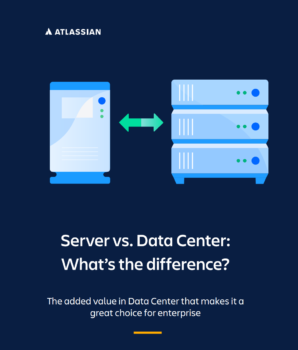
Server vs. Data Center: Which Atlassian Option is Right for You?

Server vs. Data center: What's the difference | Whitepaper

What’s inside:

  • Principal differences between Atlassian Server and Data Center.
  • Main group of benefits with Data Center.

If you have a Jira implementation—either Jira Software or Jira Service Management—you’ll need a license for either Server or Data Center. But what are the differences? Which is right for your business? Data Center offers the same functionality as Server, but with even more features and capabilities to better serve enterprises.

Simply put, Data Center is built for enterprises. High performance and availability, scalability, seamless user management, flexible deployment options, and solid security are just some of the ways in which Data Center meets the needs of organizations operating at scale. And, as of February 2021, apps like Team Calendars for Confluence and Advanced Roadmaps for Jira that were once add-ons will now be included in Data Center products.

While Data Center has several features, there are three main groups of benefits for your organization to enable you to deliver products quickly, reliably, and at scale:

  1. Agile & DevOps
  2. IT Service Management (ITSM)
  3. Work Management

As an enterprise, you’re likely dealing with large, complex, growing, and/or geographically distributed teams. And if those teams need Atlassian products to get their work done, any performance or availability issues can mean a huge loss in productivity. All Data Center products have features that help improve performance. In Jira Software and Jira Service Desk, you can archive both projects and issues to clear up space, clean up your instance, and make your products more performant.

To better understand the differences between Server and Data Center, take a look at the Data Center roadmap to learn about all the additional features that are currently available or coming soon. Still not sure? Reach our to our experts and they’ll be happy to help.

Updated: Please note that Atlassian Server reached its End of Life (EOL) on February 15, 2024 and is no longer supported.

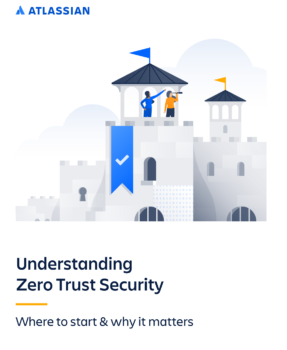
Understanding Zero Trust security: Where to start & why it matters.

Undertanding zero trust security | Whitepaper

What’s inside:

In this paper, we will review the current state of workplace security, the basic principles of this model, and how you can begin your journey towards a Zero Trust-secure workplace environment.

Zero trust security model is perfect for you if you want to improve your safety. For decades, enterprise security controls were built to protect a large, single perimeter around a corporation. Often described as castle-and-moat security, this approach is based on the principle that the perimeter (or moat) should protect everything within its bounds, and everything inside the network is trusted by default.

In this paper, we will review the current state of workplace security, the basic principles of the Zero Trust security model, and how you can begin your journey toward a Zero Trust-secure workplace environment. What makes the Zero Trust approach unique is that in order to minimize the ‘perimeter’ of any given individual and isolate the risk associated with that user, the Zero Trust approach supports the idea that an employee should only be given the minimum access and permissions needed for that employee to do their job.

By limiting access in this way, the risk is minimized. Should an attacker gain access to the credentials of a user in marketing, for example, that perpetrator is ‘laterally’ limited in that they cannot gain access to any of the tools, assets, or information outside that user’s specific role.

The corporate technology space has changed dramatically since the days of castle-and-moat. That change brought the need for a new approach to workplace security. Enter Zero Trust – the new security model industry experts have turned to that addresses the growing security challenges in the modern workplace. This model worked for environments in which applications are hosted on-premise. But castle-and-moat doesn’t stand up to the security threats posed by the proliferation of cloud applications, devices, and logins.

It has become increasingly difficult to secure the critical systems, data, and employees that allow companies to successfully operate. Several converging trends in the IT space are to blame. In case you need help with Atlassian or Jira feel free to contact us.

What is IT Service Management: How IT teams manage the end-to-end delivery of IT services to customers.

What's IT serivce management | Whitepaper

What’s inside:

  • The importance of ITSM.
  • ITSM processes.
  • ITSM software and tools.
  • And more.

IT service management — often referred to as ITSM — is simply how IT teams manage the end-to-end delivery of IT services to customers. This includes all the processes and activities to design, create, deliver, and support IT services.

The core concept of ITSM is the belief that IT should be delivered as a service. A typical ITSM scenario could involve asking for new hardware like a laptop. You would submit your request through a portal, fill out a ticket with all relevant information, and kick off a repeatable workflow. Then, the ticket would land in the IT team’s queue, where incoming requests are sorted and addressed
according to importance.

ITSM stands at the center of modernizing organizations. As the rise of software powered service accelerates, IT service teams are enabling employees and teams across organizations to deliver value more quickly. The role of the IT team has transformed from supporting the business to differentiating the business. It’s time to move towards approaches to ITSM that emphasize collaboration, ease of use, and faster value delivery. Transform your service desk with the Atlassian approach to IT Service Management.

Due to their day-to-day interactions with IT service management, people often misconstrue ITSM as basic IT support. On the contrary, ITSM teams oversee all kinds of workplace technology, ranging from laptops to servers, to business-critical software applications.

There is a common line of thinking in the IT industry that posits that a proper approach to ITSM should follow three steps in this order: 1) Build and implement IT technology. 2) Bring in and enforce the right process. 3) People can learn the technology and abide by the process. Atlassian flips that paradigm.

For Atlassian, the team comes first. IT teams should be continually learning and improving. They must feel valued and empowered to make a difference in the organization. In case you need some help feel with your Atlassian status, free to contact us.

DevOps with Atlassian: A guide to cloud features

DevOps with Atlassian | Whitepaper

What’s inside:

Atlassian unifies all of DevOps work and reduces collaboration overload. In this whitepaper you’ll touch base on the following topics:

  • Find out how Atlassian tools help developers get more productive.
  • How to plan and track projects.
  • How to mitigate alert fatigue and resolve incidents faster.
  • DevOps best practices.

Atlassian’s new features, automations and integrations for DevOps help developers take back their time and ship code faster. Teams benefit from less context switching, fewer meetings, and fewer pings from IT about security incidents.

Increased collaboration can come at a cost to developers. Instead of coding and building innovative solutions, developers can end up spending a big chunk of their day integrating multiple tools, updating work status, and sharing it with other teams. According to the recent DevOps Trends Survey conducted by Atlassian, more than 80% of developers state that disconnected tools, manual
processes, and constantly changing collaboration processes are getting in the way.

We’re helping developers focus on their code as we uniquely connect development, IT operations, and business teams with automation
that spans our products and third-party tools. Atlassian’s new features, automation, and integrations for DevOps help developers take back their time and ship code faster. Teams benefit from less context switching, fewer meetings, and fewer pings from IT about security incidents. Successful DevOps implementation doesn’t end at connecting the tools. Most DevOps practitioners agree—citing people and culture as the top factor in successfully implementing. Inside this whitepaper, you’ll learn more about every stage such as: Plan, building, CI/CD, operating & monitor, Communication & collaboration.

In case you need help with DevOps with Atlassian, Atlassian confluence, or other products, feel free to contact us