5 Recent Upgrades That Make Capacity Planning in Jira Align Better Than Ever

Jira Align, Atlassian’s enterprise-grade Agile solution, has offered a degree of capacity planning since its initial release. But a number of recent improvements have made this key feature much more user-friendly, powerful, and flexible. In this post, we’ll cover what five recent upgrades that make capacity planning in Jira Align better than ever.

Jira Align’s five fundamental work items, along with all the built-in laddered work management and reporting features, are central to providing flexibility in managing Agile work at different altitudes.

  • Theme
  • Epic
  • Capability
  • Feature
  • Story

For starters, the existing Forecast page now works for the Feature level, in addition to Epic and Capability. And capacity planning now has its own page—Capacity—that uses the data from the Forecast page, which, in turn, displays data from the Capacity page.

Forecast Page
Epic

Work forecasting has been available at the Epic and Capability level since the initial release, and now it’s also available for Feature work items. Here are the three key updates.

Capacity Remaining

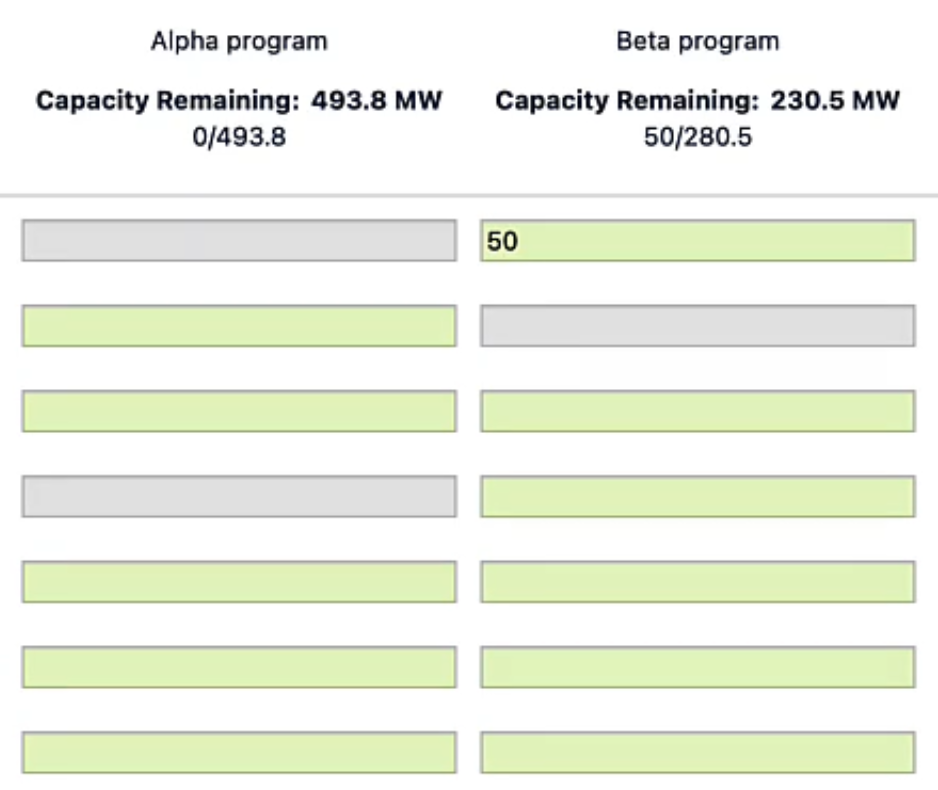
If you’re using the Capacity page (see section below), your capacity data will appear on the Forecast page at the top of each program column, so you can easily avoid committing to more work than you can accomplish.
Capacity page: Jira Align

Automatic Math

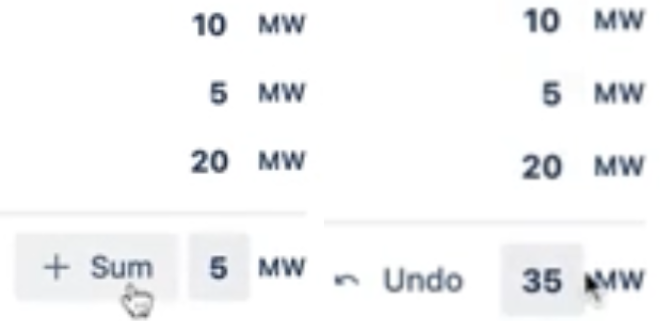
Estimating for a given Epic/Capability/Feature now includes buttons that automatically add up the estimations for each program and team, as well as for the entire Program Increment.  You can still do it manually if you like, but now Align will do the math for you if you don’t.
Automatic Math: Jira Align
On left, manual total estimate; on right, auto-estimation

Forecasted Spend

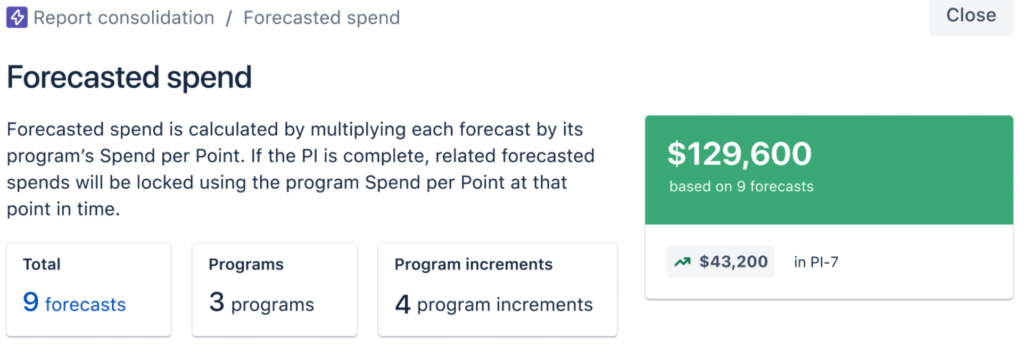
The Forecasted Spend financial value has been added to Features—in the Spend tab inside the Details panel for the work item—just as it has been for Epics and Capabilities.
Forecasted Spend Financial value: Jira Align
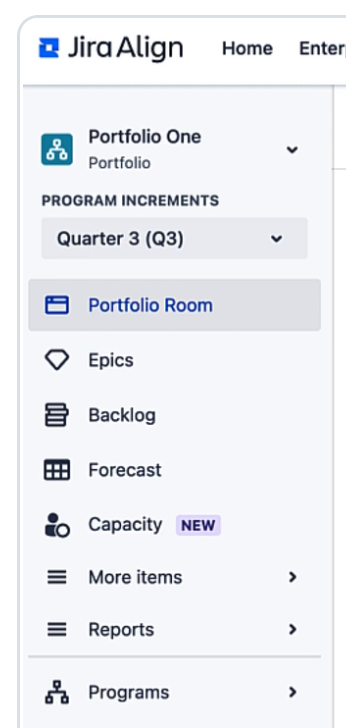
Jira Align menu left sidebar

Capacity Page

The Capacity page is a new feature, located just below Forecast in the left sidebar.

It is available in Portfolio, Solution, or Program context.

Jira align menu bar

There are two sections on the page, Plan Summary and Plan Details.

Plan Summary

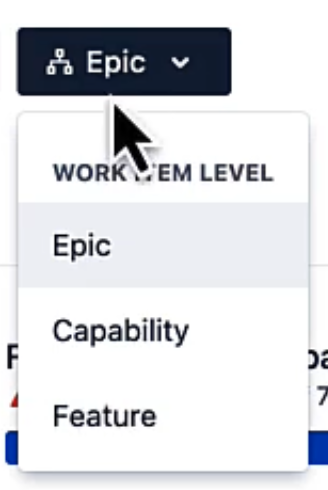
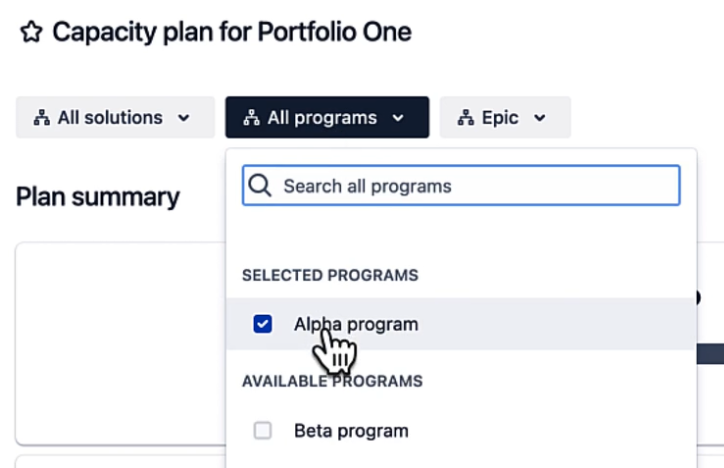
Just like with the Forecast page, you can choose the scope of planning. Choose a subset of the Solutions (if you chose the Solution context), a subset of the Programs, and/or set the work item level to Epic, Capacity, or Feature.
Capacity plan for Porfolio One: Jira Align

Once you’ve set the scope you want to plan for, the Forecast vs. Capacity bar shows you, at a glance, the plan’s total capacity, forecasted work, and current capacity remaining.

And the Forecast page is just a click away—just use the Source link to the right of the bar. This keeps the two halves of capacity planning in Jira Align conveniently connected.

The last part of the Plan Summary section contains six cards that each display an aggregated sum of all team-level data for the plan scope you’ve selected, showing you how the plan’s total capacity is calculated, along with the same calculations for the previous plan. The data calculated in the first four cards depends on whether you’re using points or member weeks. Here’s an example using points.

Plan Summary Section: Jira Align

These cards update in real time as you plan to help you understand how the changes you make to plan details are affecting your capacity.

Two of the columns need a bit of explanation. Buffer, whether you’re using points or weeks, provides a way to capture factors like planned PTO that reduce the amount of effort the team can put in for the plan’s duration. Capacity Percentage captures how much of the team’s work time will go toward this plan, which is vital because team members may have a certain amount of overhead in their days, or their time may be split between projects. The program’s Buffer value is subtracted before the Capacity Percentage is applied. For example:

20 points per sprint x 6 sprints = 120 points

120 points - 20 points of buffer = 100 points

Capacity % of 80 x 100 points = Available capacity of 80 points

Plan Details

This table breaks down the data in the cards, with the programs or teams as rows, and the same six factors as columns. Initially each program in the plan is a row, to provide an overview.

Plan details: Jira

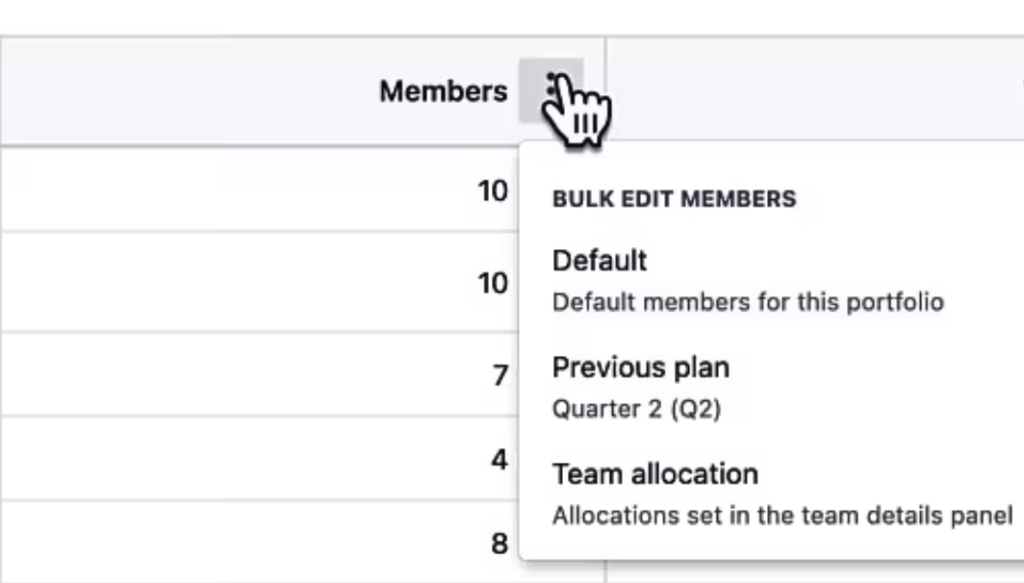
If you want to apply values to all listed programs in the plan, use the three-dot pop-up menu in a column’s header to do so. See below for explanations of these editing options.
Bulk  edit members

If you want to set different values for each program, or for each cell in a column, you do that at the team level; simply click on a program to pull up the team breakdown and directly edit the members, team capacity percentage, and so on. Changes are applied in real time, and are available in other places, like at the top of each program’s column in the Forecast page.

Forecast page

The Available Capacity column is calculated using the values in each row, and you can use the little down arrows in each cell to choose how you want to populate the value for that cell:
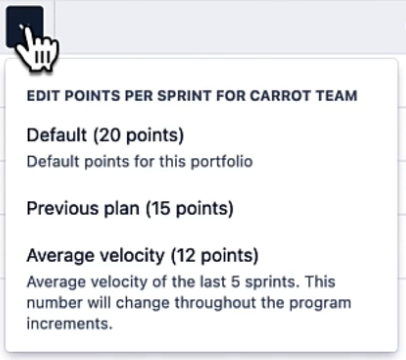
Available capacity column: Jira Align
  • Manual entry – just type in the value.
  • Default value – use the Solution or Portfolio’s default value, which can be set using the Defaults link above the Available Capacity column.
  • Previous value – use the corresponding value from the previous plan.

If you’re already using Jira Align, be sure to take advantage of the new capacity planning features we’ve covered here. If you’re considering Jira Align, Oxalis can help. We’ll assess the fit, design and prepare an implementation, then execute and support it. We’re an Atlassian Platinum Solutions Provider and offer premium consultation for Atlassian implementation services.

Contact Us


Atlassian Server End of Support is Here. Are You Ready?

On Thursday, February 15, 2024, Atlassian’s Server products will no longer be supported. This means Atlassian and Marketplace partners will no longer provide technical support for any issues, security updates, or bug fixes for Server.

If you are still on Atlassian Server licensing and have not yet developed a plan to move away from it, Oxalis can help guide your decision. At Oxalis, we see this as a great opportunity for our customers to make a calculated transition to dynamic solutions that work for their data management and collaboration strategy. Whether it’s moving to Atlassian Cloud or Data Center, there are numerous options for addressing compliance needs or regulations.

What End of Support Means

After 12:00 a.m. PST on February 15, 2024, Atlassian and Marketplace Partners will no longer provide technical support for any issues, security updates, or bug fixes for critical vulnerabilities. Regular security updates help protect your business from threats and vulnerabilities, so we recommend moving to Atlassian’s Cloud or Data Center products to ensure you continue to receive the critical support and services you need.

This transition applies to the following Atlassian Server products:

  • Jira Software Server
  • Jira Core Server
  • Jira Service Management Server
  • Confluence Server
  • Bitbucket Server
  • Crowd Server
  • Bamboo Server
  • Atlassian-built Server applications

Risks of Remaining on Server Products

Remaining on Server products after February 15, 2024 poses several risks, and you should act now to mitigate them.

  1. Increased vulnerability to security threats: Organizations that choose to remain on Server products will be at a higher risk of security threats, such as data breaches and cyberattacks. This is because security patches and updates will no longer be provided, leaving servers exposed to vulnerabilities.
  2. Lack of compliance with industry standards: Organizations that continue to run unsupported software may fall out of compliance with industry standards and regulations, such as PCI DSS and HIPAA. This can result in legal penalties, fines, and reputational damage.
  3. Limited scalability and flexibility: Server products have limited scalability and flexibility, making it difficult for businesses to adapt to changing business needs and growth. This can result in reduced productivity and competitiveness.
  4. Reduced reliability and performance: Server products will no longer receive updates and patches, and server performance and reliability may decline over time. This could lead to downtime and business disruption, detrimentally affecting productivity and revenue.
  5. Limited support and services: Organizations that remain on Server products after the end of support period will have support limited to Cloud migrations or DC upgrades, making it difficult to resolve server issues and get help when needed. This can result in longer downtime and increased business disruption.

How Did Atlassian Get Here?

Atlassian has been preparing for this major transition since 2020. Oxalis has been helping organizations define and execute their migration strategies in preparation for this milestone. 

Atlassian Server EOL
  1. October 16, 2020: Atlassian announces Server-licensed products to be phased out
  2. February 2, 2021: Atlassian stops the sale of new Server licenses
  3. February 15, 2022: Atlassian stops tier upgrades and downgrades for Server licenses
  4. February 15, 2023: Atlassian stops the sale of new Server apps
  5. February 15, 2024: Support for Server ends

The Methodology

As Atlassian cloud migration advisors, Oxalis’s unique expertise ensures Atlassian Cloud Migration success.

The Atlassian Cloud Migration Playbook, written for any company that needs to migrate from Atlassian Server or Data Center to the Cloud.


It covers the entire migration process from pre-planning to testing to executing the migration.

What Should you Do?

Organizations still using Server licenses have two options to continue using the Atlassian products in a supported manner:

  1. Migrate to Cloud: Operate more efficiently and focus on innovation with seamless collaboration, better integrations, and native automation.
  2. Upgrade to Data Center: Maintain self-managed environments with security controls, performance at scale, and flexible infrastructure choices.

This decision has several organization-specific deciding factors. Contact us to talk to an expert who can help you make the decision that’s best for you.

Benefits of Moving to Atlassian Cloud

Atlassian has invested heavily in their Cloud products, resulting in a best-in-class product offering that enables businesses to work faster, smarter, and stronger.

Atlassian Cloud products bring:

  1. Enhanced security and compliance: By migrating to Atlassian Cloud, organizations can benefit from enhanced security features such as encryption at rest and in transit, automatic updates and patches, and compliance with industry standards like SOC 2 and ISO 27001. This ensures that organizations’ data is always secure, reducing the risk of cyberthreats and data breaches.
  2. Increased scalability and flexibility: Atlassian Cloud offers unlimited scalability, allowing organizations to easily add or remove users, storage, and functionality as needed. With cloud-based solutions, customers can access their data from anywhere, anytime, and on any device, making it easier to collaborate and work remotely.
  3. Continuous innovation and feature updates: No more upgrades! By migrating to Atlassian cloud, organizations can take advantage of new features and updates, released on a regular basis, without having to worry about managing upgrades or downtime. This ensures that they always have access to the latest and greatest features, improving their overall experience and productivity.
  4. Improved reliability and performance: Atlassian Cloud is built on a robust and scalable infrastructure, ensuring high availability and reliability. This means organizations can count on their systems to be up and running when they need them, without worrying about hardware failures or maintenance issues.
  5. Fast and Reliable Support: With Atlassian Cloud, organizations have access to a wide range of support and services, including 24/7 technical support, online help center, and community forums. This ensures that organizations get the help they need, when they need it, reducing the risk of downtime and other issues that can affect their business.

Benefits of Moving to Atlassian Data Center

For many organizations, moving to Atlassian Cloud isn’t feasible due to their compliance or other business requirements. Oxalis has helped many organizations design a cost-optimized Data Center hosting architecture that meets their compliance and performance requirements.

Migrating to Data Center licensing allows for:

  1. Easy Transition: Atlassian has committed to making the transition from Server to Data Center licensing seamless.
  2. Higher Security: Organizations can deploy Data Center products in the hosting solution they prefer. This can include a cloud provider, such as AWS or Azure, as well as on-prem hosting solutions.
  3. Performance and High Availability: Data Center ships with the ability to be used in clustered environments for High Availability, but also in a simple (not clustered) configuration if you do not have this requirement.

Moving to Data Center can also serve as a temporary solution for organizations to ensure they continue to operate on a supported platform as they plan their Cloud migration journey.

Oxalis is Here to Help

As an Atlassian Platinum Solution Partner, Oxalis is here to help organizations plan and execute their migration strategy. We are a Cloud Specialized Partner with proven expertise and experience to lead and execute successful Server-to-Cloud migrations. We also specialize in high-compliance businesses, focusing on deploying compliant Data Center solutions, that meet your compliance, performance, and cost requirements.

We’re the ones you call to get it done the right way, the first time.